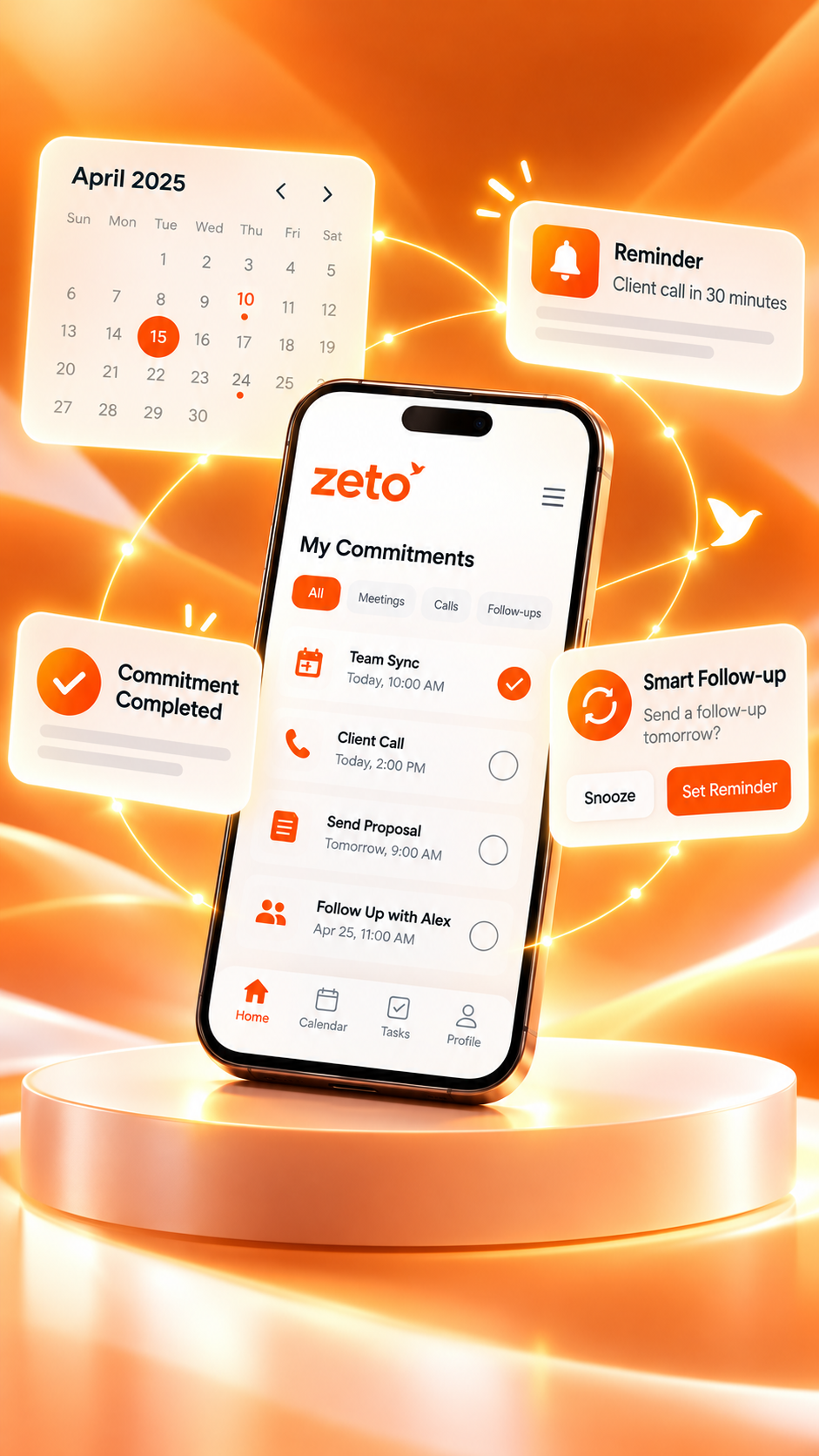
Why ZETO AI Is More Than Just an AI Note-Taking App
Notes capture the moment. Conversation memory helps you return to the decision, understand the commitment and know what needs attention next.
“We agreed on the new terms, but need written confirmation by Monday.”
Note-taking apps are useful because they give information a place to live. You type an idea, save a reminder or paste meeting minutes into a document. The difficulty begins later: which note contained the agreed rate? What changed during the second customer conversation? Did someone promise to call back on Monday?
Those questions explain why an AI note-taking app can be helpful yet still feel incomplete. A short, accurate note is only one part of the process. The bigger challenge is connecting conversations, decisions, people and next steps over time.
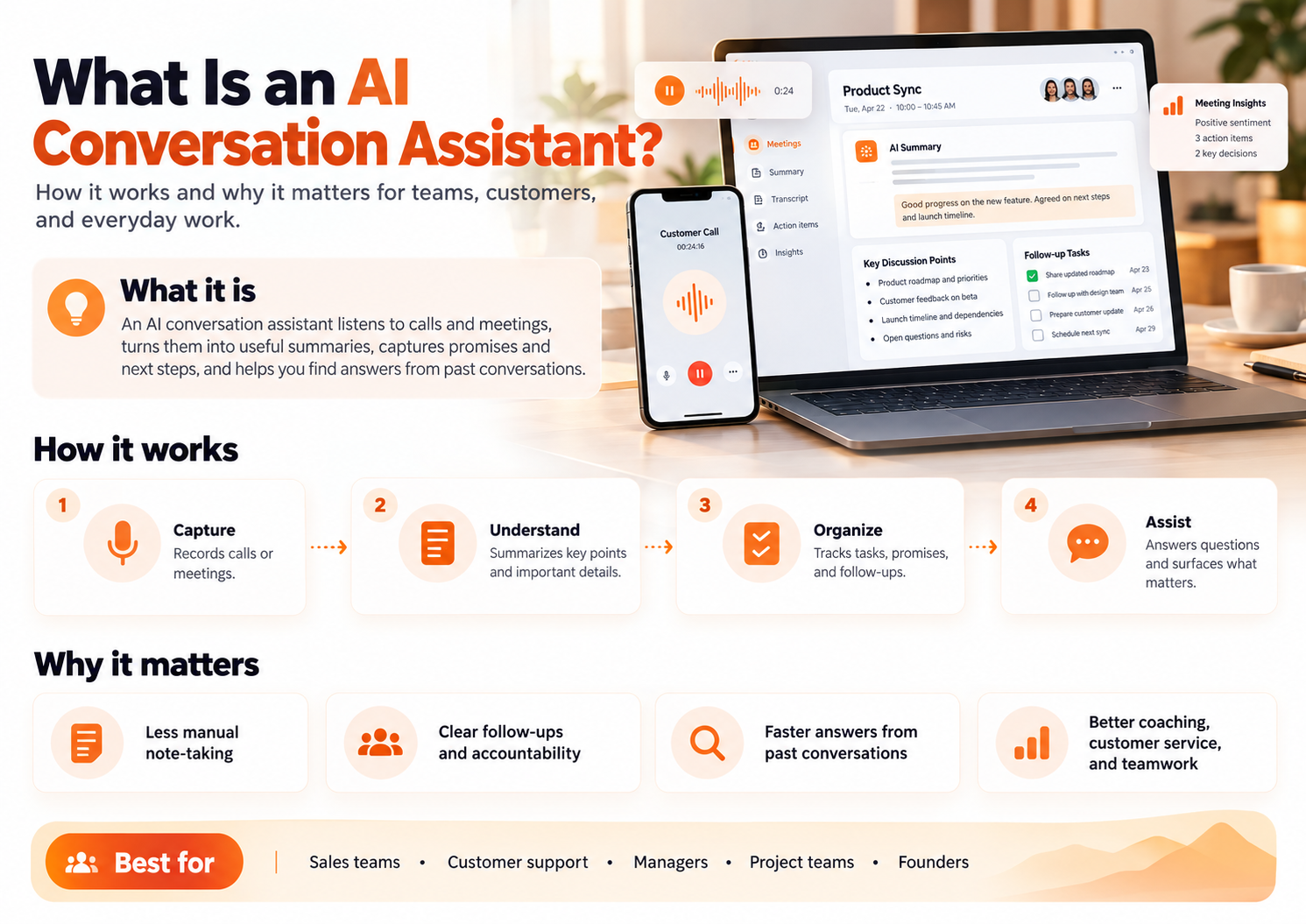
ZETO AI is designed around that broader workflow. It uses captured meetings, voice notes, typed notes and supported recordings to create structured summaries, follow-ups and searchable conversation history. Here is what that means in real work—and where the limits still lie.
What a conventional note-taking app does well
Traditional notes are excellent for quick capture: a checklist, meeting outline, address, phone number or idea you want to revisit. Digital notebooks add folders, tags, search and sharing. An AI note-taker may add transcription and automatic summaries, which reduces the amount of writing required during a meeting.
These are valuable features. But many work problems require more than one note. A quotation may change across three calls. A delivery promise may be revised after a supplier conversation. An action item may be left unresolved until the next meeting.
Four ways conversation memory goes beyond the note
Separate what happened, what was decided, what was promised and what remains open.
Return to previous discussions with a customer, colleague or supplier.
Bring agreed actions and important dates into a reminder-oriented view.
Retrieve a previous detail through Ask Zeto instead of searching blindly.
This does not make traditional notebooks obsolete. It means there is value in linking a record to its context and next action, especially for professionals who make many verbal commitments.
How ZETO AI organizes captured conversations
ZETO AI’s published app listings describe summaries for captured meetings, voice notes and notes. The summaries are organized around what happened, what was promised, what was decided and what is still open. The app can turn relevant commitments into reminders, show due and overdue items, and keep people-based history.
Ask Zeto lets a user ask a question about previously captured conversation material, with answers showing where the information came from. That is different from asking a general AI chatbot to guess what someone said during a conversation it has never seen.
On Android, processing saved call recordings is supported when the phone’s own Phone app saves eligible recordings. ZETO AI does not independently record calls. On iPhone, the listing highlights meeting and voice-note capture, typed notes and imported recordings. Always check the current platform-specific features.
Example: a client relationship across three conversations
A design consultant meets a client to discuss a renovation. The first meeting defines the scope. A later call introduces a budget limit. A final discussion changes the delivery date. If those details are saved as separate notes, the consultant must reconstruct the latest position manually.
Design concept and initial deliverables.
Client requests a revised cost ceiling.
Delivery timing changes; confirm the latest date.
The professional needs the current agreement, not merely the first set of notes. A conversation-memory workflow can make this history easier to review, although the user must still resolve contradictory statements and confirm the final agreement.
AI notes vs conversation memory: a practical comparison
| Your question | A basic note helps with | Conversation-oriented workflow adds |
|---|---|---|
| What happened in the meeting? | Reading recorded points | Concise structured summary |
| What did we promise? | Finding a manually written task | Surfacing commitments from captured discussion |
| What changed later? | Comparing separate notes | Reviewing history by person and conversation |
| Where did this answer come from? | Locating a document or paragraph | Referring back to the relevant captured source |
| What needs attention today? | Reviewing an external task list | Viewing follow-ups with due or overdue status |
The distinction is about workflows, not whether one category is inherently superior. Some advanced note-taking products include reminder and retrieval features as well. Choose the tool that helps you handle your actual conversations reliably.
Who should consider a conversation-first assistant?
Business owners frequently speak to suppliers, clients and team members. They may need to revisit changing terms without losing context. Sales professionals can review customer needs and promised callbacks. Consultants can trace requirements across project discussions. Managers can prepare for the next meeting by reviewing unresolved decisions from the previous one.
For company-level workflows, there is a separate ZETO Enterprise offering. The personal app should not be presented as an automatic employee-scoring or full CRM replacement tool.
How to build a better note-to-action habit
- Capture only with permission: Save the meeting, voice note or approved recording through a supported method.
- Review the summary: Correct or clarify important names, prices, and dates.
- Confirm commitments: Separate genuine promises from ideas or tentative proposals.
- Set the next action: Check the due date and who is responsible.
- Revisit before following up: Read the previous conversation history so the next call begins with context.
That last step is often underrated. A better follow-up usually begins with remembering what the other person already said.
Limits, privacy and human judgment
AI can mishear names, merge speakers or infer a date incorrectly. A missing recording produces missing context. Formal decisions may require written confirmation even when a summary appears clear. Obtain required permission before recording and review ZETO AI’s privacy details, including processing and data-control options, before using it for confidential work.
More capable note-taking does not mean handing over responsibility. It means giving the responsible person a clearer record to act on.
Frequently asked questions
Is ZETO AI just an AI note-taking app?
It includes notes and summaries, but its published features also include conversation history, commitments, reminders, a Today view and Ask Zeto questions with source references.
Can ZETO AI turn a meeting into action items?
Its listing describes identifying promises and follow-ups from captured conversations and turning them into reminders. Users should verify ownership and deadlines.
How is Ask Zeto different from ordinary keyword search?
Ask Zeto is designed to answer questions about captured conversations and show source references, rather than only locate an exact word in a document.
Does ZETO AI replace a CRM?
No such replacement claim is made. A CRM manages customer and sales records; ZETO AI focuses on captured conversation context and follow-through.
Does it record Android phone calls itself?
No. Android call processing relies on eligible recordings saved by the device’s own Phone app, where available and lawful.
Can I use ZETO AI on iPhone?
Yes. Its iPhone listing includes meeting recording, voice notes, typed notes and recording imports, but platform capture options differ.
Can ZETO AI make mistakes?
Yes. Verify critical facts, names, dates and amounts against the underlying recording or directly with the participants.
Is it suitable for business teams?
Team functionality is described in the app listings, and ZETO Enterprise is a separate business-focused offering. Review the relevant access, consent and administrative details.
Final thoughts
A note is useful when you need to record information. A conversation-first assistant becomes more valuable when you need to remember the people, decisions and commitments connected to that information. ZETO AI is designed to help bridge that gap—from a captured conversation to a more informed next step.
Descriptions of ZETO AI features are based on its published Android and iPhone listings. Availability can vary by device, version and plan. Google Play product description · Apple App Store product description · ZETO AI website.
Turn conversations into progress.
Explore ZETO AI for summaries, follow-up reminders and searchable conversation context.