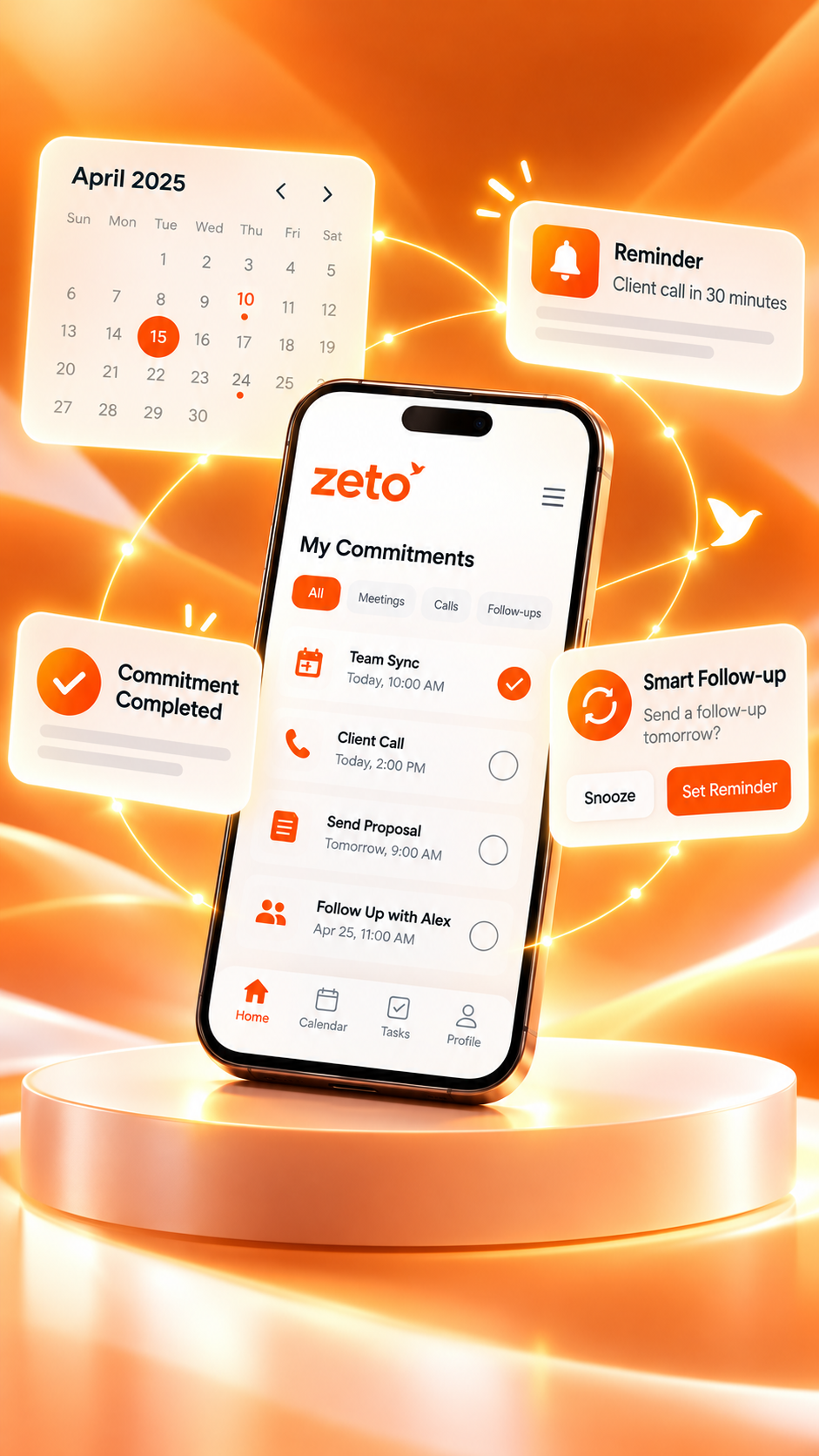
ZETO AI: One Personal Assistant for Summaries, Reminders, and Conversation Memory
ZETO AI brings captured conversations, structured summaries, reminders and searchable memory into one work-oriented assistant. Here is how the experience fits together.
“The customer needs an updated quote tomorrow, and we should check the supplier’s condition first.”
ZETO AI brings captured conversations, structured summaries, reminders and searchable memory into one work-oriented assistant. Here is how the experience fits together.
The goal is to help readers decide what information needs to be captured, how it should be reviewed and where ZETO AI fits into that workflow. A useful assistant supports human judgment rather than replacing it.
Important work begins with a conversation
A customer calls to change an order. A meeting ends with an agreed timeline. A colleague leaves a voice note about a revised plan. Each moment produces useful information, but that information can disappear into memory, a recording folder or a collection of unrelated notes.
ZETO AI is built around a simple idea: the value of a conversation does not end when people stop speaking. A useful personal assistant should help capture the discussion, organize it and bring the right details back when they are needed.
Understand the key points quickly.
Return to promises and deadlines.
See past interactions in context.
Ask questions about captured conversations.
Capture the information you actually work with
ZETO AI’s published Android and iPhone listings describe recording meetings and voice notes directly in the app and creating or importing notes through supported methods. They also describe turning those inputs into a short summary of what happened, what was decided, who promised what and what remains open.
Phone calls follow a different workflow. On supported Android devices, the phone’s Phone app must save a call recording that ZETO AI can process afterwards. ZETO AI does not itself record phone calls. iPhone users should rely on supported meeting, voice-note and import workflows rather than assuming Android-style phone-call capture.
| Input | Typical use | Important qualification |
|---|---|---|
| In-person meeting | Team or customer discussion | Obtain permission before recording |
| Voice note | Idea or instruction on the move | Review unclear dates and names |
| Supported Android call file | Customer or supplier call | Phone app must save the recording |
| Imported recording / note | Existing approved information | Confirm supported formats and access |
Turn a recording into a clear summary
The main difference between a raw recording and a useful conversation summary is organization. A long discussion might contain a decision, a proposed idea and two unanswered questions. When those points are separated, the user can see what is final and what still needs attention.
ZETO AI’s listed summary structure includes what happened, promises, decisions and open matters. This structure is particularly relevant when a professional needs to pick up an old conversation before speaking to the same customer again.
Supplier will send a revised estimate.
Timing depends on stock verification.
Review the revised quotation first.
Make commitments easier to revisit
It is easy to remember that a promise was made and forget the exact wording. ZETO AI’s follow-up features are described as turning extracted promises into reminders with dates, while its Today view groups upcoming and overdue items. A conversation becomes more actionable when the user sees the next step, not only the past discussion.
This does not mean every extracted reminder will be correct or that a call will automatically be placed. Check the intended date, owner and condition before relying on any generated item. The user still has to complete the work and confirm the outcome.
For frequent conversations with the same person, people history can help connect new details with earlier rates, terms and unanswered questions.
See the idea in action
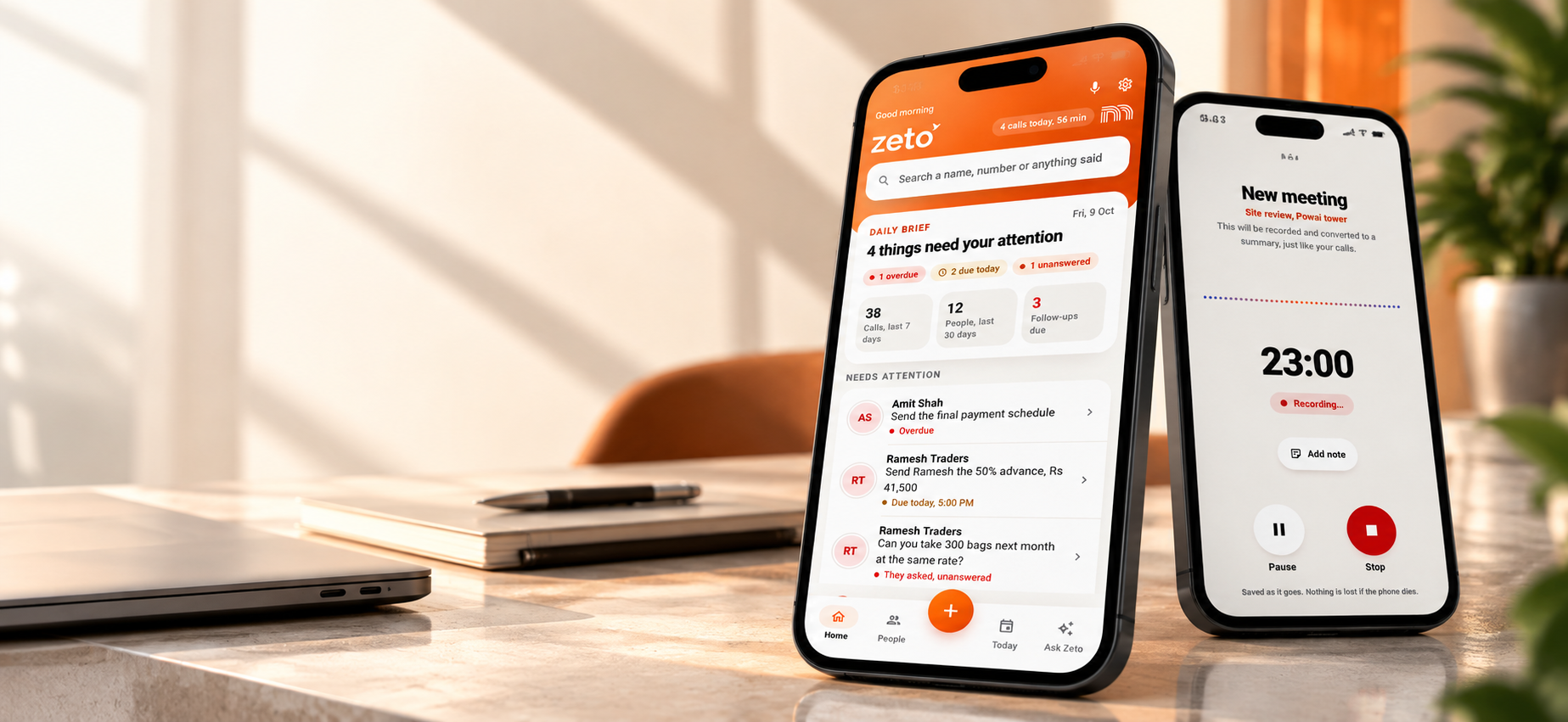
The important step is to connect the recorded discussion with the right person, decision and follow-up, while checking any critical details against the original source.
Ask Zeto: retrieve answers from your own conversations
Ask Zeto is presented as a way to ask questions such as “What rate did we agree?” or “What did I promise this week?” from recorded and processed work discussions. The official listings say answers show where the information came from.
Source references matter because a generated answer may miss a change, confuse similar names or overlook a later agreement. Users should open and verify the relevant content when a decision affects money, delivery or customer expectations.
- Before a call: check the latest customer requirement.
- After a meeting: review the decisions and pending items.
- During a handoff: retrieve the conversation behind a commitment.
- When details are disputed: return to the source instead of treating a summary as infallible.
A simple conversation-to-progress workflow
- Capture: use an allowed supported recording or note.
- Understand: review the structured AI summary.
- Confirm: check source information for prices, dates and promises.
- Follow up: review reminders and complete the action.
- Ask later: retrieve the relevant context before the next conversation.
This workflow reflects ZETO AI’s practical positioning: helping professionals spend less time reconstructing past discussions and more time resolving the next step.
Who is ZETO AI for?
The app is relevant to professionals who regularly depend on spoken information: owners negotiating with suppliers, consultants handling changing requests, salespeople following up with customers and project managers confirming decisions after meetings.
Organizations with team visibility needs can also explore ZETO Enterprise, which describes permitted conversation and follow-up workspaces for leadership review. Its proposed behavioural framework should not be confused with a fully validated system for automatically judging employees.
The best fit depends on whether the user can capture their conversations lawfully, the devices and channels involved, and whether reviewing summaries becomes part of the daily routine.
Privacy, consent and reliability
The official app descriptions explain that recorded audio is processed by services used for transcription and AI summaries, and describe controls for consent and data management. Review the latest privacy documentation for exactly what is collected and who can access it.
Recording laws and business confidentiality requirements vary. Obtain the necessary permission before capture and avoid uploading material that you are not authorized to share. AI-generated details can be mistaken, so important agreements should be confirmed against the original conversation.
Frequently asked questions
What is ZETO AI?
A work-oriented personal assistant for captured conversation summaries, follow-ups, people history and source-backed search.
Does ZETO AI record phone calls on Android?
It relies on recordings saved by a supported phone’s own Phone app; it does not directly record the phone call.
Can I record meetings and voice notes?
The published app listings describe in-app recording for meetings and voice notes.
What is Ask Zeto?
A way to ask questions about your captured conversations and see where an answer came from.
Can ZETO AI remind me about a customer promise?
Its published features include extracted commitments and follow-up reminders, subject to user review.
Does ZETO AI automatically send emails or call customers?
The published feature set does not establish automatic customer calls or email sending.
Is ZETO AI available on iPhone?
Yes. Its iPhone listing describes meetings, voice notes, imports, summaries and reminders.
What is the difference between ZETO AI and ZETO Enterprise?
ZETO AI focuses on personal conversation memory, while the Enterprise page presents contextual visibility into permitted work conversations and team follow-ups.
ZETO AI Android listing · ZETO AI iPhone listing · ZETO AI official website · ZETO Enterprise overview
Turn conversations into progress.
Explore ZETO AI for conversation summaries and ZETO Enterprise for a clearer picture of permitted work conversations, commitments and follow-through.
AI-generated summaries and answers should be checked against source conversations, particularly for dates, prices, names and promises. Recording requires appropriate permissions and consent. Product availability may vary by platform.