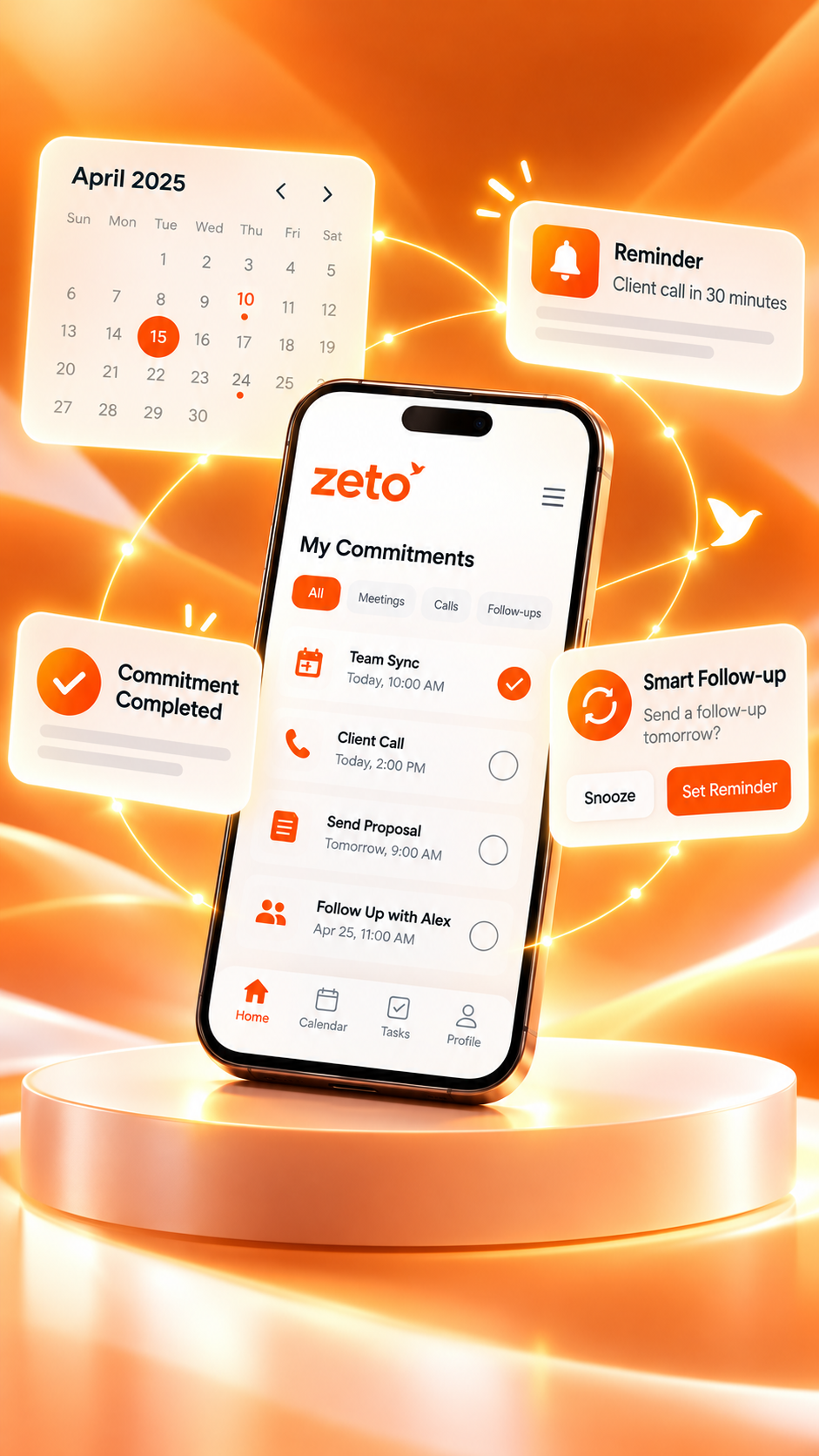
How to Summarize Android Phone Calls Using AI in India
A practical 2026 guide to turning supported phone-call recordings into clear summaries, customer commitments, reminders and searchable answers.
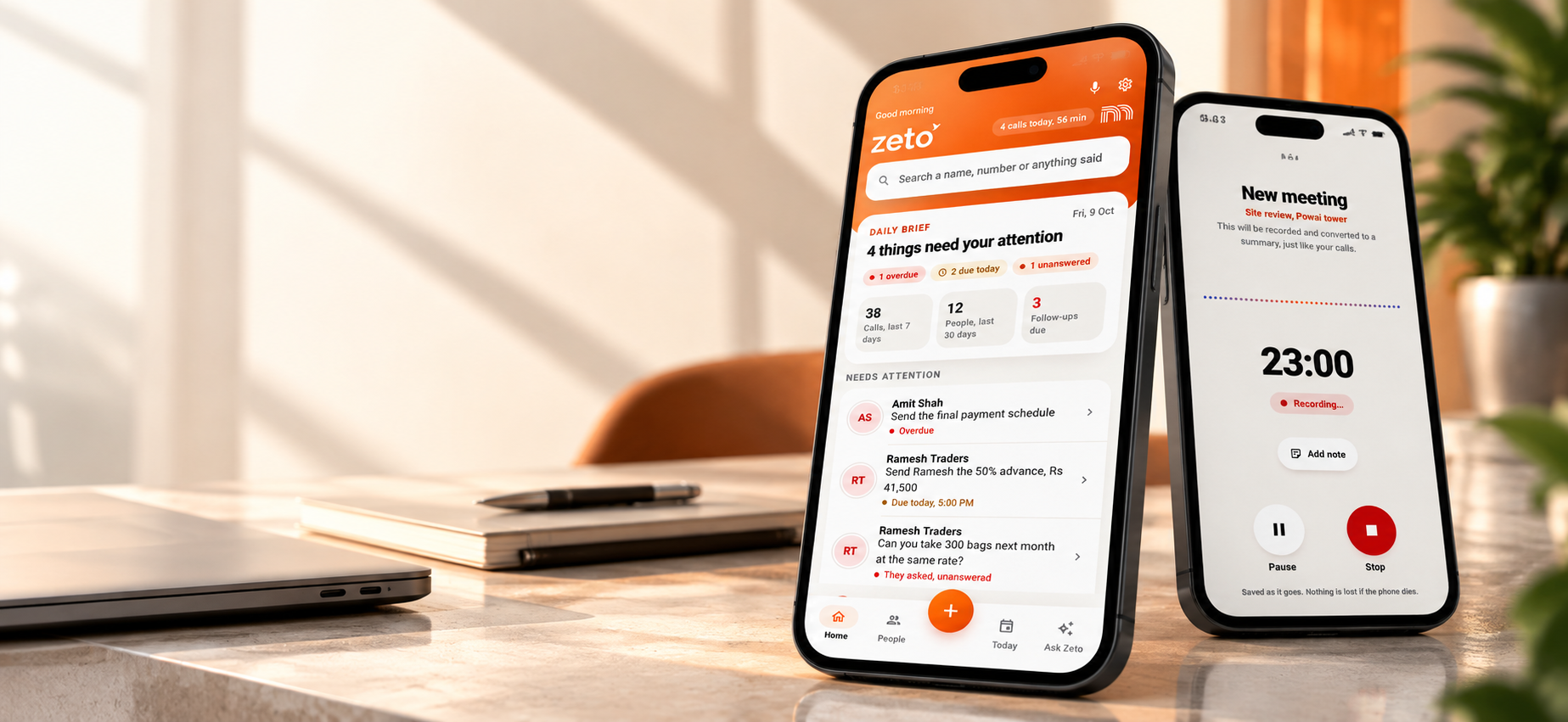
To summarize Android calls with AI, first confirm that your phone’s own Phone app supports lawful call recording. Once a call is saved, a compatible assistant such as ZETO AI can process that recording into a summary, decisions, promises and follow-up reminders. Recording availability depends on your device, Phone app, region and permissions.
Why summarize phone calls instead of relying on memory?
A quick customer call can carry several decisions at once. A buyer may confirm an updated rate, ask for a revised proposal, mention a delivery constraint and request a callback on a specific date. The call ends, another conversation begins, and the exact details become harder to retrieve.
For sales representatives, consultants, founders and customer-facing professionals in India, this is more than a note-taking problem. The most important information is often conversational: what was agreed, what remains unresolved, who is responsible and when something must happen.
AI call summaries can make this information easier to review. Instead of replaying a long audio file to find one sentence, you can begin with a structured overview and refer back to the original recording when accuracy matters. The aim is not to remove human judgment; it is to reduce the effort of remembering and organizing routine details.
The rate, quantity, payment condition or delivery window mentioned in a conversation.
What you agreed to send and what the customer agreed to confirm.
Details still requiring approval, clarification or a technical response.
The day and time when a promised next step should happen.
If your workflow involves multiple client calls, searchable conversation history can be more useful than scattered notebooks, chat messages and unlabelled audio files.
How does an AI phone-call summarizer work?
At a high level, a call-summary assistant uses speech-to-text to process a recording, then analyzes the transcript to organize important details. The exact workflow differs between Android devices and products.
For ZETO AI on Android, an important distinction applies: ZETO does not independently record ordinary phone calls. Its published Android description says it picks up call recordings saved by the phone’s own Phone app after a call ends, on compatible devices. ZETO also supports in-person meeting recordings, voice notes and shared audio imports. See the official ZETO AI Android listing.
Step-by-step: How to summarize Android phone calls in India
Step 1 — Check whether your Phone app supports call recording
Open the dialer or Phone app provided on your Android device. Look in its settings or call interface for a call-recording option. If you use Google’s Phone app, Google documents call-recording controls under Phone app → Settings → Call recording on supported devices. The menu may not appear when recording is unavailable for your device, operator or region.
Google notes that support varies by device and region, and that some jurisdictions require consent. Do not assume the recording features on one Samsung, Xiaomi, Vivo, Oppo, Realme, OnePlus or Pixel phone will behave identically on another. You can check Google’s official Phone app instructions for supported configurations.
Step 2 — Record a call with appropriate notice or consent
Where supported and permitted, use your Phone app’s provided recording feature for a business call you need to document. Follow any on-screen disclosures and consent requirements. A compatible recording must be saved by the phone to be available for subsequent processing.
Step 3 — Set up ZETO AI and review its permissions
Install ZETO AI from its official Google Play page. Review the app’s disclosure about the information it processes and grant only the access necessary for your intended workflow. Confirm that you are using a supported phone and that the saved recording is available to ZETO under the app’s current capture process.
Step 4 — Read the AI-generated call summary
When ZETO processes a supported recording, it can organize the conversation around what happened, what was decided, promises made and what is still open. For example, a conversation about a quotation may result in a summary covering a revised order quantity, requested site visit, and a promised proposal deadline.
Step 5 — Verify important details before acting
AI summaries are not flawless. Review names, rupee amounts, quantities, dates, technical specifications and any legal or financial terms against the original recording or direct customer confirmation. Unclear language, accents and noisy recordings can all affect interpretation.
Step 6 — Use reminders and Ask Zeto for future conversations
ZETO AI describes follow-up reminders, a Today view for commitments, people-based history, and Ask Zeto for questions about previously captured conversations. This can help prepare for the next customer call without searching through scattered files. A suggested reminder still needs a responsible person to act on it; ZETO should not be presented as automatically contacting the customer.
Example: One customer call, four important details
Consider a sales professional speaking to an industrial client about an equipment order. During a seven-minute call, the customer confirms a revised quantity, requests the updated quotation by 4 PM, asks whether delivery is possible before Friday, and says the purchase order depends on internal approval.
Without a structured record, the sales professional might remember the quotation but overlook the delivery constraint or the unresolved approval. An AI-assisted summary can separate each item so the team can follow up accurately.
This is a fictional example to illustrate the workflow. The value is the structure: decision, promise, owner, deadline, open question. These fields can be useful whether the customer works in manufacturing, real estate, logistics, professional services or retail distribution.
What can ZETO AI do with a captured conversation?
A transcript helps you see what was said. ZETO AI’s published feature set goes further by organizing the information and connecting it to your follow-up workflow. Here are the features most relevant to customer-facing Android users.
Short, structured summaries
Review the main discussion, decisions, commitments and unanswered points without having to replay every minute.
Commitments and reminders
Keep track of what needs attention, what is due today and which promises remain pending.
People and project context
Revisit past discussions with a person, including rates, terms and earlier questions, where the content has been captured.
Ask Zeto search
Ask questions about your captured conversations and inspect where an answer came from instead of treating an AI answer as an unsupported fact.
More than phone calls
Capture in-person meetings and voice notes, or import supported audio, so important context is not restricted to one communication channel.
These examples represent the kinds of questions described in ZETO AI’s app listing. Results depend on the actual conversation content captured and correctly processed.
AI call summaries vs ordinary call recordings vs manual notes
The right method depends on what you need to retrieve later. A raw recording preserves audio, a notebook records what someone wrote down, and an AI-assisted workflow organizes captured information for review. They can complement each other rather than replace one another.
| Task | Call recording only | Manual notes | AI-assisted summaries |
|---|---|---|---|
| Recall exact wording | Best checked by replaying source audio | Only if recorded accurately | Verify summary against source audio |
| Find a deadline quickly | Requires locating the right part of the call | Depends on note quality | Can surface it in the summary |
| Track an open commitment | Requires a separate follow-up habit | Needs manual tracking | Can organize commitments into reminders |
| Search across people and calls | Usually limited to file names and folders | Depends on personal organization | May support source-backed conversation search |
| Accuracy risk | Audio itself can be unclear | Notes may omit context | AI can mishear or misinterpret details |
The strongest practice is to use AI for speed and organization while retaining a way to verify important facts against the original conversation.
Will AI call summaries work on every Android phone in India?
No. Android devices differ in their Phone apps, operating systems, operator configurations and available recording features. ZETO AI’s Android call-summary workflow depends on a compatible recording saved by the phone’s own app. Even when recording is available, the relevant permissions and current app behavior must be checked on the individual device.
Google’s documentation sets out minimum requirements for recording within its Phone app, but these should not be interpreted as a promise that every device meeting the Android version requirement will offer the feature.
What about Hindi and English calls?
The ZETO AI Android listing describes questions and conversation memory in Hindi and English. Nevertheless, mixed-language calls, technical terminology, customer names and numerical information deserve careful review. Always confirm critical details before sending a quotation or acting on a customer commitment.
What about privacy?
Before uploading recordings, understand what the service processes, who is involved, and the controls available to your account. ZETO’s published description outlines consent, data export and deletion controls, and names third-party AI processing services. Read the current privacy policy, follow local recording rules and your company’s policies, and avoid recording confidential conversations without proper authorization.
A practical five-point checklist before your next follow-up
- Check the person and project: confirm the summary belongs to the correct customer and discussion.
- Confirm quantities, prices and dates: verify each important number with the source recording or customer.
- Separate decisions from suggestions: do not treat an idea as a confirmed customer commitment.
- Assign a real owner: identify who is responsible for the quotation, document or callback.
- Close the loop: follow up, record the outcome and check unresolved questions before the next call.
Good conversation memory is not about saving more audio. It is about knowing what was decided—and what needs to happen next.
FAQs about AI phone-call summaries on Android
How can I summarize a recorded Android call with AI?
Use a supported and permitted call-recording function in your phone’s Phone app, then process the saved recording with a compatible AI assistant. ZETO AI describes this phone-saved-recording workflow for supported Android devices.
Does ZETO AI record ordinary Android phone calls by itself?
No. ZETO AI’s official Google Play description says the app does not independently record phone calls. It works with call recordings saved by the phone’s own Phone app on compatible devices.
Is call recording available on every Android phone in India?
No. Availability varies by device, operator, Phone app and region. Check your device’s call-recording feature and official documentation before relying on it.
Can an AI call summarizer identify customer promises and due dates?
AI tools can extract likely commitments and dates from captured conversations. ZETO AI describes reminders and commitments as part of its workflow, but you should verify critical information because AI-generated details can be wrong.
Can I ask ZETO AI about previous calls?
Yes, for conversations that have been captured and processed. Ask Zeto is described as answering questions about past discussions with information showing where an answer came from.
Does ZETO AI support Hindi and English conversations?
Its published Android description mentions Hindi and English for asking questions about conversation history. Review summaries carefully, especially when calls mix languages or contain uncommon terms.
Can I still use ZETO AI if my phone cannot record calls?
Other functions may still be useful, including in-person meeting recording, voice notes, typed notes and sharing supported audio files. Those options should not be confused with direct phone-call recording.
Do AI-generated summaries replace customer confirmation?
No. For commitments involving payments, prices, deadlines or contract terms, confirm the information with the source recording or directly with the other person before acting.
The bottom line: Turn useful calls into useful next steps
If you handle customer conversations all day, the value of AI is not simply a shorter transcript. The real benefit is being able to return to a call, understand what was agreed, identify what remains open and prepare for the next action.
ZETO AI is worth exploring for professionals who want conversation summaries, commitments, reminders and source-backed answers in one place. On Android, begin by checking whether your phone saves compatible call recordings and whether you have permission to use them. Then try the workflow with an ordinary business conversation and evaluate the accuracy for your needs.
Every conversation can lead to a clearer next step.
Explore ZETO AI for meeting notes, supported Android call summaries, reminders and searchable conversation history.
Sources and further reading
Product features and device compatibility can change. This article describes the published information available on 28 October 2026. Recording permissions and requirements vary by jurisdiction and organization.