AI Voice Notes for Site Visits: Turn Customer Requirements Into Action Items
Site visits are full of measurements, instructions and follow-up promises. A short voice note can help preserve what matters before it disappears.
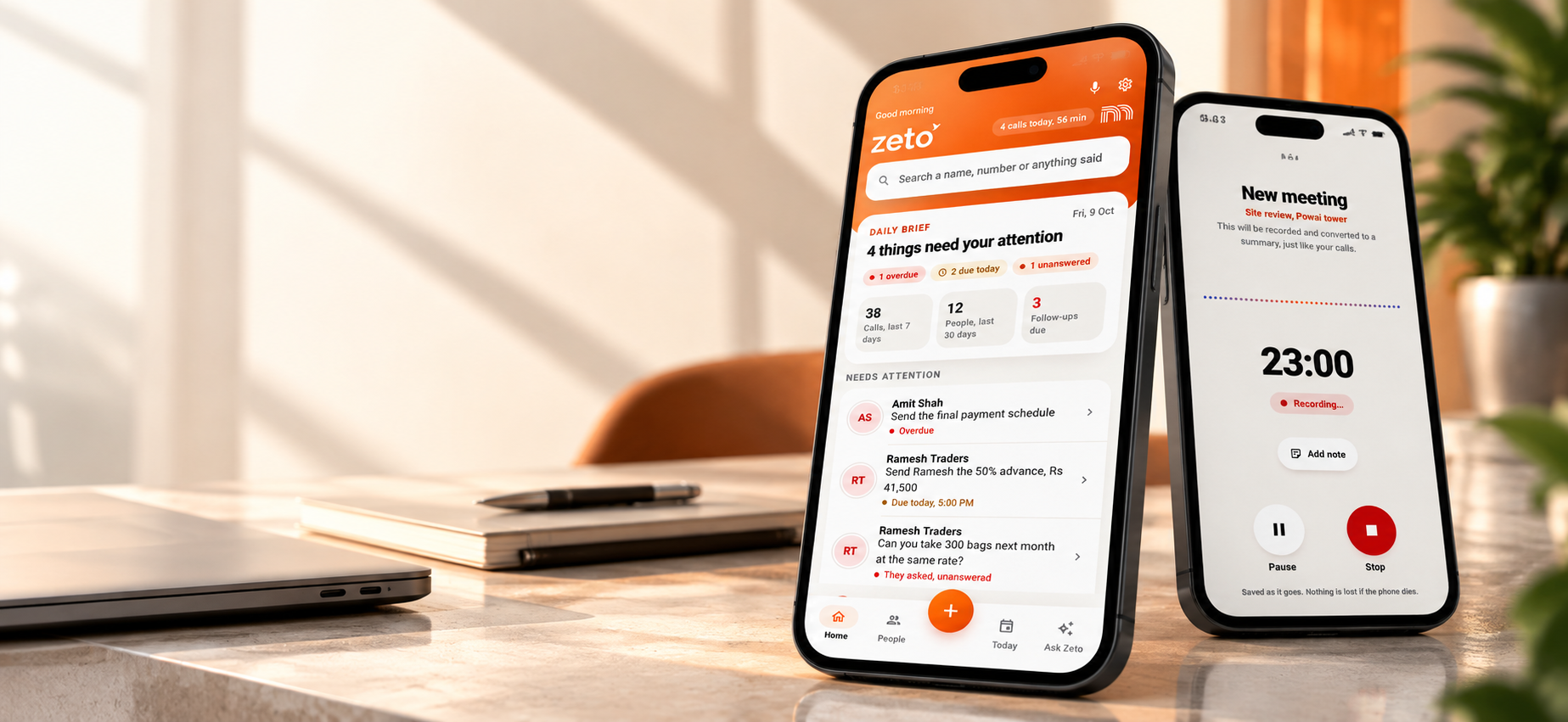
AI voice notes can turn a spoken site-visit recap into a structured summary with customer requirements, observations, open questions and next actions. For useful results, record with permission, state facts clearly and verify measurements and deadlines. ZETO AI’s official listings describe one-tap voice notes, summaries, commitments and reminders.
A structured site voice note can help preserve observations, customer requests and accountable next steps. This guide explains the practical workflow, the details worth checking, and how ZETO AI can fit into a real working day.
Why site visits generate information overload
An architect, engineer, salesperson or service contractor may visit several customers in one day. Each location produces different information: dimensions, defect observations, equipment restrictions, deadlines and promises made during the walkthrough.
By the time the professional reaches the next appointment, details from the first site may already be difficult to recall. A generic note such as “floor repair needed” does not preserve who requested the work, what area was discussed, or which technical conditions still need evaluation.
Voice notes can be an efficient first capture method because they let the visitor describe observations immediately. The value increases when the recording becomes a structured action list instead of an audio file no one revisits.
How to create a useful post-visit voice note
Begin with the customer or project name and location. State the purpose of the visit, then separate what you directly observed from what the customer reported. Describe measurements with their units, identify any requested changes and say what has not yet been verified.
Next list each agreed follow-up, the responsible person and the target date if one was actually agreed. Finish with open questions: information required from the customer, technical assessments, commercial approvals or materials to confirm.
A brief, structured recap is often easier for AI to interpret than a long ramble. But never let the assistant invent missing measurements, repair specifications or safety approvals. Those require competent professional confirmation.
Example: a factory floor assessment
Imagine a consultant visits a factory in Jigani to assess a damaged concrete floor. During the walkthrough, the facility manager mentions forklift traffic, a production shutdown window and dust concerns. The consultant sees surface defects but has not yet measured the total repair area.
A strong voice-note recap would separate these facts: “Customer requests a low-dust solution,” “forklift movement is frequent,” “shutdown timing is proposed,” and “floor area to be measured.” The next actions might include surveying the area, reviewing the movement load and preparing a scope after technical assessment.
The example is hypothetical. It shows why a voice note should preserve uncertainty: “area not yet measured” is more useful than an invented square-metre estimate that later reaches a quotation.
What ZETO AI can organize after a site visit
According to its app descriptions, ZETO AI can record in-person meetings and voice notes and turn them into short summaries covering the discussion, promises, decisions and items still open. Its reminder feature can help surface follow-ups with a date where one is given.
Ask Zeto and people-based history are relevant when someone returns to a customer weeks later. Rather than searching old notebooks, the user can ask what the customer requested or what action was left pending, then verify the answer against the original captured source.
The AI is not a surveying tool, technical engineer or substitute for site authorization. Use it to organize spoken information while keeping expert judgment and formal documentation in their proper roles.
How teams should hand off a site-visit summary
A useful site report separates observations, customer requests, agreed actions and assumptions. It identifies the person responsible for gathering missing information and the stage at which commercial or technical approval is needed.
If the customer discusses a potential budget, record that it is indicative until confirmed. If a production shutdown date is suggested but not approved, write it as tentative. Share only the information your company is permitted to disclose.
For repeat visits, attach later updates to the same customer or project history. That makes the change from the first requirement to the final specification visible, reducing confusion during quotation, execution and customer support.
Practical checklist
- Record customer/project identity and location.
- Separate observed facts from customer statements.
- State measurements with units—or say they are unverified.
- List responsible owners and agreed deadlines.
- Confirm scope and decisions in approved written records.
Frequently asked questions
Can AI turn a voice note into action items?
Yes. Some tools, including ZETO AI as described in its listings, summarize voice notes and organize identified commitments and reminders.
Is a voice note enough for a technical site report?
No. Use it as a capture aid alongside measurements, technical assessments, drawings and required approvals.
What should I say at the start of a site voice note?
Identify the project, location, purpose and date, then clearly separate observed conditions from requests or assumptions.
Will ZETO AI measure a room or factory floor?
No such measurement capability is established by the app descriptions. Accurate physical measurements require appropriate tools and verification.
Can it remember customer requirements between visits?
Its People history and Ask Zeto features are designed to retrieve context from previously captured conversations.
What if the site is noisy?
Background machinery or multiple speakers may reduce accuracy. Check the summary carefully and capture a quieter recap when practical and permitted.
Can I share AI notes with the execution team?
Yes, when authorized, but verify sensitive details and preserve clear responsibility for technical and commercial approvals.
Does the app work for consultants and contractors?
The described recording, summary and reminder workflow may be useful to them; suitability should be tested for their specific work and device.
Sources and further reading
Product information checked against official ZETO AI listings on 28 October 2026. Availability and compatibility may change. Obtain necessary consent before recording; confirm critical details against the original source.