How to Take AI Meeting Notes Directly on Your Phone Without a Laptop
A practical phone-only guide for consultants, founders, field sales teams and anyone who meets clients away from a desk.
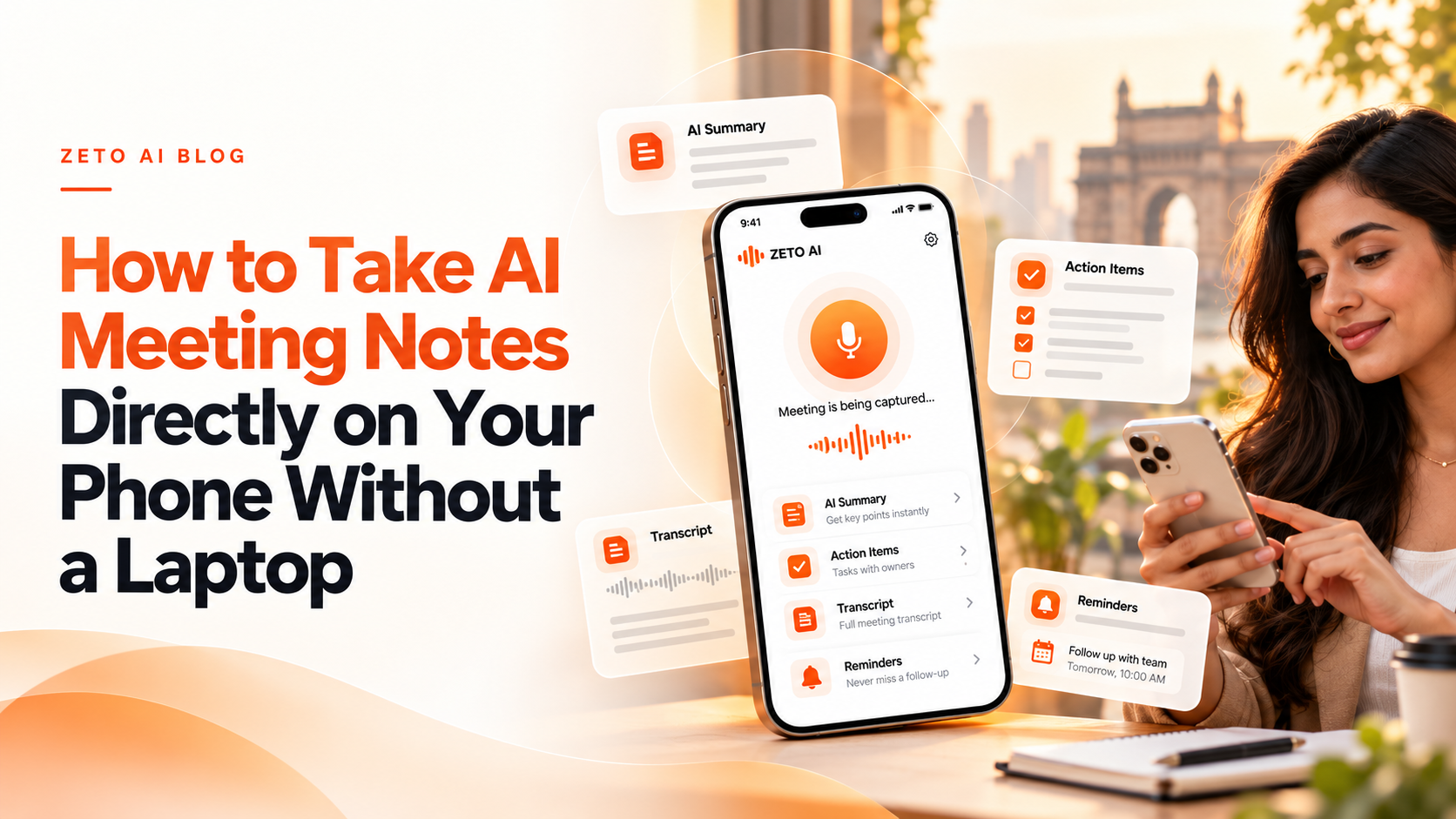
Yes, you can take AI meeting notes directly on your phone. With a compatible app such as ZETO AI, you can capture a consented in-person meeting, review an AI-generated summary, identify decisions and commitments, and return later to ask questions about the conversation. You do not need to carry a laptop for an ordinary face-to-face meeting.
Many important work conversations happen away from desks: at a factory, in a showroom, during a client visit or while walking between appointments. Traditional minute-taking can divide attention between listening and typing. A phone-based AI meeting assistant may reduce that burden, provided the room audio is clearly captured and the generated notes are reviewed before use.
This guide explains how to use ZETO AI for in-person meetings, what to verify, and where a phone-only workflow has limits. It is designed for meeting capture, not for bypassing phone operating-system restrictions on call recording.
Step-by-step overview
Use this phone-only checklist before, during and after a face-to-face meeting.
| Step | What to do |
|---|---|
| Before the meeting | Ask for consent, choose a quiet place and prepare the phone |
| Start the recording | Open ZETO AI and use its meeting or voice-note recording function |
| During the conversation | Keep the microphone unobstructed and identify important context |
| Review afterward | Check summary, names, amounts, dates and decision details |
| Organize next steps | Review commitments, reminders and unresolved questions |
| Find information later | Use Ask Zeto or People history to retrieve details with references |
Step 1: Prepare the recording responsibly
Tell participants that you plan to record the conversation for note-taking and AI processing, and obtain the permission required in your location and organization. Do not start hidden recording. Make sure the phone has enough battery, storage and a suitable network connection for the app’s processing workflow.
Place the phone on a stable surface away from loud fans, machinery or background music. If the conversation involves confidential customer data, verify that everyone understands where the recording will be processed and who will have access to its notes. In a noisy room, handwritten bullet points may still be necessary as a backup.
Step 2: Capture the meeting in the app
Open ZETO AI and select its meeting recording option. Its app listings describe one-tap recording of in-person meetings and voice notes, with a visible timer and sound meter. Use the app’s controls rather than assuming audio from another mobile app will be captured automatically.
Keep the microphone pointed toward the group and avoid handling the handset while people are speaking. When the meeting finishes, stop the recording and allow the app to process it according to its current workflow. You can also type notes or use supported audio-file imports when appropriate.
The exact buttons may change between app versions, so the instructions here describe the workflow rather than inventing screen labels that have not been verified.
Step 3: Read the summary as a draft, not a contract
A useful meeting summary separates discussion from decisions and open questions. ZETO AI’s descriptions say its summaries organize information into what happened, promises, decided and left open. Start by checking these categories against your memory and any written material.
Pay special attention to numbers. If someone says ₹1,45,000, an AI system may occasionally mishear it, especially when voices overlap or background noise is present. The same is true for dates, names, quantities and product model numbers. Do not send a quotation or purchase order based solely on an unverified automatic summary.
Step 4: Turn commitments into a useful follow-up plan
Suppose a client promises to share a drawing by Wednesday while you promise to send a revised estimate on Thursday. These are two different commitments with different owners. ZETO AI’s published follow-up and Today views are designed to keep promises and due dates visible so you can review what needs attention.
Look for three things after every meeting: who needs to act, exactly what they agreed to do, and when it should happen. If a date was vague, confirm it with the other participant rather than allowing the AI to invent precision. A good assistant helps you organize work; it does not replace approval or accountability.
Step 5: Find an answer weeks later
After several meetings with the same person, remembering which conversation contained a pricing change becomes difficult. ZETO AI’s People view and Ask Zeto can help you return to a previous discussion and ask a question such as “What rate did this client agree?” or “Which requirements were still open?”
Its published description says answers include where they came from. Use that reference to verify any figure that matters. If no reliable recorded source exists, do not treat a generated answer as proof. The greatest value of conversation search is reducing the time it takes to locate evidence, not removing the need to check evidence.
When a phone is enough—and when it is not
A phone is a practical tool for small in-person meetings, one-to-one discussions, voice notes and client site visits. For long hybrid conferences, multiple simultaneous speakers, or video calls where the other party’s audio plays inside the same phone, a dedicated conferencing or desktop capture workflow may be more suitable.
For Android cellular calls, ZETO AI has a separate compatibility rule: it processes eligible call recordings saved by the phone’s native Phone app; it does not directly record those calls. For iPhone use, review the app’s stated meeting, voice-note and audio-import workflows. Recording availability is not the same as meeting-note availability.
A five-minute post-meeting routine
Before you leave the client’s location, review the summary, correct any mistaken names or amounts, identify one owner for every action, make sure open questions remain visible, and send a short confirmation of the agreed next steps using your usual communication channel. A clearly written follow-up improves trust and reduces the risk of a later dispute about what was promised.
If your process uses a CRM or team task board, move confirmed tasks there as needed; do not assume ZETO AI automatically updates external software. The best note-taking workflow is the one your team consistently completes.
Frequently asked questions
Can I take AI meeting notes without a laptop?
Yes. Phone apps such as ZETO AI can record in-person conversations and produce summaries, subject to permission and app availability.
Does ZETO AI work for physical client meetings?
Yes. Its app listings describe in-person meeting and voice-note capture.
Can ZETO AI record phone calls directly on Android?
No. It processes eligible call recordings saved by a compatible phone’s own Phone app.
Can I take notes in Hindi and English?
ZETO AI’s published descriptions refer to Hindi and English questions and conversation workflows. Test your own multilingual audio for accuracy.
Can I use the same phone for a video call and record both sides?
Do not assume so. Mobile operating-system audio restrictions vary; check your app and meeting setup.
Does the app automatically send reminders to customers?
Its published workflow describes reminders for commitments; do not assume automatic messages are sent to customers.
What if the summary has the wrong deadline?
Check the original source, correct or confirm the date and avoid acting on an unverified AI interpretation.
Do I need permission to record a meeting?
Follow the consent and workplace rules that apply to the participants and location. Inform people when AI recording or transcription is being used.
Sources and verification
Product details were checked against official documentation available on 29 October 2026. Capabilities and pricing can change. Examples are hypothetical, not customer testimonials.
Turn conversations into meaningful follow-ups with ZETO AI
Capture meetings and voice notes, review your commitments, and find context from your previous conversations in one app.