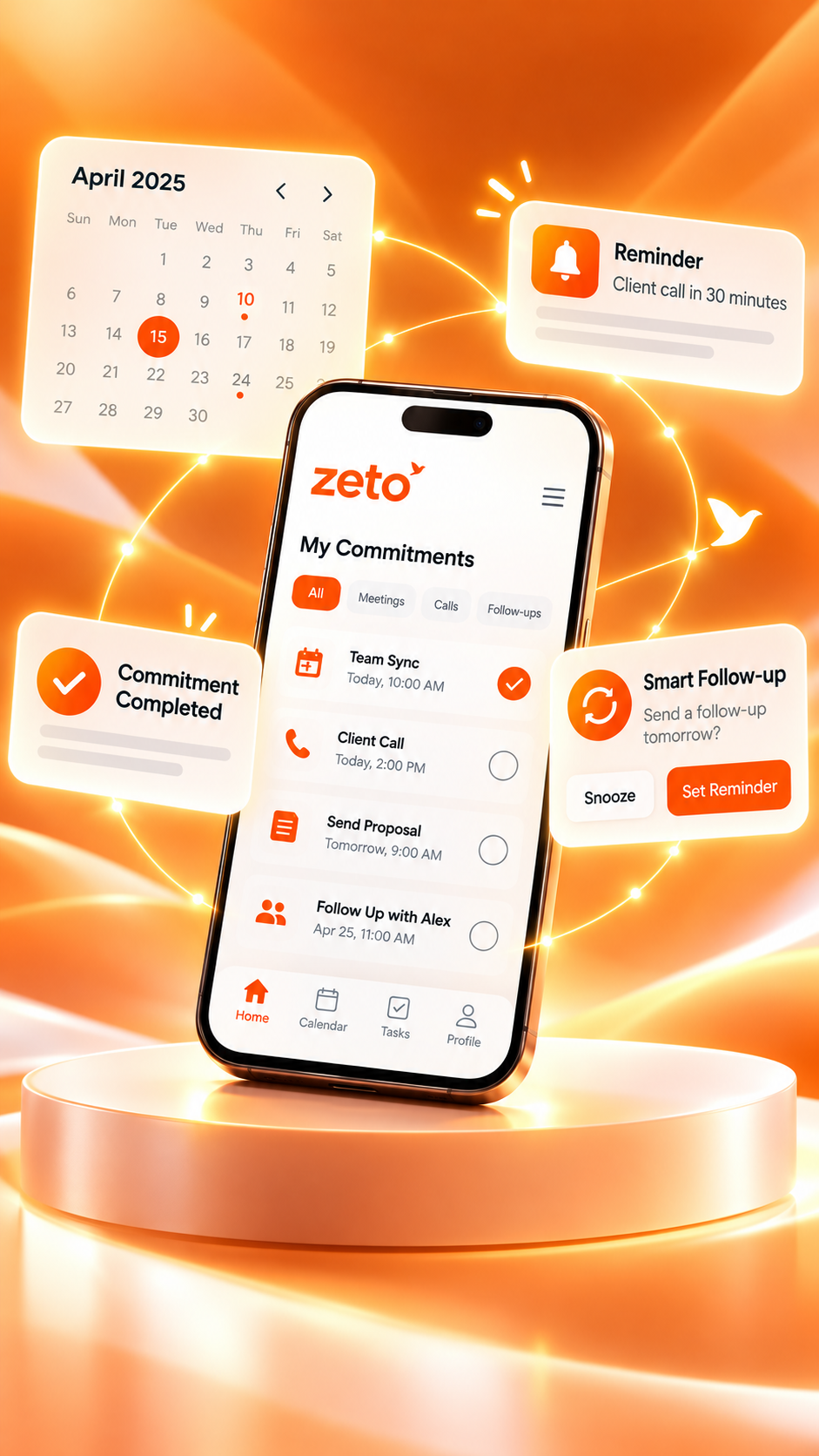
Best AI Note Taking App for Small Business Owners in India: Features That Actually Matter
An AI note taking app should do more than transcribe meetings. For small businesses, the real test is whether it helps you remember customer requirements, supplier agreements, pending decisions and what needs to happen next.
Practical buying guide · November 2026 · Features checked against current app listings
Conversations → clear next steps
Revised terms, dispatch window and pending approval reviewed.
Owner: Sales team · Due: Thursday
Follow-up needs attentionReview the answer and check its conversation source.
What is the best AI note taking app for a small business in India?
The best option depends on where your conversations happen and what you need to do afterward. A small business should look for easy mobile capture, accurate summaries, follow-up reminders, searchable customer history, clear privacy controls and reasonable costs. ZETO AI is a phone-first option for supported meetings, voice notes and conversation follow-ups; it also processes eligible Android recordings saved by a compatible phone’s own Phone app.
Don’t pay for more notes. Choose clearer next steps.
Judge an app by how well it helps you recover a promised date, find the right customer detail and prepare a reliable follow-up—not only by transcript length.
Small business conversations contain more work than the calendar shows.
A business owner may speak to a supplier before breakfast, discuss a customer quotation in the afternoon and resolve a staff question before closing. The important information is spread across calls, WhatsApp messages, visits, handwritten notes and memory.
Imagine a Bengaluru building-material distributor handling several dealers. One customer wants a revised rate. Another is waiting for a delivery confirmation. A supplier has promised to check stock. None of these conversations is difficult by itself; the challenge is remembering the right promise, for the right person, at the right time.
Ordinary note apps can store text. Audio recorders preserve sound. A useful AI note taking app for small business owners should organize the decisions and next steps from permitted conversations, help users locate earlier details and make it easier to review commitments.
This does not replace a sales CRM, accounting system or signed quotation. Those remain the systems of record for customer status, payments and official commercial terms. AI conversation notes are a supporting layer of context.
Seven features that actually matter when choosing an AI note taking app
Many products advertise transcription, but transcription alone does not resolve a missed promise. Use these seven criteria to evaluate any app—including ZETO—against your actual business routine.
One-tap meeting and voice-note capture
Make it easy to capture an agreed supplier discussion, a shop-floor meeting or a quick idea using the phone already in your pocket.
Summaries that separate decisions from discussion
Look for a concise recap of what happened, what was decided, what remains open and what needs confirmation.
Commitments with owners and dates
“Send the sample tomorrow” is only useful when the responsible person, action and due date can be reviewed.
Searchable customer and supplier context
Find a previously discussed price, delivery condition or pending request without listening to a long recording again.
A view of overdue and upcoming follow-ups
Being able to check today’s unresolved items helps owners prepare calls and avoid relying on scattered reminders.
Data controls and source checking
Users should understand permissions, recording consent, deletion controls and where an AI answer came from.
Make sure the tool fits your phone, team and budget.
Before paying, test it on the devices people actually use, check recording support and language handling, confirm current allowances and ask who can access shared business conversations.
Compare Android and iPhone note-taking workflows ↗Where ZETO AI fits: Its published Android and iPhone listings describe meeting and voice-note capture, structured summaries, reminders, the Today view, person-based history and Ask Zeto answers that identify the source conversation. The Android listing also describes importing supported recordings saved by the device’s Phone app. These are useful buying criteria to test rather than guarantees that every recording or AI output will be perfect.
AI note taking app vs recorder vs CRM: which tool solves which problem?
Small businesses often buy a second tool because they expect it to replace three other ones. It is more helpful to understand the job each category performs best.
| Business need | Manual notes / recorder | AI note taking app | CRM / accounting tools |
|---|---|---|---|
| Preserve a discussion | Written notes or raw audio | Supported capture and recap | Usually stores selected notes |
| Find what was agreed | Search pages or replay audio | Search summary or source-backed history, where available | Find entered records |
| Remember a follow-up | Manually set reminders | Suggested commitments/reminders, subject to review | Tasks and pipeline workflows |
| Official customer status | Not a dedicated system | Conversation context, not authoritative status | Designed for structured tracking |
| Invoices and payments | Not appropriate | Not a substitute for financial records | Accounting system of record |
Feature availability varies by vendor and subscription. This table compares categories, not verified head-to-head performance results.
The most useful setup may be both a CRM and a conversation assistant: the CRM stores the official stage or value, while the assistant helps people recall the customer discussion that led to the next action. ZETO Enterprise describes additional business-team conversation workspaces for organizations that need broader visibility.
A quotation, a promised sample and a missed follow-up: what changes with AI notes?
Consider a small industrial-supplies firm in Bengaluru. A customer requests product specifications, a revised quotation and a sample before approving an order. The owner meets the customer, then needs to coordinate with sales and dispatch.
One conversation. Four details to remember.
After a permitted meeting, a summary can help the owner review requirements and verify next steps before they are passed to the team.
A useful note does not automatically mean the sample has been sent. The owner still checks the quotation, assigns the actual responsible person and confirms the agreed date. On the next call, searchable conversation context may help the owner ask a better question: “Did you have a chance to review the sample we discussed?”
The value here is not a claim of measured sales growth. It is a clearer process for turning discussion into a checked, documented next action.
How to evaluate an AI note taking app in one normal working week
You do not need an elaborate technology project to test usability. Use the same practical scenario on a compatible device and evaluate whether the tool reduces confusion.
Start with a real routine, such as a supplier update or customer requirements discussion. Inform participants and obtain necessary permission before recording.
Check whether it distinguishes the main request, decision and unresolved question. Correct any names, amounts or dates that are wrong.
Look for owner, next step and date. A useful note should make it easier to identify what still needs human action.
Ask about a discussed price or promised action, then verify the response with the original recording or signed documents.
Check current pricing and minutes, supported phones, consent requirements, data management, and whether shared visibility is appropriate for your business.
Keep the result simple: would you rely on the workflow enough to use it again, and did it make the next customer interaction clearer? If not, a longer feature list won’t solve the problem.
Can ZETO AI record and summarize phone calls, meetings and voice notes?
For supported in-person meetings and voice notes: ZETO AI’s Android and iPhone listings describe in-app recording and summary workflows. No separate recording hardware is required for those supported tasks.
For ordinary phone calls on Android: ZETO AI does not independently record calls. On compatible devices, it can process eligible recordings saved by the phone’s own Phone app where the phone and local rules permit recording. This is not universal Android call recording.
For iPhone: The iOS listing emphasizes in-person meetings, voice notes, typed notes and audio import. Do not assume the same automatic phone-saved call workflow is available as on compatible Android models.
The listings say Ask Zeto can answer questions about captured conversations in Hindi or English. The iOS app interface is listed as English; do not interpret that as a promise of perfect mixed-language transcription. Always check critical quantities, names, deadlines and prices.
Use the phone you already carry.
For supported meetings and voice notes, you can start without purchasing a dedicated AI recorder. Check your device, the latest app listing, and any recording restrictions first.
What to check before trusting an AI app with business conversations
For Indian small businesses, the most important questions are often practical: can this be recorded appropriately, who has access, what gets uploaded, and what happens to the recording later?
- Recording permission: Tell relevant participants and follow applicable laws and workplace policies. Avoid recording confidential conversations without proper authorization.
- Source verification: A generated summary may misunderstand numbers, dates, names or technical terms. Confirm critical decisions from the underlying recording and official documents.
- Permissions and sharing: Check who can see customer information, especially when adding staff or a team account.
- Data management: Read the product’s privacy information about processing, consent, exports and deletion.
- Actual cost: Verify current plan limits and processing allowances in the official app before budgeting. The number of meetings you handle matters more than a promotional headline.
The current ZETO AI listings describe consent and data-management controls, and make clear that AI processing occurs when recordings are processed or questions are asked. These details can change; check the latest Google Play listing and App Store listing before purchase or deployment.
AI note taking app for small business owners: common questions
Which AI note taking app is best for small business owners in India?
It depends on the business’s workflow. Evaluate supported mobile capture, meeting summaries, follow-up reminders, searchable history, recording compatibility, privacy controls and cost. ZETO AI is a phone-first option worth testing for conversations and commitments, but no app is universally best.
Do small businesses need a separate AI recording device?
Not necessarily. ZETO AI supports recording in-person meetings and voice notes through its mobile app on supported devices. A separate recorder may still be useful for specialized environments or longer sessions, so test your actual recording conditions.
Can ZETO AI summarize customer phone calls?
On compatible Android phones, it can process eligible call recordings saved by the phone’s own Phone app, where recording is supported and permitted. ZETO AI itself does not directly record ordinary phone calls. iPhone workflows differ.
Can an AI note taker replace a CRM or accounting software?
No. An AI note taker helps organize context from captured conversations; a CRM tracks structured customer and deal data, and an accounting system maintains official financial records. These systems can serve complementary needs.
Can I find an old customer promise with Ask Zeto?
ZETO AI’s official listings describe Ask Zeto as answering questions about saved conversations and identifying the source. You should still verify important prices, dates and contract terms before acting.
Does ZETO AI work for Hindi and English discussions?
The product listings describe asking questions about captured conversations in Hindi or English. They do not guarantee error-free transcription of every dialect or mixed-language meeting. Verify important details, and check current device and app support.
Can a small business team use ZETO AI together?
The published app listings describe options to add team members and review shared follow-ups. The level of access and available functions may depend on the account, platform and plan. Businesses needing broader management visibility can explore ZETO Enterprise.
How should I choose between a free note app and an AI note taking app?
Use a basic note app when manual notes are enough. Consider AI support when your team repeatedly needs summaries, searchable context and help reviewing commitments. Compare the benefit with actual processing costs, privacy controls and accuracy.
Remember the discussion. Make the next action clearer.
Explore a phone-first AI note taking app for supported meetings, voice notes, summaries, commitments and searchable conversation memory. Choose the version that matches your device.
Educational buyer’s guide. Illustrative scenarios are not customer results. ZETO AI app compatibility, features, consent requirements and plan allowances may vary; verify the current official listings. The Microsoft Store link is for ZETO AI Windows—not a claim of Enterprise-specific access.