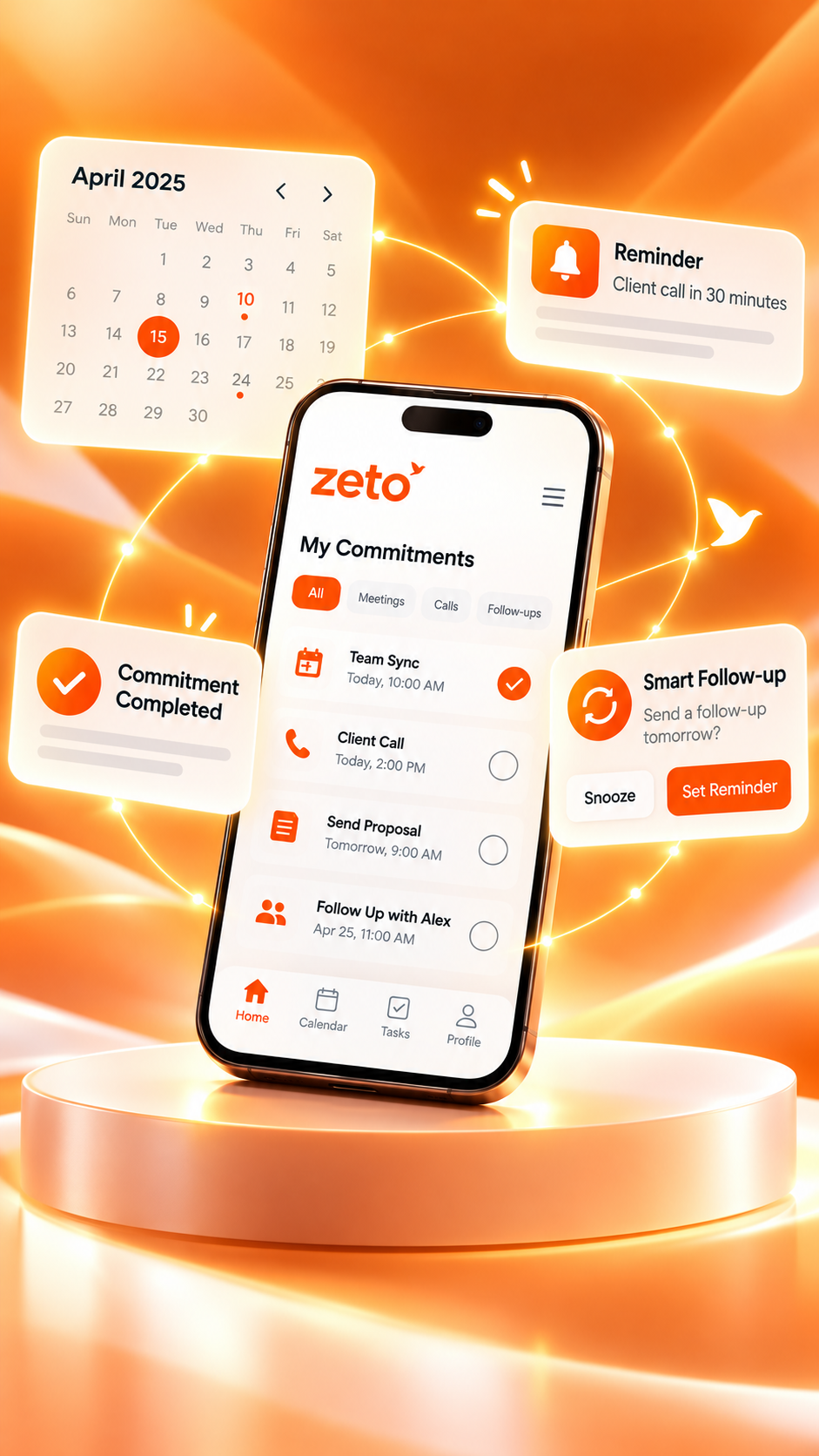
Best AI Note Taking App for Daily Meetings: Never Miss Important Decisions Again
Every meeting should leave your team with more than a memory. Learn how to capture permitted discussions, review AI summaries, confirm decisions and keep the next action clear—without carrying a laptop into every conversation.
A practical guide to reviewable meeting records—not a guarantee that software will never miss a detail.
Proceed: revised schedule after stock verification.
Condition: customer approval remains outstanding.
✓ Operations: confirm stock by Wednesday.
✓ Sales: send revised plan after approval.
Final delivery date and written sign-off.
What is the best AI note taking app for daily meetings?
The best AI note taking app for daily meetings is one that lets you capture a permitted discussion, prepare a readable summary, distinguish confirmed decisions from proposals, track action items and revisit earlier context. ZETO AI is a mobile-first option with meeting and voice-note capture, summaries, follow-up reminders, people-based history and source-backed conversation search, according to its current app listings. Always verify names, numbers, decisions and deadlines before acting on an AI-generated recap.
Remember the decision—not just the discussion.
A good meeting record says what was agreed, who owns the next step, what is still open and where the original statement can be checked.
Why important decisions disappear between daily meetings
Daily meetings are supposed to reduce uncertainty. A team checks progress, reviews blockers, agrees on the next move and returns to work. Yet the same issues can appear again the following morning because the decision was not captured clearly. People remember the subject of the discussion but not the exact condition, owner or date. A small phrase such as “provided the drawing is approved” can disappear when someone retells the outcome.
This problem becomes more visible when a professional attends multiple meetings every day. A morning operations review might cover pending materials, a client discussion may revise priorities, and an afternoon team check-in may introduce a new deadline. Each conversation changes the context for the next one. When notes remain in separate notebooks, message threads or personal memory, the team has no consistent way to recover the latest agreed position.
The real cost is not simply forgetting a sentence. It is the extra cycle of clarification: another call to ask who is responsible, a delayed quotation because the approved rate was unclear, or a project review spent reconstructing yesterday’s conversation. That is why meeting notes need to preserve decisions and open questions rather than merely list topics. A note saying “installation discussed” gives almost no help when installation is delayed.
An AI note-taking app can create an initial record from a permitted meeting or voice note, then organise the material into a summary, decisions, promises and follow-ups. This can reduce the burden of composing notes from scratch. However, AI output is a draft to review; it cannot know whether every comment was authoritative, whether all speakers agreed, or whether a verbal proposal became a final approval.
The goal is therefore modest and practical: move from “we talked about it” to “we know what was decided, what is pending and where to check the original discussion.” That makes a good meeting useful tomorrow as well as today.
What is an AI note taking app for daily meetings?
An AI note taking app is software that helps turn spoken or written meeting content into organised information. Depending on the product and device, a user may capture an in-person discussion, import an existing audio file, type a note or connect a supported meeting source. The system may transcribe speech, summarize key topics, identify possible decisions and extract follow-up items. The output can then be reviewed and revisited.
For daily meetings, the most useful result is usually not a complete word-for-word record. It is a short, readable description of what happened, what changed since the previous discussion and what the group needs to do next. A transcript may be necessary for checking details, but a manager preparing for tomorrow’s review often wants to know whether the material has arrived, whether the design is approved and which question remains unanswered.
AI note-taking is different from a task manager. A task manager organises work that people have already defined. A note-taking assistant starts closer to the source conversation, helping turn statements into candidate tasks and preserve the reason behind them. It is also different from a full customer relationship management system, which typically holds contact records, deal stages and formal commercial information.
A permitted recording or typed note preserves the input that can be reviewed later.
A meeting summary highlights themes, decisions, conditions and unresolved questions.
A reviewed follow-up list connects the outcome to owners and useful next steps.
The best workflow keeps these three layers linked. If an AI system lists “ship tomorrow,” the user should be able to determine whether that was an approved instruction, an estimate or a question. If a new decision supersedes an older one, the team should label the latest agreed position rather than leave two conflicting notes in circulation.
AI does not remove the need for note-taking judgement. It changes where the human effort goes: less time drafting a basic recap, more time checking accuracy, resolving ambiguity and deciding what to do. That shift is especially valuable for people who want to remain attentive during discussions rather than spend the whole meeting typing.
Meeting transcripts, summaries, decisions and action items explained
Four common outputs are frequently described as “meeting notes,” but each serves a different purpose. A transcript attempts to preserve what was spoken. A summary compresses the discussion. A decision note identifies an agreed direction. An action item specifies the work that follows. When they are mixed together, people may mistake an idea for a commitment or assume a draft proposal is an approved plan.
| Output | Core question | Useful example | Common risk |
|---|---|---|---|
| Transcript | What was said? | A searchable record of the discussion | Speech errors, unfamiliar names, noise |
| Summary | What mattered? | Key issues, context and outcomes | Important conditions may be shortened |
| Decision | What did we agree? | Proceed with Option B after approval | A suggestion may appear final |
| Action item | Who does what next? | Operations to verify stock by Thursday | Owner or date may be inferred incorrectly |
| Open question | What is still uncertain? | Final installation window to be confirmed | Unresolved items may be treated as settled |
Consider an ordinary discussion: “We can possibly dispatch on Friday, but only if the purchase order arrives by Wednesday. I will check with the warehouse.” The transcript preserves the words. The summary says dispatch timing depends on a purchase order. The decision note should say no final dispatch date was confirmed. The action item might be to check warehouse availability. A careless AI summary might incorrectly state that dispatch has been scheduled for Friday.
For high-impact work, the distinction matters. Teams should clearly label accepted decisions, proposed actions, estimates and dependencies. When the conversation is unclear, a note should say “confirm with owner” rather than choose a confident-sounding answer. That practice makes the notes safer to share and much more useful in the next meeting.
When evaluating an AI meeting notes app, inspect how it presents these categories. A visually polished transcript is not automatically a decision-tracking solution. Look for a workflow that helps you review the evidence and keep uncertainty visible until the responsible person confirms it.
Seven features that matter in the best AI note taking app for daily meetings
There is no universal “best” AI note-taking app without knowing the meeting environment. An employee who spends the day in face-to-face site discussions needs a different capture method from someone who attends back-to-back online conferences. A small business may care most about quick recaps and reminders, while a larger team may need permission controls and a formal approval workflow.
Convenient capture
Can you capture a permitted conversation where your work actually happens, whether in an office, showroom or site visit?
Clear summary format
Does the output separate discussion points, agreed decisions, promises and questions still open?
Follow-up visibility
Can you see the next step without re-reading the full meeting, and check whether the owner and due date are correct?
Searchable history
Can you revisit earlier context by person, meeting or question rather than relying on memory?
Source transparency
When an answer is important, can you inspect the discussion or note supporting it?
Privacy controls
Are consent, storage, processing, deletion and access practices explained in a way users can evaluate?
Platform fit
Are the advertised recording and integration features actually supported on your device and meeting format?
Test these questions against three typical meetings rather than a product landing page alone. Choose a short internal update, a longer customer discussion and a noisy or multi-speaker meeting where recording is permitted. Examine what the assistant identifies correctly, what it misses and how much editing is needed. An app that performs well for one person’s clear voice note might be less reliable around a large table.
Price, eligibility, local language support and data policies should also be checked before choosing a tool. Don’t assume that a free listing guarantees unlimited processing or that every feature shown in marketing screenshots is enabled on every plan. Apps evolve, and official listings are better evidence of current advertised functions than an old comparison article.
How to use an AI note taker for daily meetings: an eight-step workflow
A simple process produces more dependable results than recording everything and never reviewing it. This eight-step workflow is designed for team reviews, customer meetings, handovers and coordination calls. Adjust it to the way your organisation handles confidential information and recording permissions.
Define the purpose
Write one sentence explaining the outcome you need: approve a plan, resolve a blocker, collect requirements or review yesterday’s tasks. A focused agenda makes the final recap easier to judge.
Review unresolved items
Before the meeting, look at the last confirmed notes. Bring forward questions that still need an answer without assuming that yesterday’s estimate is today’s decision.
Explain recording and obtain permission
Tell participants if audio will be captured, follow local law and workplace policy, and do not record when approval is absent or a location prohibits it.
Capture a supported source
Use an in-app meeting feature, a voice note or another permitted source that your selected app actually supports. Keep the microphone away from unnecessary noise.
Review the summary promptly
Read the generated recap while the discussion is fresh. Correct names, technical terms, quantities, dates and any statement that sounds more final than it was.
Confirm decisions and owners
Mark each statement as agreed, proposed, blocked or open. Confirm who accepted an action instead of assuming the most senior person owns it.
Communicate the approved recap
Share the verified outcome through your team’s approved channel. A short summary with three clear actions is often more useful than forwarding the entire transcript.
Use it before the next meeting
Revisit the previous record, check whether actions were completed and identify what changed. Carry forward only relevant unresolved items.
The most important step is number six. A system can extract a possible commitment from speech, but participants are the ones who know whether it is approved. A recording may contain sarcasm, interruption, technical jargon or a later correction that changes the meaning of an earlier comment. Review is not a failure of automation; it is the control that makes automation useful.
Keep the process short enough to repeat. If a ten-minute meeting leads to forty minutes of note editing, the workflow needs adjustment. Start with the minimum information required for tomorrow’s meeting and expand only when the stakes of the discussion justify more detail.
Example: a 15-minute morning team meeting turned into useful notes
Imagine a small business team that meets every morning to review client commitments. The participants include one sales coordinator, a project lead and an operations colleague. On Tuesday, the project lead says that a site inspection can happen Thursday if the access permit arrives. The sales coordinator promises to send a revised estimate after receiving confirmed material quantities. Operations offers to check availability by Wednesday afternoon.
A hurried manual note might say: “Inspection Thursday; quotation pending; material check Wednesday.” That sounds efficient, but it omits the conditions that determine what can actually happen. It could lead someone to tell the customer that the visit is booked even though the permit has not arrived. A more dependable summary separates a tentative timeline from an accepted task.
The team reviewed the site inspection, revised quotation and material availability. The client timeline depends on two confirmations.
Do not confirm the Thursday site visit until the access permit is received. Prepare the estimate after quantities are verified.
Operations: check availability by Wednesday afternoon. Sales: request confirmed quantities and draft the revised estimate.
Access-permit approval, material quantity and final site-visit confirmation. No unconditional date was agreed.
At the next morning’s meeting, the team can start with the unresolved items instead of repeating the original discussion. Did operations check stock? Did the permit arrive? Is the quotation ready to send? Each answer either closes a task or changes the plan. This creates a lightweight continuity loop across daily conversations.
The example also shows why an AI-generated summary should not be forwarded automatically without checking it. If the system misses the word “if,” the entire meaning of the site-visit decision changes. In practice, conditional language deserves attention whenever it affects money, safety, delivery or a client’s expectations.
This is an illustrative method, not a claimed result from a customer case study. It demonstrates how structured notes can improve coordination when the original conversation is captured appropriately and reviewed by the people responsible.
How ZETO AI supports meeting notes, decisions and follow-ups
ZETO AI is a mobile app positioned around remembering work conversations. Its current developer descriptions on Google Play and the Apple App Store describe in-person meeting and voice-note recording, typed notes, short summaries, promises, reminders and a way to ask questions about past discussions.
For daily meetings, the relevant idea is continuity. A meeting becomes more than a one-off document when you can review what was discussed, see which follow-ups are due and return to earlier context. The app descriptions refer to summaries organised around what happened, what was promised, what was decided and what remains open. Those are useful categories for an everyday review routine.
The listings also describe a Today view for upcoming and overdue commitments, a People area for reviewing interactions, and Ask Zeto for asking questions about conversation history with source context. This does not mean the app independently verifies every fact. A sensible workflow is to use the response to locate the original discussion and confirm the underlying statement before relying on it in a commercial decision.
Meeting capture
Record a supported in-person discussion after obtaining appropriate permission.
Decision-oriented summary
Review what happened, what was decided, promises and remaining questions.
Follow-up reminders
Check candidate commitments and dates, then keep relevant next steps visible.
Ask Zeto and history
Find earlier discussions and inspect the source behind a retrieved answer.
ZETO AI is an option for professionals who spend significant time in face-to-face meetings, client visits or spoken handovers. It is not presented here as a proven winner in independent head-to-head testing. A specialist online-conferencing service, formal CRM or project-management system may fit better when the main requirement is live video-platform integration, deal-pipeline reporting or complex task approvals.
On compatible Android devices, ZETO AI’s listing says it can process call recordings saved by the phone’s own Phone app, where supported and lawful. It does not record ordinary phone calls itself. The iPhone listing focuses on in-person meetings, voice notes, typed notes and imported recordings. Do not assume universal phone-call capture or automatic Google Meet, Zoom, Microsoft Teams, calendar, WhatsApp or CRM integrations without checking the current product documentation.
App features, language support, processing allowances and platform requirements can change. The official listings currently identify the app as intended for adults aged 18 and older; users should follow the applicable eligibility requirements and their organisation’s data and recording policies.
How to make meeting decisions clear enough to act on
A strong meeting recap should answer five questions: What was the choice? Who had authority to approve it? What conditions apply? When does it take effect? What should happen next? Those questions are often more useful than a long record of who spoke most. The key is to separate actual agreement from discussion that is still developing.
Consider a pricing conversation. Someone says, “We should be able to reduce the cost if the volume increases, but let me confirm with finance.” A poor summary reads “Discount approved.” A better record says “A volume-based discount was discussed; rate and approval remain pending.” The second version may seem less decisive, but it protects the team’s ability to communicate accurately with the customer.
A useful practice is to mark uncertain statements as “proposed,” “subject to confirmation,” or “not yet agreed.” This does not make notes less professional. It makes the boundary between progress and promise clearer. It also helps colleagues who were absent from the meeting avoid taking a tentative statement as an instruction.
When several decisions are related, capture their order. A drawing must be approved before fabrication begins; final quantities are needed before a quotation is issued; a customer sign-off is required before the delivery date becomes firm. AI can help identify these dependencies from a conversation, but a person should confirm that the implied order reflects the team’s actual process.
At the end of a high-stakes meeting, read the final decision aloud in simple language and ask whether anyone has a correction. That tiny confirmation step is often more dependable than expecting technology to infer agreement from a complex discussion.
How to capture action items without inventing promises or deadlines
An action item is only useful when a person can understand and complete it. “Follow up with customer” lacks the context needed for someone to act confidently. “Confirm the customer’s requested delivery window and send the verified schedule after operations approves it” provides a clearer next step. The difference is specificity, not complexity.
Use a compact action structure: verb, deliverable, owner, agreed timing and dependency. A clear verb might be send, review, confirm, prepare, inspect, approve or escalate. The deliverable should describe the expected result, such as a revised drawing or written confirmation. Assign an owner only when responsibility was actually accepted. Add a date only when the meeting supports it.
| Vague note | Clearer action | Why it is better |
|---|---|---|
| Check price | Sales to obtain the approved revised rate before sending the customer quotation | Names the approval dependency and output |
| Visit Thursday | Project lead to confirm Thursday’s visit after receiving access clearance | Does not present a proposal as booked |
| Design update | Design team to review the marked changes and confirm the revision date | Separates the review from an unknown delivery date |
| Call supplier | Operations to confirm material availability and report any shortfall | Defines the question the call must answer |
Natural-language dates need particular care. “Tomorrow morning” depends on when the conversation occurred. “After lunch” is imprecise. “Next Friday” can be interpreted differently across teams. If an AI app suggests a calendar time, verify it against the original discussion. For cross-location teams, confirm the timezone before sending reminders or announcements.
Do not assume that a reminder proves completion. One person may report that a document was sent, but the customer has not acknowledged it. Another task may be completed internally but blocked by a third-party approval. Update task status based on real confirmation, not simply because a due date has passed. An AI note-taking app supports follow-up discipline when people maintain those basic distinctions.
The before, during and after meeting routine that actually saves time
Meeting productivity improves when the note-taking process is built around the meeting rather than added as an afterthought. A good routine has three moments. Before the meeting, gather the unfinished decisions. During the meeting, capture information responsibly and listen actively. After the meeting, confirm the recap and move the agreed actions to the appropriate work system.
Read last meeting’s unresolved actions. Ask which decisions must be made today and which source documents are needed.
Explain recording, speak clearly, identify responsibility out loud and distinguish decisions from suggestions.
Review the AI summary, correct errors, confirm dates and send a short approved recap to participants.
A daily stand-up does not need the same formal minutes as a contract negotiation. For a ten-minute internal check-in, a brief summary with owners and blockers may be enough. For a customer meeting involving pricing or commitments, you may need fuller context and explicit written confirmation. Adjust the amount of documentation to the consequences of misunderstanding the outcome.
The highest-value habit is preparing tomorrow’s meeting from today’s verified notes. Instead of opening with “What happened yesterday?”, begin with the few outstanding questions that require a decision. That gives participants a common starting point and avoids repeating settled topics. The result can be a shorter meeting with clearer responsibilities, without pretending that the app itself makes the decisions.
Use one agreed location or process for the final record. If a team has an approved project tracker or CRM, review and transfer the necessary information there according to policy. Do not claim the AI notes automatically synchronise with other systems unless that integration is documented and enabled.
Using AI meeting notes for in-person, online and hybrid discussions
Every meeting format creates different recording challenges. In-person meetings can include side conversations and background noise. Online meetings may produce cleaner audio but depend on platform permissions, device audio routing and recording settings. Hybrid sessions can be the hardest, because remote participants and people around a table may not be captured at consistent volume.
For a phone-first workflow, choose a position where voices can be heard without obstructing the discussion. Avoid placing a recording phone beside air-conditioning units, machinery or loudspeakers. In an online meeting, do not assume a mobile note-taking app automatically joins a video call as a bot or has permission to record it. If a permitted audio recording can be exported from the meeting platform, check whether the app explicitly supports importing that file.
Multi-speaker meetings create additional ambiguity. Two people may interrupt one another or use similar names. A clean-looking summary can still assign a promise to the wrong person. When reviewing the outcome, confirm any action that names an individual. Speaker diarization, if a product advertises it, should be tested on your real audio conditions rather than taken as universally reliable.
Hybrid teams should also be mindful of absent participants. A written recap is often the most useful communication artifact for someone who could not attend, but only after sensitive content and unapproved statements have been removed. Share the information people need to act; do not circulate a full recording simply because it exists.
Ultimately, choose the capture method that is appropriate for your meeting, lawful in your location and supported by the tool. Clear permissions and careful verification matter more than the excitement of fully automated note-taking.
Where AI note taking helps most: teams, sales, projects and client meetings
Daily meetings are not all the same. Their value comes from different kinds of decisions, and the note-taking method should reflect that. A short project stand-up may be concerned with blockers, while a sales discussion may involve buyer requirements and objections. A supplier conversation could affect lead times and costs. A management review may connect several departments’ commitments.
Internal team stand-ups
Capture the day’s priorities, blockers and accepted responsibilities without creating a long formal report.
Customer follow-ups
Preserve what the customer actually asked for, what was offered and what still needs confirmation.
Project coordination
Track dependencies between materials, approvals, site access and the next scheduled review.
Supplier and vendor discussions
Record tentative lead times and pricing questions without confusing estimates with signed agreements.
Consultants may use reviewed notes to distinguish client goals from assumptions made in the meeting. Designers can maintain a record of requested revisions and the point at which approval was provided. Field teams can capture observations after a visit, although measurements and technical findings still require their own authoritative evidence. In each setting, the benefit comes from keeping the context around the next action.
Consider a manager who joins several short discussions during the day. A client requests a proposal change, operations identifies a supply constraint, and the project team asks to revise the timeline. Those conversations belong to different people but affect the same outcome. An organised meeting record helps the manager identify the new dependency and contact the appropriate owner rather than relying on a vague recollection.
There is no need to record every casual interaction. Choose conversations where the information will be useful later, where recording is permitted, and where the participants understand the process. A small number of accurate, relevant summaries is more useful than an uncontrolled archive that nobody reviews.
Ten mistakes that make AI meeting notes less reliable
The most common failure is treating a generated summary as official simply because it reads well. AI writing can be fluent and still miss a qualification, confuse two speakers or turn a tentative estimate into a commitment. The safeguards are straightforward, but they depend on consistent habits.
- Recording without appropriate permission: capture should never be a surprise when law or policy requires notice and consent.
- Ignoring poor audio: a muffled source may produce incorrect names, quantities and dates.
- Confusing proposals with decisions: “we could” is not the same as “we approved.”
- Assigning tasks by assumption: confirm who actually accepted the next action.
- Inventing dates: leave unclear timing open until someone confirms it.
- Sharing an unreviewed recap: a confident error spreads quickly when forwarded to a whole team.
- Ignoring later corrections: the last confirmed instruction may replace an earlier statement.
- Overloading a summary: irrelevant detail can hide the few decisions that matter.
- Forgetting the system of record: formal approvals and contractual documents must still be stored appropriately.
- Assuming unavailable integrations: verify capture and sync capabilities on the exact device and plan.
One additional risk is losing the reason behind a decision. A note that states “move delivery to Monday” is incomplete if the real reason was a safety restriction or an unapproved loading schedule. When the team returns to the decision a week later, that context helps them understand whether the change is still necessary.
It also helps to build a correction culture. A colleague should feel comfortable saying, “That was discussed but not approved,” or “The due date was an estimate.” Good meeting documentation is not a contest to produce the most confident summary. It is a process for creating the most dependable shared understanding.
Privacy, meeting consent and sensitive business information
Meeting recordings may contain private information about customers, employees, suppliers and commercial relationships. Even a routine update can mention phone numbers, pricing, payment details or personnel matters. Before using any AI note-taking app, understand what is collected, who processes it, how long it is retained and who can access the result.
Explain recording clearly and obtain the appropriate permission before capturing a discussion. Laws vary by jurisdiction, and workplace policies may impose additional restrictions. A meeting held inside a client site, medical environment or secure facility may require special approval. If recording is not allowed, use a permitted typed note or a manual recap instead.
The ZETO AI app listings describe consent and data-management controls, including the ability to request deletion or withdraw consent. They also identify third-party processing of recorded content. These are developer-published claims and should be checked against the current privacy policy and app settings rather than treated as an independent security audit. The app-store listings identify eligibility for adults aged 18 and older.
Adopt data-minimisation habits. Avoid including passwords, identification numbers, account credentials or unrelated sensitive details in meeting notes. Restrict sharing to people who need the information. Separate confidential personnel discussions from ordinary project updates. A well-organised transcript is still potentially sensitive if it is available too broadly.
Accuracy is another form of protection. Incorrect notes can attribute a statement to the wrong person or misrepresent the terms of a negotiation. Review the source when the record may affect pay, contracts, legal obligations or reputation. If there is an important disagreement about what was decided, seek a written confirmation from the responsible parties.
AI meeting notes for Hindi, English and mixed-language conversations
Many professional discussions in India move naturally between English and Hindi, sometimes within a single sentence. A sales discussion might use English product names, Hindi timing expressions and local terms for a site or customer. The difficulty for a note-taking system is not only recognising the words; it is preserving the intended meaning when the conversation switches languages.
The published ZETO AI app descriptions mention asking questions about conversation history in Hindi or English. They also describe how the system handles spoken date expressions. That is useful context for evaluating the product, but it does not guarantee perfect recognition of every accent, dialect, code-switching pattern or technical term. Feature support can also differ across app versions.
When testing any AI note taker, include the kinds of speech your team actually uses. Check brand names, project codes, abbreviations, person names, rupee amounts and local place names. These items are often more important to a business outcome than a perfectly grammatical summary. A note can preserve the general topic while getting an essential number wrong.
For mixed-language discussions, the review should focus on meaning rather than stylistic polish. Ask whether the summary reflects the original commitment, whether the deadline was interpreted in the correct local time and whether the speaker’s uncertainty survived translation. A natural English sentence may not capture an intentionally cautious Hindi phrase.
If a meeting is extremely noisy or includes several overlapping speakers, do not rely on AI output alone. Request a direct clarification, confirm the important details in writing or use approved supporting documents. Language capability is one factor in tool selection, but business-grade trust comes from verifying the content that people will act on.
Manual meeting notes vs AI summaries vs project-management tools
Manual notes, AI summaries and structured task tools are complementary rather than mutually exclusive. A notebook can be fast, private and flexible when recording is inappropriate. AI can help build a readable recap when you have a supported source. A project-management or CRM platform can manage formally assigned work, reporting and status changes across people and departments.
| Need | Manual notes | AI note taker | Project or CRM system |
|---|---|---|---|
| Capture the discussion | Written during meeting | Permitted audio or text input when supported | Usually entered as an activity |
| Produce a quick recap | Written by a participant | AI draft requiring review | Depends on the product and configuration |
| Remember exact context | Limited by what was written | Can preserve searchable source context | Often stores linked records and documents |
| Track assignments | Personal checklist | Suggested or extracted follow-ups | Formal task ownership and workflows |
| Formal approvals | Requires separate confirmation | Must be verified outside summary | May support approvals depending on setup |
| Best use | Simple or recording-restricted meetings | Conversation understanding and recall | Operational record and execution tracking |
A team may need all three. For example, record a permitted customer meeting in an AI app, review the recap, then enter the approved quotation requirement into the CRM. Keep the formal customer contract in the designated document system. The AI note is useful because it carries context, not because it replaces every other business tool.
If your main goal is short daily stand-ups, a simple manual template may be enough. If you frequently forget details across many conversations, searchable AI summaries may offer more benefit. If the problem is incomplete task execution after decisions are already clear, a stronger project workflow or clearer management accountability might be the actual solution.
A practical seven-day test for choosing a daily meeting note taker
Before rolling out a new AI meeting notes app across a team, run a small, lawful evaluation. Choose only meetings where recording is permitted and participants understand the purpose. The aim is not to produce a flattering demo; it is to discover whether the tool reliably supports the work you do every day.
List the three types of meetings that most often lead to forgotten decisions, and define what a successful recap must contain.
Use a clear, short permitted meeting. Compare the summary against the participants’ own recollection and written agenda.
Review whether the tool separates actual commitments from open proposals and interprets dates correctly.
Use typical product names, project references and language patterns; check any errors carefully.
Locate an earlier approved decision and see whether the source can be inspected when the answer matters.
Check privacy information, team permissions, deletion controls, eligibility and the cost of expected use.
Decide whether the notes genuinely reduce rework and whether the team can maintain a simple human-review routine.
Record qualitative observations rather than inventing performance percentages. Did the summary capture the real decision? How often did you need to correct dates or names? Could a person who missed the meeting understand the next step? Was the result easy to retrieve the following day? Those are concrete questions that reveal more than a generic “AI accuracy” number with no defined testing method.
Do not upload confidential recordings solely for a product comparison without authorisation. And do not treat the absence of visible errors in one short test as proof that the system will handle every future meeting. A small pilot is a starting point for a reasoned decision, not an independent certification.
How to start tomorrow’s meeting from yesterday’s decisions
The most useful meeting note is often the one you read before the next meeting. A daily review becomes faster when the summary is structured around open commitments rather than a chronology of who spoke. At the start of each meeting, look at yesterday’s accepted tasks, blocked items and promised updates. Close completed work, clarify anything that has changed and carry forward only what remains relevant.
Use three questions in order. First, what was agreed? Second, what actually happened since then? Third, what requires a new decision today? This prevents the meeting from drifting into a discussion of every historical detail. It also makes visible the difference between an action that was completed and one that remains stuck behind an external dependency.
That is a much stronger opening than “Any update on stock?” because everyone hears the original decision and the new information together. If a member disputes the recap, return to the source or request written confirmation rather than trying to settle the matter through memory alone.
Over time, this rhythm can create a practical history of decisions. Team members can look back at why the plan changed, which conditions were introduced and whether an unresolved issue has been discussed several times without action. However, avoid treating a pattern in AI-generated notes as proof that an employee performed poorly. Context, workload, approvals and information outside the recorded conversation still matter.
Daily meeting continuity is not about collecting more words. It is about reducing uncertainty from one conversation to the next. A tool is valuable if it makes that cycle easier, and a team is effective when it checks the record and acts on what was actually agreed.
A simple daily meeting notes template your team can use
Even without AI, a standard template makes meeting notes easier to read. With AI, it provides a checklist for reviewing the generated summary. The aim is to keep the same familiar structure across recurring discussions so that readers know exactly where to look for pending work.
Date and topic; participants; objective; relevant project or customer reference.
Three to five important points with the background needed to understand them.
Only choices actually agreed, with conditions and approvals stated explicitly.
Unanswered details, uncertain dates, approvals needed and issues to verify.
Clear deliverable; named responsible person; agreed due date when known.
When to check the outcome and where the authoritative source is maintained.
The structure can be shortened for a five-minute stand-up or expanded for a major customer review. It works because it prioritises future usefulness. Someone reading the note the following week should not need to recreate the entire meeting to understand the decision and its remaining conditions.
If an AI-generated summary fills in a blank with an uncertain guess, edit that field. “Not confirmed” is better than an invented date. If a meeting ends with no decision, say so clearly. Recording the absence of agreement can prevent a team from accidentally proceeding on an assumption that nobody approved.
How to measure whether an AI note-taking workflow is working
It is tempting to judge an AI note taker by how impressive the summary looks. A more practical test asks whether it helps meetings lead to better follow-through. Choose a few measures that your team can actually observe. For instance, look at how often meeting attendees need to ask for the same clarification twice, whether important actions have a named owner, and whether yesterday’s open questions are reviewed the next day.
You can also observe the effort needed to turn a meeting into an approved recap. A tool that drafts quickly but requires extensive correction may not deliver much benefit. Conversely, an app that helps a manager find a past commitment in seconds may provide value even if no formal time-savings study has been performed. These are operational considerations, not guaranteed product outcomes.
Can an absent colleague identify the decision, its conditions and its source?
Does every genuine action have an owner, and is its status checked?
Does the next meeting begin with unresolved items instead of repeating settled discussions?
Avoid inventing dramatic percentages or promising that AI will stop every missed follow-up. Results depend on meeting behaviour, source quality, the app, team adoption and human verification. There may also be situations where a brief written note is faster or more appropriate than audio capture.
The right outcome is a dependable routine that fits naturally into the workday. If the team understands its decisions more clearly and can reconstruct less of yesterday’s conversation from memory, the workflow is moving in the right direction. If notes are captured but never reviewed, the process needs improvement regardless of the technology.
Is ZETO AI the right AI note taking app for your daily meetings?
ZETO AI is worth evaluating if your day involves permitted in-person discussions, customer follow-ups, site visits or voice notes, and you want a mobile-first way to review what was discussed and revisit earlier context. Its published descriptions align with the needs of someone who wants summaries, commitments, reminders and searchable conversation history rather than only raw transcription.
It may be less suitable as a sole system if your primary requirement is automated attendance in every Google Meet, Zoom or Microsoft Teams call; complex project dependency charts; formal contract approvals; or a dedicated CRM sales pipeline. Use the product’s actual supported functions as the decision criteria instead of assuming those integrations are included. A specialised system may be necessary for some of those needs.
For a team considering ZETO Enterprise, evaluate role permissions and visibility separately from the individual mobile app. Review the current ZETO Enterprise information and ensure that staff understand how conversation data would be used. Team-level analytics should support context-aware coaching, not substitute for verification of facts or individual circumstances.
The strongest daily meeting habit remains simple: record only when permitted, check the summary, confirm responsibilities, communicate approved actions and review the unresolved items next time. Technology can make the process easier to maintain. People remain accountable for the actual decisions and commitments.
If you are evaluating ZETO AI, begin with one ordinary permitted meeting and inspect the output against what participants genuinely agreed. Check the latest listing for compatibility, availability and eligibility. A short, careful pilot can answer whether the product fits your routine better than any generic ranking claim.
Frequently asked questions about AI meeting note taking
Short answers to practical questions about daily meeting summaries, action items and ZETO AI’s supported workflows. Exact app functionality may change between versions.
What is the best AI note taking app for daily meetings?
The best choice depends on how you meet and what you need to remember. Look for supported recording or note capture, reviewable summaries, clear decisions, action tracking, searchable history and understandable privacy controls. ZETO AI is one mobile-first option for this workflow, but it has not been established as the universal best app.
Can AI take notes during a meeting automatically?
Some apps can capture a supported meeting and create a summary after processing. The exact level of automation depends on permissions, device and product features. Always obtain appropriate recording consent and verify the generated result.
Can ZETO AI record face-to-face meetings?
Its current app listings describe in-app recording for supported in-person meetings and voice notes. Recording remains subject to permissions, local law, app compatibility and workplace policy.
Can ZETO AI directly record every phone call?
No. Its Android listing describes processing recordings saved by the phone’s own Phone app on compatible devices where lawful. It does not directly record cellular calls itself, and universal iPhone call recording should not be assumed.
Can an AI note taker identify action items and deadlines?
Many products can suggest tasks and dates from discussion content. ZETO AI describes promises and reminders in its listings. Users should verify who accepted each action, the intended timing and any approval dependencies before acting.
What is the difference between meeting notes and a transcript?
A transcript aims to preserve the words spoken. Notes highlight the topics, decisions, context and actions that matter. The transcript may help verify a disputed detail, while the summary is faster to review.
Can an AI meeting summary replace official meeting minutes?
Not automatically. Formal records may require authorised review, approval or signatures. AI can produce a first draft, but the organisation must apply its own governance process.
Can ZETO AI join Google Meet, Zoom or Microsoft Teams automatically?
Do not assume meeting-bot attendance or direct video-platform integrations. Check the current product documentation. For supported imported audio, confirm the recording is lawful and compatible before processing it.
Does ZETO AI work on Android and iPhone?
ZETO AI has listings on Google Play and the Apple App Store, with platform-specific requirements and features. Check device compatibility, age eligibility and the current listing before relying on any particular recording workflow.
Can ZETO AI help me find a decision from an older meeting?
The published descriptions include People history and Ask Zeto, which can help retrieve conversation context and show a source. Confirm the original statement before using it for pricing, contractual or other consequential decisions.
Can AI understand Hindi and English meetings?
ZETO AI’s published descriptions mention asking questions in Hindi or English. Actual recognition may vary with audio clarity, accents, jargon and language mixing, so verify key details against the original conversation.
Should every daily meeting be recorded?
No. Record only when there is a legitimate purpose, appropriate permission and a policy-compliant method. Some discussions are better documented through typed notes or an approved manual recap.
How long should a daily meeting summary be?
Long enough to cover the decisions, next actions, owners, dates and unresolved questions, but short enough to review before the next meeting. A concise structured recap is often better than pages of unprioritised detail.
How can we avoid incorrect AI-generated meeting decisions?
Review the summary promptly, compare important points with the source, distinguish proposals from agreements, confirm owners and dates, and obtain written confirmation for high-impact commercial or operational decisions.
Does ZETO AI replace a CRM or project management platform?
No universal replacement should be assumed. It focuses on conversation notes and follow-up context; formal pipelines, approvals and operational workflows may still belong in dedicated systems.
Where can eligible adults get the ZETO AI app?
The current public listings are on Google Play for Android and the Apple App Store for iPhone. The listings identify the product as intended for people aged 18 and over; check compatibility and requirements before use.
Sources and important product notes
This editorial guide combines general meeting-documentation practices with information described in the current public ZETO AI app listings. Fictional examples are for explanation only. No comparative accuracy benchmark or customer performance study is claimed.
- Official Google Play listing for ZETO AI — features, Android call-recording boundaries and published data handling descriptions.
- Official Apple App Store listing for ZETO AI — iPhone meeting, voice-note and import descriptions, eligibility and platform requirements.
- Google Search Central: creating helpful, reliable content — content-quality principles used for editorial structure, not a ranking guarantee.
Last editorial review: 7 November 2026. App descriptions and policies may change; refer to the live listings before making a purchasing or operational decision. Recording consent requirements vary by location and context.
Turn today’s conversations into tomorrow’s clarity.
Capture permitted meetings and voice notes, review summaries, find earlier discussions and organise follow-ups with ZETO AI. Start by checking the recording workflow supported on your device.
Official app listings identify eligibility for adults aged 18 and older. App features depend on device, version and permissions. Obtain appropriate recording consent and verify important decisions.