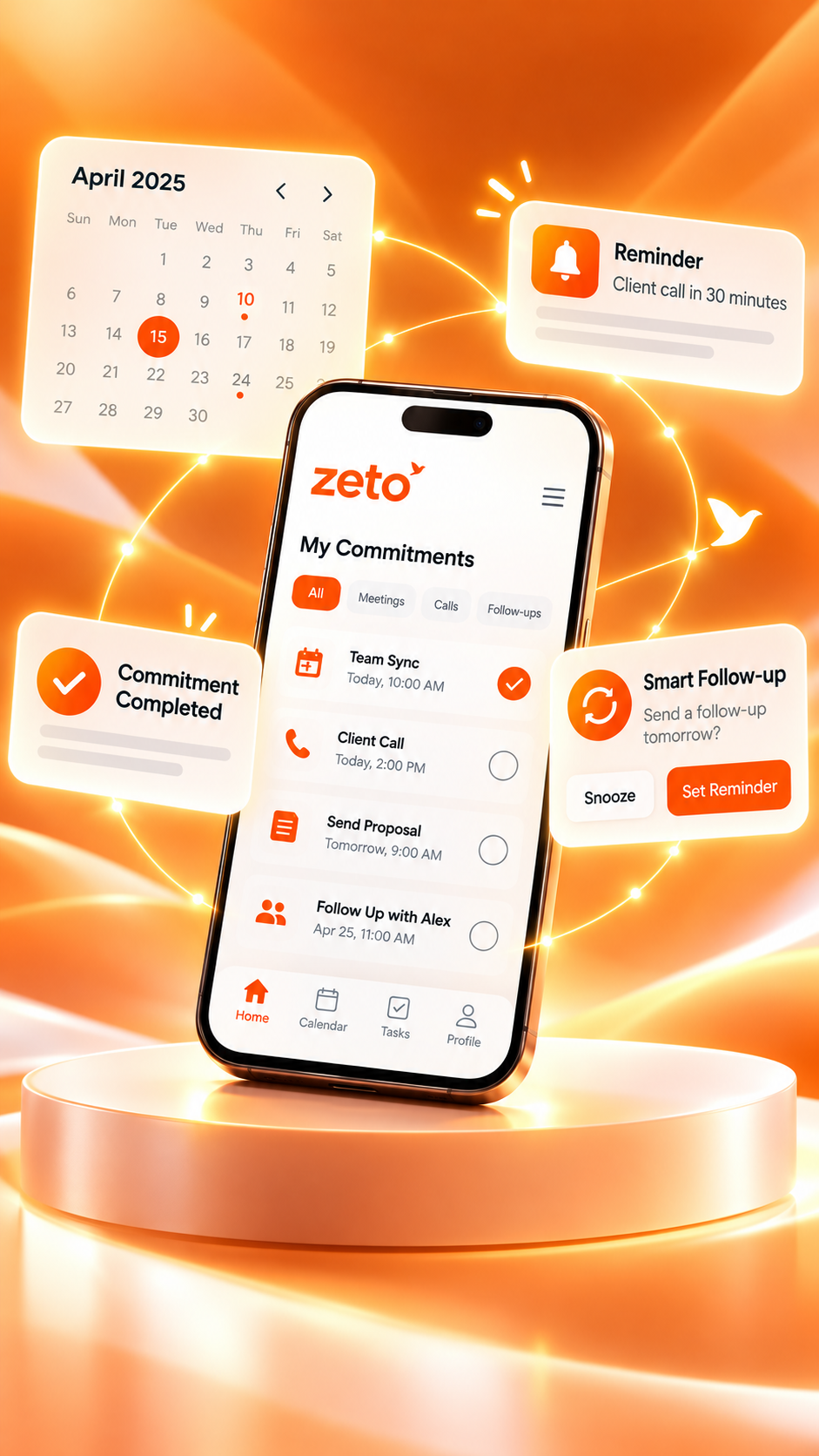
AI Note Taker App for Customer Meetings: Remember Every Discussion and Follow-Up
A better customer relationship starts with remembering what mattered. Discover a practical way to capture permitted meetings, clarify requirements, review promises and prepare the next follow-up—using the ZETO AI mobile app.
Product claims are based on published app descriptions. Example notes are illustrative, not real customer data or a screenshot of the released app.
Technical specification review and an indicative sample quotation.
✓ Sales: confirm sample availability.
✓ Technical: validate specification before quotation.
Final pricing, order quantity and dispatch date.
What is the best AI note taker app for customer meetings?
The best AI note taker app for customer meetings should help capture a permitted conversation, create a readable summary, preserve requirements, identify possible follow-ups and make earlier discussions easy to review. ZETO AI is a mobile-first option with meeting and voice-note capture, summaries, People history, commitments, reminders and source-backed conversation search. Always check the original source before relying on prices, approvals or dates.
Remember what was said. Confirm what happens next.
A useful recap separates a customer’s request from a confirmed decision—and an informal possibility from a real promise.
Why customer meeting details are so easy to lose
A customer conversation rarely finishes with one clean decision. Someone explains a requirement, asks about a price, mentions a possible date, adds a condition and promises to check internally. At the end, everyone agrees to reconnect. By the time the seller reaches the next appointment, the discussion can feel clear while its most important qualifications are already fading.
Imagine a business development professional who visits four prospective customers in one day. The first asks for a revised quotation, the second wants a technical demonstration, the third mentions a different delivery location and the fourth needs approval from a finance colleague. A notebook may contain fragments such as “rate,” “sample,” “Thursday” and “approval.” Those fragments do not establish whether a price was accepted, a sample was ordered or a Thursday visit was firmly confirmed.
The problem becomes larger when a customer returns after several weeks. A new colleague may handle the account. The customer may expect the business to remember a concern mentioned casually during an earlier meeting. When the only record is one employee’s recollection, the team risks repeating questions, overlooking conditions or making promises that were never agreed.
An AI note taker app for customer meetings can help create an initial record from a permitted discussion. It can organise the content into summary points and possible commitments, making it easier to review and prepare the next step. It should not be treated as a legal record, a reliable witness to everything said or a substitute for verifying commercial terms.
The practical objective is continuity. Each new conversation should begin with a better understanding of the previous one. The customer feels heard because their requirements can be checked, and the team can distinguish what was discussed from what was actually approved.
What is an AI note taker app for customer meetings?
An AI note taker app for customer meetings is a tool that helps convert spoken conversations or written notes into structured information a professional can revisit. It may use an audio recording, an imported file or a typed note, depending on the product. AI then helps prepare a summary and identify subjects such as requirements, promises, proposed actions, confirmed decisions and open questions.
This is different from a plain voice recorder. A recorder preserves audio, while an AI note taker helps make the content usable. It is also different from a full customer relationship management platform, which may track deals, sales stages, quotations, contacts and transactions. Conversation intelligence works close to what people actually said; a CRM often serves as the operational record for what the business decides to do.
The distinction matters whenever a customer says something conditional. “We may proceed if the specification matches” is not the same as “We have placed the order.” A useful note should preserve the conditional language and the unanswered technical requirement. It should not produce a confident but inaccurate sentence such as “Order confirmed.” Human review remains essential.
ZETO AI is a mobile-first example. Its official app listings describe meeting recording, voice notes, summaries, people-based conversation history, follow-up reminders and Ask Zeto answers linked back to their sources. Those are relevant capabilities when a professional needs to remember a conversation after leaving the customer’s office, showroom, factory or site.
The five parts of a customer meeting record that actually matter
Many meeting notes are long but unhelpful. A better customer meeting record is structured around five questions: Who was involved? What does the customer need? What was agreed? What is still unresolved? Who does what next? Each answer serves a different purpose and should remain separate.
Customer context
The organisation, attendees, reason for the discussion and relevant earlier conversation.
Requirements
The problem to solve, priorities, constraints, budget indications and technical questions.
Decisions
Items actually confirmed, with their conditions and the authority of the person who agreed.
Open questions
Missing measurements, approvals, commercial details and information that needs verification.
Follow-ups
The promised task, responsible person, required information and confirmed timing.
Source check
The original discussion or source document supporting a consequential statement.
Consider a prospect who says the proposed material “could work, but we need to see the sample.” The note should record interest, the sample requirement and the absence of final approval. Separating these components prevents enthusiastic sales language from becoming an inaccurate handover to operations.
For longer customer relationships, add a sixth layer: what changed since the prior meeting. A revised requirement may matter more than a repeated introduction. Teams should also use their approved CRM or document system for current contact details, official price offers, purchase orders and contracts. AI-generated notes complement those records; they do not replace them.
Seven features to look for in a customer meeting AI note taker
The best app is not necessarily the one with the longest feature list. For customer-facing work, evaluate whether the tool fits the actual places where meetings happen and helps people reach a reliable next step. A professional who spends the day visiting customers may value a mobile workflow more than a complex desktop-only meeting interface.
Phone-first capture
Record suitable, permitted in-person discussions without carrying a separate laptop or recorder.
Readable summaries
Understand the customer’s requirements and the meeting outcome without rereading every word.
Commitment tracking
Identify candidate follow-ups and help people check what they promised to send or confirm.
Conversation history
Return to earlier discussions with the same customer before the next appointment.
Source-backed search
Ask about a prior conversation and inspect where the answer originated.
Recording transparency
Know which devices and sources work, and communicate recording and access permissions.
Easy export or handover
Move reviewed notes into your existing approved process without inventing integrations.
Test these features using a real but non-sensitive workflow. A five-minute trial with a clear two-person discussion tells you more about note quality than a glossy product description. Check whether names, dates, numbers, units and speaker commitments survive the summary. Consider where a recording is stored, who has access and what deletion controls are available.
For ZETO AI, the published listings cover meeting and voice-note capture, summaries, follow-ups, People history and Ask Zeto. They do not establish native synchronization with every CRM, direct access to all online meeting services or universal automatic mobile call recording. Match your buying decision to confirmed capabilities rather than assumptions.
Before the meeting: prepare to listen rather than scramble for notes
A useful meeting record begins before the recording starts. Review the customer’s latest verified request, recent quotation, previous concerns and any commitments your team has already made. The aim is not to memorise a complete history. It is to arrive knowing which questions are open and which answers require confirmation.
Write down a short agenda in your own words. For a distributor visit, it might be product suitability, minimum order quantity, lead time and trial samples. For a service discussion, the agenda could cover site conditions, desired outcome, access requirements and the decision process. This preparation makes the conversation more focused without turning it into an interrogation.
Decide in advance whether a recording is appropriate. Ask every relevant participant for permission and follow applicable law, company policy and site rules. If a customer does not agree to recording, continue the meeting without recording and take notes in an approved way. Consent is not a feature toggle to be bypassed for convenience.
- Confirm who is attending and the purpose of the discussion.
- Bring the latest approved quotation, product sheet or project information.
- List unresolved questions without treating assumptions as facts.
- Explain the intended recording and obtain appropriate permission.
- Choose a suitable place where the conversation can be heard clearly.
Good preparation also improves the quality of an AI-generated summary. A specific conversation about requirements and next steps is easier to review than a discussion where nobody states whether a proposal was accepted, rejected or deferred.
During the customer meeting: capture the discussion without losing the relationship
During an important customer meeting, attention belongs on the people in front of you. Maintain a natural conversation, ask relevant questions and make sure that the customer understands what is being proposed. Technology should support this interaction rather than dominate it. When recording is permitted and appropriate, a phone-based AI note-taking workflow can reduce pressure to write every sentence.
Even with recording, good communication requires clarification. If a customer says “we need it soon,” ask what date they have in mind. If a buyer says the pricing looks reasonable, ask whether that means they are ready for a written proposal or still comparing options. If multiple people are involved, clarify whose approval is required. These questions improve the business conversation itself, not merely the quality of the transcript.
At natural pauses, restate significant details in plain language. For example: “My understanding is that you need the revised specification first, and you will review the quotation after that—is that correct?” A short confirmation can prevent a major misunderstanding. Do not pressure a customer to agree just to create a cleaner note.
Be careful about environmental noise, overlapping voices and technical terminology. Busy factory floors, construction sites and public venues can make transcription more difficult. Avoid recording sensitive documents, banking details or private conversations that are not necessary for the meeting purpose. Respect restrictions at customer premises.
Before ending, ask: “Which points have we confirmed, what still needs checking, and who is responsible for the next update?” This creates a clearer closing summary for everyone.
After the meeting: turn a draft summary into dependable next steps
The few minutes immediately after a customer meeting are often the most valuable for follow-up accuracy. Review the generated summary while the conversation is still fresh. Do not forward the first AI output automatically or paste it into an official CRM record without checking whether it captured the important distinctions.
Start with names, product descriptions, quantities, dates, rates, locations and specific technical terms. Then check every statement presented as a decision. Was it really approved, or did someone say they would review it? Did the customer promise to send a drawing, or did your colleague offer to request it? If the summary attributes a task to the wrong person, correct it before treating the note as operational guidance.
Next, identify the smallest useful actions. “Follow up with customer” is too broad. “Send the revised specification to the customer’s purchasing contact after technical approval” identifies the action and its condition. If a deadline was not agreed, write “date to confirm” rather than inventing one. Assignments and reminders should reflect confirmed responsibilities, not optimistic guesses.
Finally, prepare a concise customer recap when appropriate: what was discussed, which documents will be shared, which questions remain open and the proposed next contact. Use your company’s approved communication channels. ZETO AI’s published app description supports organizing follow-ups and memories; it does not mean messages are automatically sent to the customer.
A seven-step workflow for turning customer conversations into follow-ups
Use this repeatable approach for client visits, service consultations, supplier discussions and new-business meetings. It works best when the team treats the AI output as a well-organised first draft, not a final authority. Each step solves a different problem that often arises between a conversation and the next customer action.
Define the meeting objective
Know whether the conversation is for discovery, a technical review, pricing clarification, relationship management or resolving a service issue. Record the meeting purpose so the notes have context.
Obtain appropriate permission
Tell participants about the recording, its purpose and any relevant data handling. If consent is declined or the location restricts recording, use an alternative note-taking workflow.
Capture a suitable discussion
Use supported meeting capture on the mobile app, or prepare a typed note or supported import. Avoid assuming ordinary phone calls can be captured identically on all devices.
Read the summary for meaning
Look for the customer’s actual goal, priorities, objections, questions, proposed solutions and any changed requirements. Check whether the summary oversimplifies a conditional remark.
Verify the consequential details
Review figures, promised dates, technical specifications, names and terms against the source discussion and approved documents. Escalate uncertain contractual or legal points to the responsible person.
Organise commitments and reminders
For each action, state what should happen, who owns it, what information is missing and when the next review is appropriate. Do not silently create a customer commitment that was never agreed.
Revisit history before the next contact
Check earlier discussions and source-backed answers before the next customer meeting. Update formal CRM or project records separately so the wider business stays aligned.
The biggest benefit of the workflow is not that every word becomes searchable. It is that an employee can return to a conversation and explain, with appropriate evidence, why a task is next on the list. That context helps avoid repetitive calls and customer frustration.
Example: a customer meeting about industrial materials in Bengaluru
Consider an illustrative meeting between a Bengaluru manufacturing customer and a sales representative supplying industrial materials. The customer is interested in trying a product but wants confirmation that it meets a particular performance specification. They also ask about a possible dispatch window and whether a small trial order is available. No purchase order is issued during the meeting.
In a rushed notebook, the salesperson might write “trial + price + dispatch Friday.” That brief note leaves several uncertainties. Was Friday the requested date or the confirmed date? Was the trial approved, or is it still under technical evaluation? Was the quoted amount a final commercial offer or an approximate discussion?
A useful AI-assisted summary would separate those questions into distinct fields. The customer wants a technical data sheet and a trial-quantity proposal. The sales representative agreed to check availability with operations. The customer will review the technical documents before discussing order approval. The dispatch date remains unconfirmed, and the commercial quotation must be issued in writing.
Trial quantity for an industrial material; product must meet the customer’s technical specification.
Customer requested documents and a written proposal. No order approval was given.
Share verified product data and prepare a trial quotation after availability is checked.
Final quantity, approved price, confirmed dispatch date and purchasing sign-off.
For the next meeting, the salesperson has a clear starting point: “Last time, we agreed I would send the technical documents, and your team would review suitability before an order decision. Has that review happened?” This is more respectful and efficient than asking the customer to repeat their entire requirement.
The example illustrates why source-backed meeting memory can matter. It does not show how any particular app will interpret every meeting; unclear audio and ambiguous language may still create errors. It also does not replace a written quotation, the customer’s approval process, a product specification or a formal order.
Example: a customer site visit with unresolved technical questions
Now consider a maintenance service provider visiting a warehouse where the client has raised concerns about a damaged floor. Several people join the discussion: a site supervisor, a purchasing representative and a technical specialist. They talk about the affected area, operational access, possible repair approaches and the importance of avoiding unnecessary downtime.
One participant suggests a weekend repair. Another explains that forklift movement cannot stop without approval from operations. The technical specialist says measurements and site conditions must be reviewed before any repair method is confirmed. A poor meeting note may turn this into “work scheduled for weekend.” That could cause serious planning errors.
A better record preserves the uncertainty. The customer described the operational problem; the provider will inspect the site and propose a suitable method; weekend access is an option, not a confirmed booking; operations approval and a written scope are outstanding. The next follow-up is to request the missing access information and provide a documented recommendation after evaluation.
A smartphone-first note-taking workflow can be useful in this setting because people are moving around a site. Yet the same environment may be noisy, and the recording should never take attention away from site safety. The technical assessment itself must rely on measurements, professional judgment and approved specifications. AI summaries can preserve the conversation, not certify the condition of a floor.
This example applies to inspections, construction consultations, equipment demonstrations, interior fit-outs and many forms of field service. The next action should follow what the customer actually authorised.
How to build a customer follow-up tracker from meeting notes
A meeting summary becomes operationally useful when the team turns appropriate items into a follow-up tracker. The tracker should be short enough to review regularly and specific enough to prevent confusion. Start with four fields: action, owner, timing and status. Add a source or condition when a task depends on prior approval.
For example, “Send documents” is weaker than “Sales to send the revised technical data sheet after product team validation.” “Call next week” is weaker than “Confirm the purchasing team’s review status on the agreed follow-up date.” When the customer has not agreed to a date, label it as a proposed date rather than a commitment.
| Meeting point | Action to verify | Owner | Status |
|---|---|---|---|
| Customer needs a sample | Confirm sample specification and availability | Sales / technical | Pending |
| Price was discussed | Issue approved written quotation | Sales | Not yet approved |
| Site access considered | Confirm site permissions and suitable visit date | Customer / operations | Open |
| Second discussion proposed | Agree mutually convenient date | Account owner | Tentative |
ZETO AI’s official descriptions include a Today view, follow-up reminders and People history. These can help a user revisit commitments extracted from captured conversations. They should still verify who is responsible and whether a date is correct. A reminder is an organisational aid, not independent proof that the customer accepted a commitment.
For team reporting, transfer reviewed information into the business’s approved CRM or task system where required. That maintains a single official operational record while keeping conversation context available to the people who need it.
Questions that create clearer customer notes and better follow-ups
Good AI-generated notes depend on good conversations. A transcript cannot reliably resolve an issue that nobody clarified. Customer-facing professionals should learn to ask questions that reveal the difference between requirements, preferences, objections, decisions and future possibilities.
Other useful questions include: “What would make this proposal acceptable?” “Which documents would help your team decide?” “Is this your final requirement or a working assumption?” and “Who should receive the recap?” These questions are respectful because they allow the customer to describe their process rather than forcing an immediate commitment.
At the end, summarise what you heard and invite correction. For example: “You need a revised proposal showing two options. Your technical team will check the data sheet, and we will reconnect after that review. Have I captured it correctly?” If the customer corrects the interpretation, update the meeting record. That correction may be more important than the original summary.
A reliable workflow should also leave room for “not known yet.” The best customer relationships are not built by making every ambiguity disappear from the notes. They are built by communicating uncertainty accurately and following through on the questions that genuinely remain.
How conversation history helps before a repeat customer meeting
A repeat customer meeting is rarely a fresh start. The person may have described preferences during an earlier site visit, asked for a revised proposal over another discussion and changed an important condition a week later. Reviewing only the most recent message may miss the reasoning behind those changes.
People-based conversation history can help an account owner reconstruct the sequence: the original requirement, the customer’s questions, the revised proposal and the commitments that are still pending. This can be especially valuable after a holiday, staff handover or long gap between meetings. The aim is to enter the discussion prepared, not to quote the customer’s entire conversation history back to them.
ZETO AI’s published app listings describe a People area and an Ask Zeto feature that can answer questions about earlier conversations and show the source. A practical question might be, “What did the customer ask us to confirm during the previous meeting?” The user should read the cited source before relying on the answer for pricing, approvals or formal statements.
Conversation history should not be treated as a master database of a customer’s identity, current preferences or legal commitments. Details can change, and a customer may disagree with an earlier interpretation. Ask whether the requirement is still current; keep official customer records in approved systems; and share information only with people authorised to view it.
Using AI notes to understand customer concerns and objections
Customer objections are often recorded too vaguely. An account owner writes “price issue,” but the customer may actually be concerned about installation cost, uncertain performance, payment terms or the risk of interrupted operations. Those reasons lead to different next steps. A lower headline price may not answer the real question.
In a customer meeting, listen for the concern beneath the short statement. If someone says a solution is expensive, ask which alternative they are comparing it with and what result they expect. If they say they need more time, ask what information is missing from the decision process. The goal is to understand the obstacle, not to manipulate the customer into changing their mind.
A meeting recap should preserve the customer’s language as faithfully as possible and separate it from the salesperson’s interpretation. For example, “Customer requested lifecycle cost comparison” is grounded in a stated request. “Customer rejected the competitor because our product is better” would be inaccurate unless the customer actually said something equivalent.
When the next meeting arrives, the team can return to the real question. Did the customer receive the cost breakdown? Was the technical concern answered? Is a sample trial still necessary? This is useful for managers reviewing sales activity too, but no automated analysis should become a substitute for context and fair review of what happened.
AI note-taking supports this workflow when the recording is clear and the summary preserves nuance. It cannot independently verify the competitor’s offer, customer intention or technical truth of a claim. Maintain a human-reviewed record before making decisions.
How to handle prices, quantities, specifications and verbal commitments
Commercial conversations contain numbers that can be easy to mishear and costly to misuse. A customer may ask about 50 units and then discuss 500 units as a possible future requirement. A salesperson may quote a preliminary rate subject to transport charges. A supplier may offer an estimated dispatch date conditional on payment confirmation.
These details deserve a stricter verification process than general meeting notes. Review the original source for all quantities, currency figures, item codes, tax assumptions, delivery addresses, warranty conditions and dates. Confirm that the speaker had authority to make the statement. Then match it against the latest approved price list, written quotation or contract document.
A good note can say “Approximate price discussed; written quotation pending.” It should not quietly transform the conversation into an accepted commercial agreement. Similar care applies to technical requirements: if the customer mentions an industry standard, an unfamiliar product model or a site measurement, verify the exact terminology independently.
Price · quantity · tax treatment · delivery terms · technical specification · warranty · deposit · cancellation terms · approval status.
ZETO AI helps organise what was said in the meeting. It is not a quotation-generation authority, legal review system or guaranteed source of accurate measurements. The customer-facing document should still be approved by the right person and based on the organisation’s current records.
Using ZETO AI for customer meetings on a smartphone
Customer meetings happen outside conference rooms: at showrooms, warehouses, project sites, customer offices, exhibitions and while travelling between appointments. For this reason, a mobile-first capture experience can be more practical than a workflow that requires carrying a laptop into every meeting.
According to the official listings, ZETO AI supports recording permitted in-person meetings and voice notes on supported Android and iPhone devices. It also supports typed notes and suitable audio imports. The exact app screens and availability can change with software updates, so users should check their current version before a consequential meeting.
There is an important difference between a meeting recording and an ordinary cellular phone call recording. The Google Play listing states that ZETO AI does not record phone calls itself. On compatible Android phones, it can process recordings saved by the device’s own Phone app, where supported and lawful. Not all Android phones save such files, and compatibility depends on handset, software and settings.
The iPhone listing emphasises in-person meetings, voice notes, typed notes and importing supported files. Do not assume that the Android call-import workflow or universal background phone-call capture is available on iPhone. Similarly, a recording from Zoom, Teams or Google Meet may require an appropriate supported export/import process; brand names on a website do not establish direct integration.
Always explain recording to customers and obtain appropriate permission. If the device fails, the audio is unclear or recording is inappropriate, take written notes. The business process should still work when the app is unavailable.
AI customer meeting notes vs a CRM vs a manual notebook
These tools overlap in places but solve different problems. A manual notebook offers quick personal capture without a network connection; a CRM organises customer accounts and commercial activities; an AI note taker helps turn a discussion into a more accessible written record and follow-up context.
| Customer workflow | Manual notes | CRM | ZETO AI conversation notes |
|---|---|---|---|
| In-person meeting capture | Handwritten | Usually entered later | Supported in-app recording |
| Readable conversation summary | Written by person | Depends on CRM | AI-generated draft for review |
| Past conversation context | Search paper notes | Check logged activities | People history and source-backed search |
| Reminder organisation | Manual reminders | Often has task workflows | Commitments and Today view |
| Deals and forecast pipeline | Not structured | Typically a core feature | Not a full CRM replacement |
| Official quotation/contract | Separate documents | May store records | Verify in approved systems |
A combined workflow often makes the most sense. Capture a suitable conversation, review the summary, identify the next step, then update the official CRM where your organisation requires it. That preserves context without creating two competing versions of the same deal status.
A team should not assume a two-way synchronization between ZETO AI and its CRM without a confirmed integration. Until such a connection is demonstrated, treat information transfer as an explicit reviewed action. This is less glamorous than claiming that all systems update automatically, but it is more reliable.
How sales, technical and operations teams can share customer context responsibly
A customer promise may involve several departments. Sales discusses a proposed delivery; the technical team must confirm suitability; operations must verify availability; finance must approve terms. When each function hears only part of the story, a tentative conversation can become an incorrect internal instruction.
A useful meeting handover should contain the customer’s stated requirement, what is confirmed, what is conditional, which documents support the information and which colleague should resolve the next question. The account owner should avoid sending a long AI transcript to everyone by default. Share only the relevant reviewed information through approved channels.
ZETO AI’s app listings describe team-member support and visibility into follow-ups for the main account, subject to the app’s permission model. Organisations should confirm those controls before using customer recordings at scale. Employee and customer transparency matter: participants should know when conversations are recorded and who can access the content.
Consider a technical query about a product’s suitability. The handover might say: “Customer requests written confirmation of compatibility with the specified site condition. Technical team to review documentation. Sales will not confirm the solution until written approval is received.” This is more actionable than forwarding a voice recording with the message “Please check.”
Good handovers reduce unnecessary repetition without removing professional responsibility. Whoever approves the quotation, service method or operational decision still needs to verify the relevant facts. AI summaries can explain a discussion; they cannot grant authority.
Recording consent, confidentiality and responsible customer data handling
Customer meetings may include personal information, pricing, future purchase plans, internal constraints and confidential documents. Before recording, tell participants what you intend to capture, why it is useful and how it may be processed or shared. Follow applicable law and the customer’s location-specific policies. If recording is not permitted, do not attempt to capture it secretly.
Use data minimisation as a practical principle. A meeting note rarely needs identity document numbers, bank information, personal family details or unrelated private conversations. Avoid recording material simply because an app can technically process it. For sensitive discussions, check your organisation’s approved tools and information-security requirements before uploading audio to any third-party service.
The ZETO AI listings describe consent notices, processing arrangements and account-level data controls, including the ability to access data-related settings. These are developer-provided descriptions, not an independent security audit. Users and organisations should review the current privacy policy, retention conditions, access controls and service terms for their situation.
Do not describe AI-generated notes as privileged, confidential or legally compliant by default. A privacy-sensitive process depends on the circumstances, the people involved and the rules that apply. The responsible approach is transparent capture, limited access, appropriate retention and careful review of what gets shared outside the organisation.
Customer meeting notes in English, Hindi and mixed-language conversations
Customer-facing professionals in India often switch languages during a discussion. A technical term may be in English, an explanation in Hindi and a product code spoken as letters and numbers. This is natural in business conversations, but it can increase the chance of transcription errors and lost nuance.
ZETO AI’s official app listings specifically describe asking questions in Hindi or English. Users should not automatically infer reliable transcription or translation for every language, dialect, accent or combination of speakers. Language support can vary by feature and update; the original audio quality remains important.
When working across languages, pay extra attention to names, quantities, currency amounts, dates, product codes and statements of agreement. Review whether a tentative expression has been translated into an overly definite commitment. If necessary, confirm the information in writing in the language the customer prefers.
A good operational habit is to repeat important decisions in simple terms before ending the discussion. If a customer mentions a future date using an informal expression, ask them to confirm the calendar date rather than assuming its interpretation. If a technical term is unclear, request the written specification.
AI-assisted language processing can make conversation memory more accessible. It does not remove the need for careful communication, particularly when a misunderstanding could affect price, safety, service scope or contractual obligations.
Ten mistakes that can make AI customer meeting notes unreliable
An AI note taker can reduce the burden of writing notes, but it also creates a new responsibility: reviewing the output. A fluent-looking summary is not necessarily a correct one. The most common problems are predictable, which means a team can design its workflow to catch them.
- Recording without permission: makes the workflow inappropriate regardless of note quality.
- Using poor audio: increases the chance of misunderstood names, technical terms and amounts.
- Confusing a proposal with approval: can trigger work or spending that was never authorised.
- Missing conditional wording: removes essential terms such as “subject to inspection.”
- Assigning the wrong owner: turns a vague possibility into someone’s supposed promise.
- Inventing a deadline: makes a tentative timeframe appear confirmed.
- Trusting numbers automatically: introduces avoidable errors in quantities, prices or dates.
- Sharing the whole recording too broadly: may expose information that does not need circulation.
- Assuming CRM or messaging automation: can leave a customer waiting for something nobody sent.
- Failing to revisit old context: causes the next meeting to repeat resolved questions or ignore changes.
Fixing these problems does not require an elaborate new department. Use a short review checklist, keep official commercial documents separate, confirm responsibility and encourage users to flag uncertain statements. If a source-backed answer appears questionable, inspect the underlying conversation and correct the operational record rather than treating the AI output as proof.
The most dependable team culture rewards clarity over certainty. “I need to confirm the rate” is often a stronger customer response than confidently repeating a number that has not been checked.
A practical seven-day test for a customer meeting note-taking workflow
Before adopting any AI note-taking app across a customer-facing team, test it with ordinary, permitted conversations that do not contain unnecessary sensitive data. A structured one-week evaluation can reveal whether the tool saves effort and where human review is still necessary.
Day one — capture quality
Try a brief permitted meeting in a quiet room. Check whether the recording source and summary workflow are easy to use.
Day two — requirement clarity
Use a discussion with several customer requirements. Check whether the summary separates essential conditions from nice-to-have preferences.
Day three — commitments
Include a proposed next action and an explicitly confirmed one. Assess whether the output preserves that difference.
Day four — follow-up routine
Review reminders and decide whether they support your actual schedule without adding false commitments.
Day five — prior context
Look for an earlier customer requirement using the history and search features, then verify the cited source.
Day six — mobile conditions
Test an appropriate field meeting or imported recording and note any device, noise or connectivity limitations.
Day seven — operational value
Compare the reviewed output with your normal notebook/CRM process. Record errors, review time and whether handovers became clearer.
Measure real usefulness, not the number of AI features. A good test asks whether the team could find the last customer requirement, whether follow-ups were more complete and whether anyone relied on an incorrect output. If the answer is mixed, improve the workflow rather than assuming the technology will solve every problem by itself.
How to measure whether customer meeting notes improve follow-up quality
Claims such as “double your sales” or “never miss a follow-up” are not justified merely because an app can summarise meetings. Instead, evaluate outcomes your team can observe and verify. Look at whether the next meeting starts with accurate context, how often actions lack an owner and how frequently the same customer question has to be rediscovered.
Useful internal measures include the proportion of meetings with reviewed recaps, the share of follow-ups with clear owners, the number of overdue items, and the time staff spend reconstructing a conversation before a return call. You can also audit a sample of notes for incorrect figures, uncertain decisions and missing questions. Trends matter more than a single meeting.
Customer-facing quality indicators are just as important. Was the revised document sent as promised? Did the team answer the actual objection? Did the customer need to repeat a previously documented request? A tool is valuable when it helps those behaviours improve without creating privacy or accuracy problems.
Because teams, markets and customer relationships differ, do not publish unsupported percentage savings or conversion improvements as ZETO AI results. If your organisation later conducts a real pilot, report the method, sample size, limitations and results transparently.
Is ZETO AI the right AI note taker app for customer meetings?
ZETO AI is worth considering when your main problem is remembering customer conversations: what the person needed, what questions remained, what your team promised and which follow-up deserves attention. Its published mobile features are aligned with in-person meetings, voice notes, people-based history, summaries and source-backed questions.
It is especially relevant to professionals who spend a significant part of the day away from a laptop: sales representatives, service consultants, business owners, project coordinators and customer-facing managers. Such users often need to recall a discussion while moving between site visits and appointments. A phone-first workflow may fit their habits more naturally than a desktop-only process.
However, a business that primarily needs automated lead routing, deal forecasting, property listings, inventory management, quotation approval or a specialised CRM should evaluate those systems separately. ZETO AI is not automatically a replacement for them. Recording sources, privacy requirements and device compatibility also need to fit the organisation’s real environment.
Before using any AI summary for a significant decision, verify the original statement and relevant documents. Before using a recording, obtain appropriate permission. Before sharing customer context with colleagues, confirm the access policy. These habits are part of a professional customer workflow, not obstacles to it.
A customer meeting becomes more useful when it creates a reliable memory of the discussion and a clear, reviewed next step. ZETO AI can help organise that memory; people still own the relationship and the decisions.
Customer meeting AI note taker FAQs
These questions address common concerns when choosing a mobile app for client meetings, customer notes, follow-ups, compatibility and data handling.
What is the best AI note taker app for customer meetings?
The best choice depends on your meeting environment, recording permissions, device compatibility and need for customer-history review. ZETO AI is a mobile-first option for supported meeting and voice-note capture, summaries, follow-ups and source-backed conversation search. Test accuracy with your own permitted workflow before adopting it widely.
Can ZETO AI record an in-person customer meeting?
Its official app listings describe in-person meeting recording through the mobile app. Recording should be appropriate for the setting and carried out with the required permission. Review the resulting summary, particularly names, commercial terms and deadlines.
Can ZETO AI record all customer phone calls automatically?
No. The Android listing states that the app does not record phone calls itself. On compatible Android devices, it can process recordings created by the phone’s own Phone app, where available and lawful. Do not assume universal automatic call recording.
Does the iPhone app support customer meeting notes?
The iPhone listing describes meeting recording, voice notes, typed notes, file imports, summaries, reminders, People history and Ask Zeto. Check the latest iOS compatibility information in the App Store. Do not assume the Android cellular call-recording workflow is identical.
Will ZETO AI send customer follow-up messages automatically?
Do not assume automatic WhatsApp, email or CRM messaging. The published features include extracting and organising follow-up commitments and reminders. Your team should review the action, confirm responsibility and send any customer-facing communication through its approved process.
Can an AI note taker remember customer requirements from earlier meetings?
If the relevant discussion was captured and processed, conversation history and search can help retrieve earlier requirements. These records still need current confirmation: customer needs can change and AI-generated notes may contain errors.
Can AI meeting notes replace our customer CRM?
Not completely. A CRM often manages customer records, deal stages, quotations and pipelines. AI conversation notes help capture what was discussed and why. Many businesses benefit from using both, with a reviewed transfer of relevant information into official records.
How does an AI note taker identify action items?
The software analyses captured content for potential promises, responsibilities and deadlines, then presents them for review. Humans should confirm who actually accepted the task, whether a date was agreed and whether a condition remains open.
What should a customer meeting summary include?
A useful recap includes attendees, objective, customer requirements, decisions actually confirmed, unresolved questions, promised documents, owners and verified follow-up timing. Commercial figures and technical details should be checked against authoritative sources.
Can ZETO AI help prepare for the next customer visit?
Yes, its published People history and Ask Zeto functions are intended to make previous conversations easier to review. A practical habit is to revisit the earlier requirements, unanswered questions and your own promises before meeting the customer again.
Is ZETO AI suitable for field sales and site visits?
A mobile-first workflow can suit customer visits and field discussions when the environment permits recording. Noise, safety conditions, device availability and customer privacy may affect results. Site measurements and technical assessments always require independent verification.
Can ZETO AI understand Hindi customer conversations?
The official listings describe Ask Zeto questions in Hindi and English. Do not assume flawless transcription or translation for every language and accent. Review names, figures, product codes and any language-dependent commitments carefully.
Is it safe to record customer meetings using an AI app?
Safety depends on consent, applicable law, company policy, data sensitivity, access controls and the service’s current terms. Review privacy information and minimise unnecessary personal data. The app store’s description is not an independent security certification.
Can ZETO AI confirm pricing or legal terms?
No. A summary can help you recall what was said, but a price, contract condition or legal fact should be checked against the approved quotation, written agreement and appropriate professional records before anyone relies on it.
How do I compare AI notes with manual note taking?
Try both approaches on a small number of permitted meetings. Compare the time to prepare a reviewed recap, the accuracy of details, the clarity of action owners and the ability to retrieve earlier context. Choose the workflow that fits your team and permissions.
Where is ZETO AI available?
The official listings provide ZETO AI for supported Android phones through Google Play and for compatible iPhones through the Apple App Store. Availability, eligibility, features and plans can change; consult the current listings before installing.
Sources, scope and important limitations
Product descriptions in this article reflect publicly available ZETO AI information as of the editorial review date. All example customers, meetings and follow-up notes are fictional, intended to show a practical workflow. No customer testimonial, experimental performance result or guaranteed ranking is claimed.
- ZETO AI official website — product positioning and conversation-to-follow-up workflow.
- ZETO AI on Google Play — Android-supported meeting, voice-note, note, import, People, Ask Zeto and call-recording distinctions.
- ZETO AI on the Apple App Store — iPhone meeting, voice-note, import, People, reminder and privacy descriptions.
- Google Search Central: helpful, reliable content — guidance for useful educational content rather than ranking promises.
Information about recordings, eligibility, permissions, availability and privacy can change. The official app listings describe use by adults aged 18 and older. Follow relevant legal and organisational rules before recording or sharing business conversations.
Stay focused on the customer. Keep the important details organised.
Capture permitted meetings and voice notes, review useful summaries, revisit previous discussions and organise follow-ups with ZETO AI. Start with the recording workflow supported by your device.
Official listings specify an 18+ eligibility requirement. Features vary by platform and version. Record only with appropriate permission and verify important commitments.