Best AI Note Taking App for Project Managers: Track Meetings, Decisions and Tasks
Every project moves through conversations. Learn how to capture supported meetings, review decisions, clarify task ownership and revisit important commitments with the ZETO AI mobile app—without confusing notes with formal project approval.
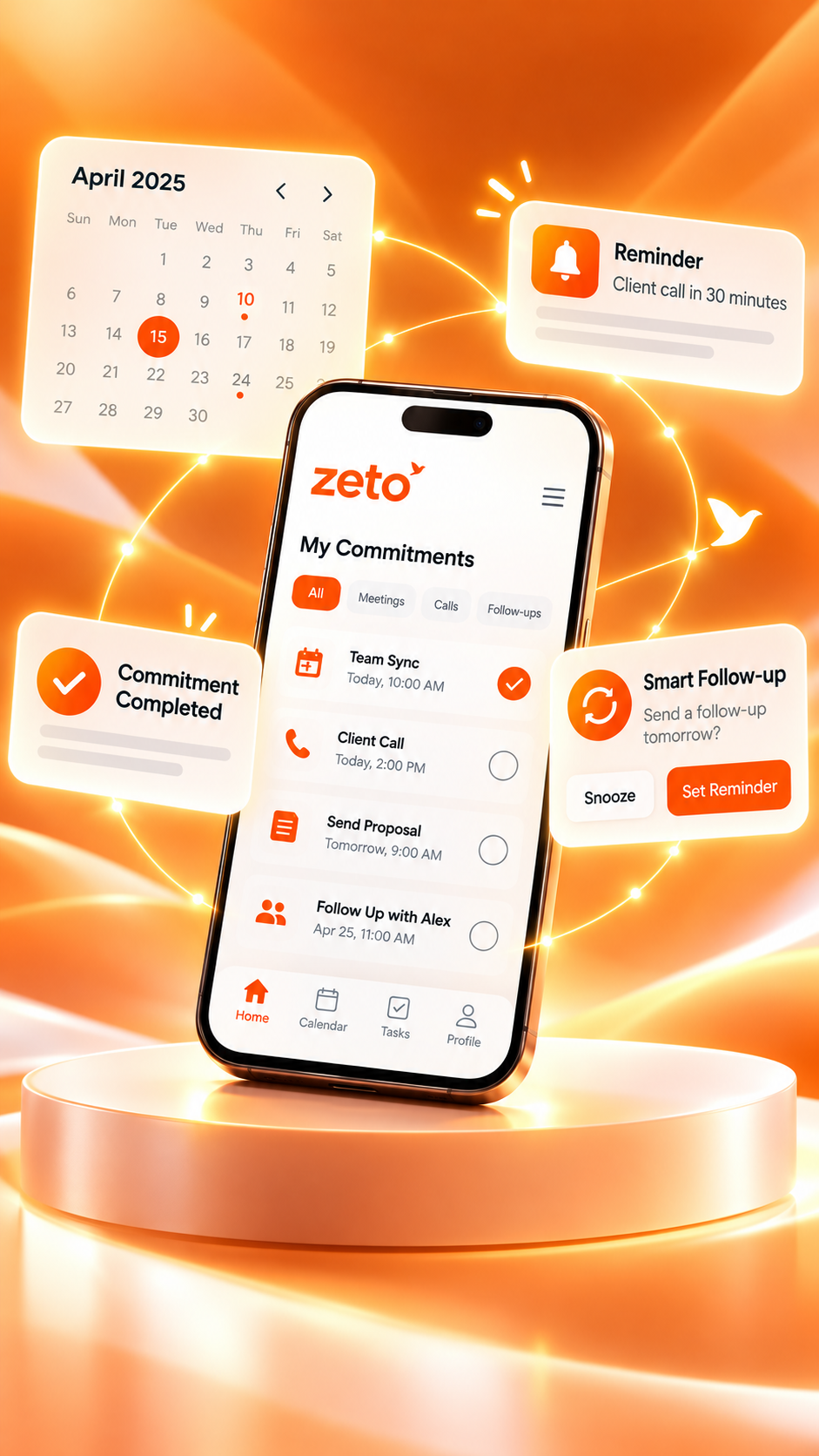
The project recap graphic is an editorial illustration, not a screenshot or a claim of automatic project integrations. Features are based on official mobile app descriptions.
Additional site survey recommended before revising the final layout.
✓ Engineering: confirm revised measurements.
✓ Operations: verify access window.
Customer sign-off, supplier confirmation and revised project milestone.
What is the best AI note taking app for project managers?
The best AI note taking app for project managers helps capture permitted meetings, create clear summaries, identify possible decisions and action items, and revisit earlier commitments. ZETO AI offers mobile meeting and voice-note capture, summaries, reminders and source-backed conversation search. The manager should verify owners and approvals and keep the official project plan in a dedicated system.
Meeting memory is not project approval.
Capture the conversation, check the source, confirm the owner and only then update formal project records.
Why project managers lose important decisions between meetings
A project manager can leave a meeting convinced that the team has a common plan. Everyone has discussed the next release, a material delay or an upcoming client presentation. Then the week gets busy. Different people remember different versions of the conversation, and the next meeting begins with the same questions. The problem is rarely a complete absence of notes. It is the absence of trusted context connecting discussion, decision and action.
Projects involve a continuous stream of conversations: kickoff calls, daily standups, technical reviews, supplier updates, customer meetings, progress calls and unexpected discussions in corridors or on site. A single project can involve people from operations, purchasing, finance, engineering and the customer’s organisation. Each has a different view of what matters. When nobody captures the exact conditions behind a decision, ordinary misunderstandings become schedule risks.
Imagine a team discussing a revised delivery milestone. One participant says the new date looks possible if testing finishes first. Another person later reports that the delivery date was confirmed. Those statements are not equivalent. A useful note records the proposed milestone, the outstanding test and who must verify readiness. It also identifies whether the customer accepted the change or simply agreed to review it.
An AI note taking app for project managers can help turn a permitted conversation into a readable record. It can make decisions, promises and unresolved questions easier to revisit. It should not silently approve a change, assign authority to someone who did not accept it or transform tentative estimates into binding commitments. Project managers still need a formal system of record for tasks, budgets, contracts and approved schedules.
The goal is practical continuity: the next discussion should start from the most accurate understanding of the previous one. When teams can recover the reason behind a task, handovers become clearer and disagreements can be resolved using documented context rather than competing memories.
What is an AI note taking app for project managers?
An AI note taking app helps capture an eligible meeting, voice note or written note and organise its contents into a summary that people can review. For project work, useful summaries identify decisions, responsibilities, action items, dependencies, unanswered questions and items needing confirmation. The technology makes conversation content easier to navigate, but it cannot independently decide whether a statement constitutes formal project approval.
A simple recorder preserves an audio file. A traditional notebook preserves what one person manages to write. A full project management system tracks operational items such as milestones, task status, resource plans and dependencies. AI meeting notes sit between those tools: they preserve the why and what was discussed behind actions that may later be entered into the official project plan.
For example, a team may agree that design will supply a revised drawing after receiving measurements from the site. An AI summary can identify that relationship. The project manager then verifies the owners and dates and updates the approved task system. The AI-generated text is a draft record, not a workflow approval or a substitute for the latest issued drawing.
ZETO AI is a mobile app positioned around capturing conversations, summaries, commitments, People history, reminders and questions about earlier discussions. Its Android listing also describes keeping conversations apart by project. These published features make it relevant to managers who routinely move between meetings and need to return to what people previously said.
That four-stage sequence is the central idea of this guide. It is deliberately more careful than promising that a recording can run a project automatically. A dependable project still depends on clear leadership, professional judgement and accurate records.
Nine features to evaluate before choosing an AI meeting note taker
The “best” AI note taking app depends on the kind of projects you manage. A software delivery manager may spend more time in recurring online meetings, while a construction project coordinator may work in noisy locations and rely on in-person site discussions. A consultant may need detailed client context, whereas an operations manager might care most about commitments made across multiple shifts.
Begin with the actual workflow, not a long marketing checklist. Ask whether the tool helps you capture the discussions you are allowed to record, then whether it turns those discussions into a useful source for the next decision. Consider the following criteria when comparing options.
Phone-first recording
Use the phone you already carry for permitted in-person meetings and voice notes.
Structured summaries
Separate outcomes, decisions, tentative proposals and unresolved issues.
Owner clarity
Make commitments reviewable so the team can verify who agreed to do what.
Reminder visibility
Spot due and overdue follow-ups without searching through yesterday’s notebook.
Source-backed answers
Revisit the underlying conversation when a summary affects a deadline or scope.
People history
Prepare for follow-up meetings with the correct person and context.
Project context
Keep distinct workstreams easy to differentiate where supported by the app.
Privacy controls
Understand recording consent, access, retention and data processing.
Honest limitations
Do not assume built-in integrations, universal call recording or automatic approvals.
Test a product against three different meeting types rather than one carefully scripted demonstration. Try a short update with obvious actions, a discussion with unresolved conditions and a longer conversation involving several people. Look for whether the output keeps the qualifications intact. A note that labels every suggestion as a decision is less useful than a shorter summary that admits uncertainty.
Meeting notes, decisions, action items and project tasks are different
Project teams often use the words “decision,” “task” and “follow-up” interchangeably. That creates avoidable confusion. A meeting note records information from a discussion. A decision records an agreed choice made by someone with the relevant authority. An action item is a next step emerging from a conversation. A project task belongs in the approved delivery plan with its expected output, owner and progress status.
Consider the statement “We should use the revised layout if procurement confirms availability.” The meeting note should preserve the suggestion and the condition. It is not a final design decision. The follow-up may be for procurement to check availability. Only after authorised confirmation should the updated layout appear as an approved item in the design documentation and task plan.
| Record type | Main question answered | Example | Where it belongs |
|---|---|---|---|
| Meeting note | What did people discuss? | Revised site access was explored. | Conversation record |
| Decision | What was authorised? | Manager approved an additional site survey. | Decision log |
| Action item | What must happen next? | Operations to confirm available access windows. | Follow-up tracker |
| Project task | What deliverable is tracked? | Complete survey and issue revised measurements. | Official project plan |
| Open risk | What might affect delivery? | Access restrictions may delay measurement. | Risk and issue register |
An AI-assisted recap is strongest when these categories are not mixed. Its job is to help people recover the language and context of the original meeting. The project manager’s job is to validate the output, seek approval where necessary and ensure the correct operational systems reflect the latest confirmed position.
One practical discipline is to annotate important notes with “confirmed,” “proposed,” “pending approval” or “unverified.” These labels are not decorative. They prevent a tentative client comment from becoming a formal instruction when another employee reads the recap without having attended the meeting.
What to do before a project meeting
Good meeting notes begin before recording starts. When the project manager has a clear agenda and the latest approved information, it becomes easier to recognise what is new. Read the most recent decision log, action tracker, project programme and relevant documents. Identify outstanding issues that should be resolved rather than reopening every subject.
For a weekly coordination meeting, write down the three questions that matter most: which deliverables have moved, which decisions require approval, and which dependencies threaten upcoming work. For a client review, add the items waiting on customer input and the information your own team has promised. For a site meeting, confirm that participants are authorised to discuss the relevant technical or contractual topics.
Check whether recording is appropriate. Explain the intended purpose and obtain any consent required by law and organisational policy. Do not record sensitive discussions merely because the app makes recording convenient. Some projects involve confidential customer information, private personnel topics or restricted environments where recording is not suitable.
Prepare a simple fallback: if you cannot record, make a permitted typed note or a private voice memo afterward that excludes restricted information. An imperfect but authorised record is better than a detailed recording created in violation of the participants’ expectations.
- Review the last confirmed decisions and open follow-ups.
- List the specific questions the meeting must answer.
- Verify who can approve a change or accept a commitment.
- Obtain appropriate recording permission.
- Keep the current approved project documentation available separately.
This preparation also improves how you evaluate an AI note taker. It becomes possible to compare the generated summary with your agenda and actual outcomes rather than judging the result only by how polished the language looks.
How to capture project discussions without missing the room
During a project meeting, the manager’s primary responsibility is to listen, clarify and manage the conversation. Recording should support that responsibility, not replace it. Use a suitable device position, minimise overlapping speakers where possible and avoid recording in spaces where participants have not agreed to it.
Names, amounts, technical dimensions and dates deserve extra attention. If someone says “the second phase can begin after the permit,” ask which permit and whether the proposed date is a target or an approved start. If a supplier mentions a changed delivery window, confirm whether the statement is a commitment or an estimate. These questions improve the quality of the eventual note.
At decision points, restate the conclusion in simple language. For example: “We will hold the next activity until the revised drawing is approved; engineering will prepare the drawing, and the approval date remains open.” This is valuable even when no recording exists. It gives attendees a chance to correct misunderstanding while everyone is present.
At the end, summarise the open actions. Ask each owner to confirm what they have agreed to do and whether the timing is realistic. If the group cannot establish a deadline, record that uncertainty instead of inventing a date. A vague sentence that sounds decisive can be more harmful than an honest open item.
For remote meetings, do not assume a mobile AI note taker automatically joins Zoom, Google Meet or Microsoft Teams, or records both sides of every call. Capabilities differ by platform and device. Use an authorised recording that the app actually supports, or a supported audio import, and review the current app instructions.
The 15-minute post-meeting review that prevents rework
The most important part of an AI meeting workflow happens after the audio is processed. A polished-looking summary can still contain a wrong number, an invented owner or an overstated agreement. Before sending a recap or updating a project plan, read the output against the discussion and your other authoritative records.
Start with the decisions. Is each one really confirmed? Who approved it? Was the approval conditional? Next check actions and responsibilities. Make sure the person assigned is the person who accepted the work, or that the official owner has confirmed the assignment. Review proposed deadlines, because natural-language dates can be ambiguous and may refer to the wrong calendar day.
Then inspect the open questions. Good notes preserve gaps: missing measurements, approvals not yet received, unresolved scope options and supplier information still to be verified. Those gaps tell the project manager where attention is needed next. Removing uncertainty from the recap makes the summary shorter but the project less trustworthy.
Scan the summary
Read the main outcome and check the meeting topic, attendees and project context.
Review decisions
Mark proposals separately from choices actually approved by authorised people.
Verify action items
Confirm owner, output, dependencies and due date, or leave them explicitly open.
Update formal records
Move reviewed decisions, risks and tasks into the approved project systems.
Share an accurate recap
Send a concise, permission-appropriate record and invite corrections.
Calling this a 15-minute review is a suggested routine, not a guarantee that every meeting takes fifteen minutes. Sensitive, lengthy or contractual discussions may need much more attention and formal approval. The principle is consistent: the generated text is a starting draft, not the final authority.
How AI notes help with daily standups and coordination calls
Daily standups should keep work moving rather than become a second project plan. The most useful information is what changed since the last discussion, what will move next and what is blocked. When the team shares the same update repeatedly, the manager may be spending too much time reconstructing context.
For a software release, a team might report that testing has finished on one component but cannot begin on another because the environment is unavailable. An AI-assisted summary can help preserve the stated blocker and the team member who will investigate. The project manager then checks the approved tracker and updates the relevant task or issue. The output should not be treated as proof that a feature passed testing without test evidence.
For operations or construction, a standup may cover labour availability, deliveries, access restrictions and work scheduled around a shutdown. The notes should identify changes, not repeat every status detail from the master programme. One missing input can delay several downstream tasks, making dependencies especially important to capture in a short recap.
A useful standing format has four prompts: “What changed?”, “What is blocked?”, “What decision is needed?” and “Who will confirm the next step?” If a discussion requires detailed problem-solving, record the action to hold a separate technical review. This keeps the standup focused and avoids hiding important decisions inside a long conversation.
After the meeting, compare the recap with the prior day’s open items. Repeated blockers, drifting deadlines or unresolved decisions become easier to notice when the team has consistent records of what was said.
Track client feedback without turning suggestions into approved scope
Client meetings create a special challenge: people want to be helpful and responsive, but they also need to respect the agreed project scope. A client may request an additional report, a changed finish or a faster delivery date. Those statements are feedback until the appropriate approval process confirms what will change.
In an illustrative design review, the client says that a revised layout would be preferable if it does not affect the planned handover. The designer agrees to check feasibility. An inaccurate recap might announce that the layout change was approved. A reliable note states that the option was requested, feasibility remains to be checked and no approved instruction has been issued.
Project managers should keep the original request, its business reason, the impact assessment and final approval separate. AI-assisted conversation notes can preserve the discussion. The change-control procedure should record estimates, consequences, signatures or other approvals needed before work changes. Neither process should silently replace the other.
For stakeholder reviews, pay close attention to expressions such as “prefer,” “consider,” “subject to,” “we will discuss internally” and “that should be possible.” Their meaning depends on context. A summary that removes the conditions can mislead downstream teams, especially when the person reading it did not attend the meeting.
At the close of the review, confirm what will be included in the next version, what is only being assessed and what the client needs to approve. This is the best point to prevent uncertainty from becoming rework. A clear, source-checkable recap makes the next conversation more productive without claiming it can automate project governance.
Using an AI note taker during construction and site meetings
Project managers in construction, industrial maintenance, fit-outs and infrastructure work often speak to multiple teams across the same site. A conversation might happen during a walkthrough, beside installed equipment or at a temporary site office. A mobile-first note-taking workflow is attractive because it does not require opening a laptop in every location.
Yet site conversations carry special risks for note quality. Machinery, wind, several simultaneous speakers and protective equipment can make recordings difficult to interpret. Never allow a recording device to distract from site safety, and respect access restrictions and recording rules. If clear audio is not possible, record authorised notes later or take a written recap with permission.
Imagine a floor renovation project where the supervisor reports a newly discovered damaged area. The client discusses a possible work window, and the technical team says the repair approach needs further inspection. The note should record the finding, the proposed inspection and the unanswered scheduling question. It must not certify the floor’s structural condition or declare the work authorised.
For site meetings, a separate inspection report may be needed, with photographs, measurements, test results and the responsible professional’s sign-off. AI meeting notes can help preserve the conversation around those records, but they cannot replace required technical evidence or regulatory documentation.
Before leaving the site, the manager should confirm who is verifying measurements, who is requesting access and who will issue the next written instruction. That short recap can prevent a series of unnecessary calls and reduce the risk of informal comments being mistaken for the final plan.
A project coordination meeting: from scattered conversation to action log
Consider a fictional warehouse improvement project in Bengaluru. The team is preparing a phased repair so that the customer can continue regular operations in unaffected areas. The participants include the project manager, site supervisor, customer operations representative and materials coordinator. During the meeting, they discuss a revised start window, stock availability and the need to keep a defined route accessible.
The supervisor explains that preliminary measurements are ready but one area still needs checking. Materials are expected soon, although the supplier has not provided final dispatch confirmation. The customer says weekend access may be possible after internal operations approval. Everyone agrees that the project manager will share a revised plan once the outstanding information is verified.
These are useful statements, but they have different certainty levels. Measurements are incomplete. Materials have an estimated arrival, not a guaranteed one. Weekend access is possible, not approved. The revised programme is an action, not yet an accepted schedule. A well-reviewed note should preserve all four distinctions.
Phased repair considered; normal operations need a protected access route.
Preliminary site measurements available; further verification required for one area.
Supervisor verifies measurements. Coordinator checks supplier dispatch. Manager prepares revised programme.
Weekend access approval, final supply date and customer acceptance of the revised schedule.
After reviewing the recap, the manager transfers the verified tasks into the project tracker. The schedule remains unchanged until the responsible parties confirm the missing inputs. A follow-up conversation can begin with specific questions: Were the measurements completed? Did the supplier confirm dispatch? Has operations approved the proposed work window?
This example illustrates how conversation context supports execution. It is not evidence that a particular app will always extract every item correctly, nor does it imply that an AI note taker can inspect a warehouse, verify materials or make contractual changes.
A practical project decision log template
A decision log should be short enough that teams actually use it and detailed enough that future readers understand the choice. Each entry needs the decision itself, when it was made, who had authority to approve it, the conditions and the source of evidence. Add the effect on scope or schedule when it matters.
AI meeting notes can help a manager remember the conversation that led to a decision. But the official log should be updated only after the decision has been verified. If the meeting included alternative options, record why one was chosen or why the decision remains pending. The logic matters when later constraints change.
| Field | What to capture | Illustrative entry |
|---|---|---|
| Decision ID | A stable reference in the project register | DEC-014 |
| Topic | The issue requiring a choice | Site survey sequence |
| Decision | The confirmed outcome | Survey Zone B before finalising the layout |
| Approved by | Authorised decision-maker | Project lead, verified separately |
| Conditions | Any assumptions or missing approvals | Site access must be confirmed |
| Evidence | Minutes, official email or approved instruction | Meeting record + confirmation |
| Next review | Trigger for revisiting the choice | After survey findings |
Not every discussion needs a formal log entry. Record decisions whose consequences persist beyond the conversation: changes to scope, project sequence, responsibilities, specifications or key milestones. Small operational clarifications may belong only in a meeting recap or action tracker. The manager should use judgement rather than forcing every sentence into a governance document.
The larger benefit is traceability. Months later, a new colleague can understand both the current plan and the reason the team moved away from an earlier option. That context makes project reviews more constructive and reduces dependence on any one individual’s memory.
How to turn meeting commitments into trackable action items
An action item should describe a result, not just an activity. “Talk to purchasing” can be interpreted in several ways. “Purchasing to confirm whether the specified material can be delivered before the installation window” has a clear purpose and a test for completion. The action should also identify the agreed owner, any dependency and when it will be reviewed.
A useful method is the owner–output–date–dependency format. Owner means the person accountable for the next step, not every person who might contribute. Output is the concrete result to share. Date is a confirmed due date or an explicitly proposed review point. Dependency states what must happen first. If any field is unknown, mark it open rather than guessing.
Who accepted responsibility, and who must approve the result?
What document, answer, verification or deliverable will show the task is done?
When is the outcome needed, and what condition could block it?
For example: “Engineering will issue the checked measurement sheet after the second site survey; expected review is Friday, subject to access confirmation.” That sentence is substantially better than “Engineering – sheet Friday.” It retains the outstanding condition and avoids creating an unconditional deadline from an estimate.
Once an action is reviewed, put it into the team’s approved project tracker. ZETO AI’s published reminders and Today view can support personal or team follow-up awareness, but do not assume it automatically updates another task platform or assigns external tasks. If a team needs a complete Gantt chart, workload planning or dependency automation, a separate project management system remains important.
Review unfinished items at the start of the next meeting. Ask whether the action was completed, what evidence exists, and whether circumstances changed. Notes become valuable when they influence the next conversation and lead to verified progress.
Why searchable conversation history matters when project teams change
Projects can continue for months or years, but the people on them change. Someone takes leave, a new manager joins or a technical specialist moves to another assignment. The incoming person sees the latest drawing and task list but may not know why the team rejected a previous option. Formal documents often explain the final choice; earlier conversations contain useful context about assumptions and concerns.
Conversation history can help the new colleague prepare better questions. What concern did the customer raise before approving a trial? Which supplier offered to verify a specification? What was left unresolved at the last review? The ability to search and inspect earlier source material may save time during a handover, provided access is appropriate and the summaries are checked.
Searchable notes should never become a reason to share confidential conversations broadly. A handover still needs permissions, relevant documentation and a clear explanation of the new owner’s responsibilities. The project manager should select what the incoming colleague genuinely needs to know, not transfer every recording without review.
A practical handover pack includes the latest approved project plan, the decision log, outstanding risks, the next two or three milestones, owner-confirmed actions and links to relevant conversations or minutes where allowed. ZETO AI can support the conversation-memory portion of that process. It is not an automatic substitute for a controlled handover or records-management policy.
In a good handover, the successor can explain the present state of the project and the major reasons for it. That is more useful than receiving hundreds of pages of unprioritised notes with no indication of which information has been superseded.
Use meeting notes to surface blockers without exaggerating project risk
A project risk is something that might affect an objective in the future. An issue is something already affecting work. Meetings regularly include early signs of both: an uncertain supplier date, a missing approval, a customer requirement that may change or a team dependency that keeps slipping. AI-assisted notes can make those comments easier to find after the meeting.
However, a statement of concern is not automatically a confirmed risk assessment. A project manager must evaluate likelihood, impact, controls and appropriate ownership using the organisation’s method. A recording can preserve what someone said; it cannot independently determine the engineering severity of a fault, the legal meaning of a contract or the probability of a delay.
For instance, a supervisor says that a material may arrive later than expected. The immediate follow-up is to obtain a supplier confirmation and assess the effect on the project programme. It would be premature to report a major schedule delay before understanding available stock, alternative sequencing and actual delivery information.
During weekly reviews, identify recurring open questions in the conversation record. If the same dependency appears in multiple meetings without a clear resolution, investigate. Repeat mentions are a signal to pay attention, not proof that any particular outcome will occur.
When presenting notes to senior stakeholders, separate facts, proposals, risks and assumptions. A short, accurate report may be less dramatic than a broad AI-generated summary, but it will better support sound decisions.
AI note taking app vs project management software vs manual notes
No single tool is automatically best for every project workflow. A notebook can be fast and simple, a project management platform tracks approved execution, and an AI note taker helps preserve and organise conversational context. The most practical setup often combines these tools instead of asking one product to perform every role.
| Need | Manual notes | AI note taking app | Project management tool |
|---|---|---|---|
| Capture spoken discussion | Someone writes what they hear | Supported recording or note capture | Usually entered as updates |
| Summarise a meeting | Written from memory | AI-generated draft for review | Depends on product/features |
| Recover why a point was raised | Search handwritten pages | Search prior captured context, where supported | Read comments and attachments |
| Manage project task dependencies | Manual | Not a replacement for formal task planning | Often a core function |
| Track budgets and schedules | Separate documents | Do not assume built-in planning controls | Common project management functions |
| Verify approved decisions | Requires human confirmation | Requires review against source and approvals | Depends on governance setup |
For a small team, a mobile note taker and a simple spreadsheet may be enough to organise daily follow-ups. Larger projects often need dedicated scheduling, document control, issue management and approval workflows. An AI summary may help fill a task description, but the project manager remains accountable for accuracy and authority.
Do not assume that ZETO AI automatically synchronises tasks to Jira, Asana, Trello, Monday.com, Microsoft Project or another platform unless current official product documentation explicitly confirms such integration. Similarly, a conversation recorded by the app should not be described as a legally binding agreement without the appropriate verification and documentation.
The best tool choice is the one that reduces repetition without weakening governance. Use conversation notes for recall, and use the approved project record for execution and decisions that require formal control.
How ZETO AI fits into a project manager’s day
ZETO AI’s published app descriptions position it as an assistant for remembering work conversations. The Android listing describes summaries that separate what happened, promises, decisions and open items. It also mentions Today reminders, People and projects history, Ask Zeto answers with source references, voice notes, typed notes, imported audio and team visibility features. The iPhone listing describes meeting and voice-note capture, summaries, reminders, People history, audio import and Ask Zeto.
These functions are relevant to project managers who attend frequent in-person discussions, need a consistent record of commitments and want to revisit earlier details without reading every note from scratch. For example, before a supplier meeting a manager may look up an earlier promise or review the latest conversation with the same contact. Any material fact should still be checked against the actual source.
The wording “People and projects” appears on the Android listing; the iPhone listing specifically describes People history but does not establish identical project-level organisation. Device features, plans and updates can change, so the user should confirm the current experience on their own device before building a critical workflow around it.
ZETO AI does not claim to replace project scheduling software, an issue tracker, a certified inspection tool or formal document-control systems. Its value is closer to a conversation memory layer: something a project manager can use to capture a supported discussion, review the resulting recap and prepare accurate follow-ups.
This distinction is important for trust. A project manager should adopt tools that make work clearer without hiding the steps where human judgement and approval remain necessary.
Android and iPhone: what project managers should check
A mobile-first workflow is convenient because many project conversations happen away from a desk. ZETO AI is listed on Google Play and the Apple App Store, but the descriptions are not identical. Both describe capturing supported in-person meetings or voice notes and turning them into summaries with follow-up information. Both describe asking questions about captured conversations.
The Android listing also explains a particular call-recording workflow: ZETO AI does not directly record ordinary cellular calls. On compatible devices and where legally permitted, it can process recordings saved by the phone’s own Phone app. This depends on whether the device and phone app can save such recordings. It is not universal automatic call recording.
The iPhone listing highlights in-person meeting and voice-note recording, imported files and typed notes, but should not be interpreted as a claim that every cellular call can be recorded through ZETO AI. Meeting-platform bots and automatic attendance in all online calls should likewise not be assumed from these descriptions.
Before relying on the app for a recurring meeting format, test the exact source you intend to capture, your device’s permissions, the resulting note quality and the relevant privacy controls. If recording is not appropriate, use a permitted typed note or another approved record of decisions.
Always check the app store listing for current device compatibility, pricing, plan features and age restrictions. Published features may evolve, and recording rules differ among countries, organisations and meeting environments. A careful rollout should account for these differences rather than assuming every team member has the same experience.
Consent, confidentiality and verification for project meeting notes
Project conversations can contain commercially sensitive information: customer plans, quotations, technical problems, employee matters, budgets, supplier terms and future product work. Recording those discussions creates responsibilities. Explain the recording purpose, obtain appropriate consent and follow the customer’s rules and the organisation’s data-handling policy. In some meetings, the correct choice is not to record at all.
Use data minimisation. Avoid including confidential credentials, personal identification numbers, banking details, unreleased drawings or other restricted data unless the specific workflow and permission justify it. Do not assume that a cloud-based processing service is acceptable for every contract or client. Review official privacy and security statements and obtain internal approval where required.
AI-generated summaries are fallible. Technical names can sound alike; Indian English accents and mixed-language speech can create transcription challenges; multiple speakers may talk over one another; dates can be ambiguous; and a summary may lose the conditional wording of a promise. Verify consequential statements before sharing or acting on them.
- Person, project and meeting identity are correct.
- Numbers, unit labels, quantities and dates match verified sources.
- Proposals are not presented as approved decisions.
- Action owners actually accepted the commitments.
- Technical and contractual details are checked against authoritative documents.
- Access and sharing respect the project’s confidentiality requirements.
ZETO AI’s published descriptions provide information about consent and data controls, but organisations should evaluate those statements against their own requirements. Marketing copy must never imply zero risk, error-free transcripts or universal compliance. Responsible use is a combination of product controls, organisational policy and user review.
When someone disputes a summary, use the original source where lawful and available; do not insist that the AI must be correct. The goal is greater clarity and accountability, not an automated verdict about what a participant intended.
A seven-day pilot for project managers
A sensible rollout starts with a small, low-risk pilot instead of asking the whole company to change its meeting process immediately. Select a suitable project, choose meetings where all relevant participants permit recording and define how the resulting notes will be checked. Do not use confidential or restricted content simply to test the technology.
Day one: choose the workflow
Pick one recurring type of project meeting and define what a good recap must contain.
Day two: test capture
Confirm consent, device permissions, audio suitability and the supported input method.
Day three: compare with manual notes
Check whether decisions, open questions and conditions are preserved accurately.
Day four: test the follow-up list
Verify owners, deadlines and dependencies before sending tasks to the project tracker.
Day five: try conversation search
Find an earlier commitment and check the source behind the answer.
Day six: review privacy and handover
Check who can see the records and whether a new colleague can understand verified context.
Day seven: decide what to adopt
Compare the benefit against review effort, errors and existing team processes.
A pilot should produce specific observations, not a vague impression that AI feels faster. Record how many important actions were accurately identified, how often staff corrected summaries, whether repeat questions were avoided and whether note review became easier. Also ask whether people felt comfortable with the capture process and whether it fit customer requirements.
If the notes are regularly unreliable, shorten meetings, improve the recording setting or adjust the workflow. For decisions with legal, financial or safety consequences, keep strict human review regardless of the pilot results. Technology should make a process more dependable, not merely more automated.
Which metrics show that AI meeting notes are useful?
It is tempting to measure success by the number of notes generated. That mostly measures usage. A better question is whether the process improves decision clarity and follow-through. The right metrics should be lightweight, observable and related to how projects are actually delivered.
Start with the percentage of meetings that produce an accurate, reviewed summary. Then measure the share of action items with an identified owner and a confirmed or explicitly open date. You might also track repeated unanswered questions across consecutive meetings, the proportion of disputed meeting outcomes resolved using a source, and the effort required to prepare the next agenda.
A small team can compare a four-week baseline against a four-week trial, recording the same measures during both periods. Avoid treating correlation as proof. Meeting complexity, staffing changes and project stage can affect the results. If the team saves time preparing minutes but spends more time correcting errors, the net benefit may be smaller than expected.
| Measure | Practical definition | Why it matters |
|---|---|---|
| Reviewed recap rate | Meetings with an owner-checked record ÷ eligible meetings | Shows process discipline |
| Action clarity rate | Verified items with an owner and next review ÷ all identified action items | Reveals ambiguous follow-ups |
| Repeat-question count | Previously answered questions reopened without new facts | Tests continuity |
| Correction frequency | Material mistakes found during summary review | Checks output reliability |
| Agenda preparation effort | Time spent assembling confirmed context | Measures practical usefulness |
Use these as internal operational metrics, not claims about typical ZETO AI performance. No independent benchmark is provided here. Results depend on meeting quality, project complexity, team habits and whether people carefully review the output.
Who benefits most—and who needs a more specialised tool?
AI note taking may be especially useful for project managers who spend much of their day in discussions: consultants coordinating deliverables, site supervisors reporting to office teams, operations managers following supplier updates, sales-to-execution teams handing off customer requirements and project leads attending several stakeholder meetings each week.
The strongest fit is a workflow where lost conversation context causes repeat explanations or missed follow-ups. A project manager who already has impeccable minutes and a disciplined action system may gain less. A manager who primarily needs detailed resource planning, cost forecasting, scheduling logic or document approval will still require specialised project software.
Project managers should also consider whether the team culture supports recording. Some customers prefer written minutes; some organisations prohibit recordings; some technical discussions are better captured through diagrams, measurements and controlled documents. An AI conversation assistant is one possible input to a reliable project workflow, not the universal answer.
For ZETO AI, the most relevant published capabilities are meeting and voice-note capture, summaries, reminders, conversation history and source-backed questions. Its broader team or enterprise offerings should be evaluated separately against the needs of the organisation. Do not assume all app features and enterprise functionality are interchangeable.
A good selection decision starts with a clear project problem, a supported capture method, a fair pilot and an honest assessment of limitations. If the tool helps people hear one another more clearly, preserve context and follow through on commitments, it can play a useful role alongside formal project controls.
Frequently asked questions about AI notes for project managers
These direct answers are designed to make common project-meeting questions easier to understand and verify. Feature availability may change; check the current app listings for your platform.
What is the best AI note taking app for project managers?
The best app is one that fits the project’s meeting format, makes reviewed summaries and action items useful, supports appropriate privacy controls, and lets people verify important details. ZETO AI is a mobile-first option worth evaluating for meeting and voice-note capture, conversation summaries, reminders and searchable context. It does not replace a dedicated scheduling or task platform.
Can ZETO AI record an in-person project meeting?
Its published Android and iPhone app descriptions include recording supported in-person meetings and voice notes. The meeting must be suitable for recording, and participants should be informed and consent obtained where required. Review audio quality and the summary before relying on it.
Can AI notes create project action items?
AI can identify possible commitments and next steps mentioned during a recorded discussion. A project manager should verify the action, owner, deadline and any dependencies before moving it into the official project tracker. The extracted action is not an automatically authorised assignment.
Can ZETO AI track project deadlines?
The official listings describe follow-up reminders and a Today view for due and overdue commitments. That can help organise conversation-derived follow-ups. It should not be assumed to provide full project scheduling, dependency management or cost tracking.
Does ZETO AI integrate with Jira, Asana or Microsoft Project?
The reviewed official app descriptions do not establish native automatic integrations with those tools. Do not promise synchronisation unless a current official ZETO AI product source confirms it. Reviewed notes may still be used in a separately approved workflow.
Can AI meeting summaries replace formal minutes?
Not automatically. AI notes can provide a first draft, but significant decisions, legal terms, approvals and contractual changes need the organisation’s approved process. Review and correct the output before circulating formal minutes.
Can a project manager search older discussions?
ZETO AI describes Ask Zeto for questions about earlier captured conversations, with source context behind answers. Search results are useful starting points, but important statements should still be checked against the original conversation and up-to-date project documents.
Can ZETO AI automatically record every customer phone call?
No universal automatic call recording should be assumed. The Android listing explains that ZETO AI processes compatible call recordings saved by the phone’s own Phone app where supported and lawful. It does not directly record cellular calls itself. The iPhone listing focuses on meetings, voice notes, typed notes and audio imports.
Is an AI note taker useful for construction project managers?
It may help capture permitted site discussions, supplier updates and handover conversations. However, noisy locations reduce audio clarity, and the app cannot replace site inspections, measurements, safety procedures, technical approvals or official work instructions.
How do I tell the difference between a task and a decision?
A decision is an approved choice; an action item is a next step; and a project task is a tracked deliverable in the approved plan. AI-generated notes should retain which statements were confirmed, which were proposed and what remains pending.
Can AI notes help with daily standups?
Yes, they can help preserve the points raised: progress, blockers, actions and decisions needing attention. For recurring standups, use a consistent format and compare the notes with the official issue or task tracker. An AI summary does not verify that work was completed.
Will ZETO AI work on both Android and iPhone?
ZETO AI has official Google Play and Apple App Store listings. Supported capabilities and device requirements can differ. Android describes People and projects history and compatible saved-call imports; the iPhone listing describes People history and meeting, voice-note and file-import workflows. Confirm details in the latest listing.
How can a project manager protect confidential meeting information?
Confirm that recording is permitted, obtain appropriate consent, follow client and employer policies, avoid unnecessary sensitive data, control who can access recordings and check the app’s current privacy terms. Some meetings should be documented without an audio recording.
How long does it take to establish a reliable AI note-taking routine?
A short seven-day pilot can reveal whether the tool fits typical meetings, but it is not a promise of adoption speed. Start with suitable low-risk conversations, review outputs carefully, identify recurring errors and decide whether the workflow genuinely improves decision and action clarity.
Should the app replace my project management software?
Usually not. AI conversation notes help document what people discussed; project management software manages approved tasks, plans and resources. Combining verified notes with the official project system generally provides better governance than treating either as the sole record.
Where can I download ZETO AI?
The app is available through Google Play and the Apple App Store. Check the current store pages for compatibility, age eligibility, pricing and plan details.
Where product claims come from
Descriptions of ZETO AI features in this guide are based on the official app store listings, accessed in November 2026. Illustrative project examples, templates and suggested workflows are educational and do not describe a real customer or promise a particular output from the app.
- ZETO AI on Google Play — Android features and limitations
- ZETO AI on the Apple App Store — iPhone features and limitations
- Google Search Central — helpful, reliable content
- Google Search Central — Article structured data
The article does not claim universal call recording, automatic Jira/Asana sync, project scheduling automation, guaranteed transcription accuracy or AI authority to approve tasks. Obtain necessary recording consent and verify important outcomes.
Remember the discussion. Verify the decision. Keep the work moving.
Use ZETO AI to capture supported meetings and voice notes, review summaries and follow-ups, and revisit earlier project conversations. Keep your official project schedule and approvals in the right systems.