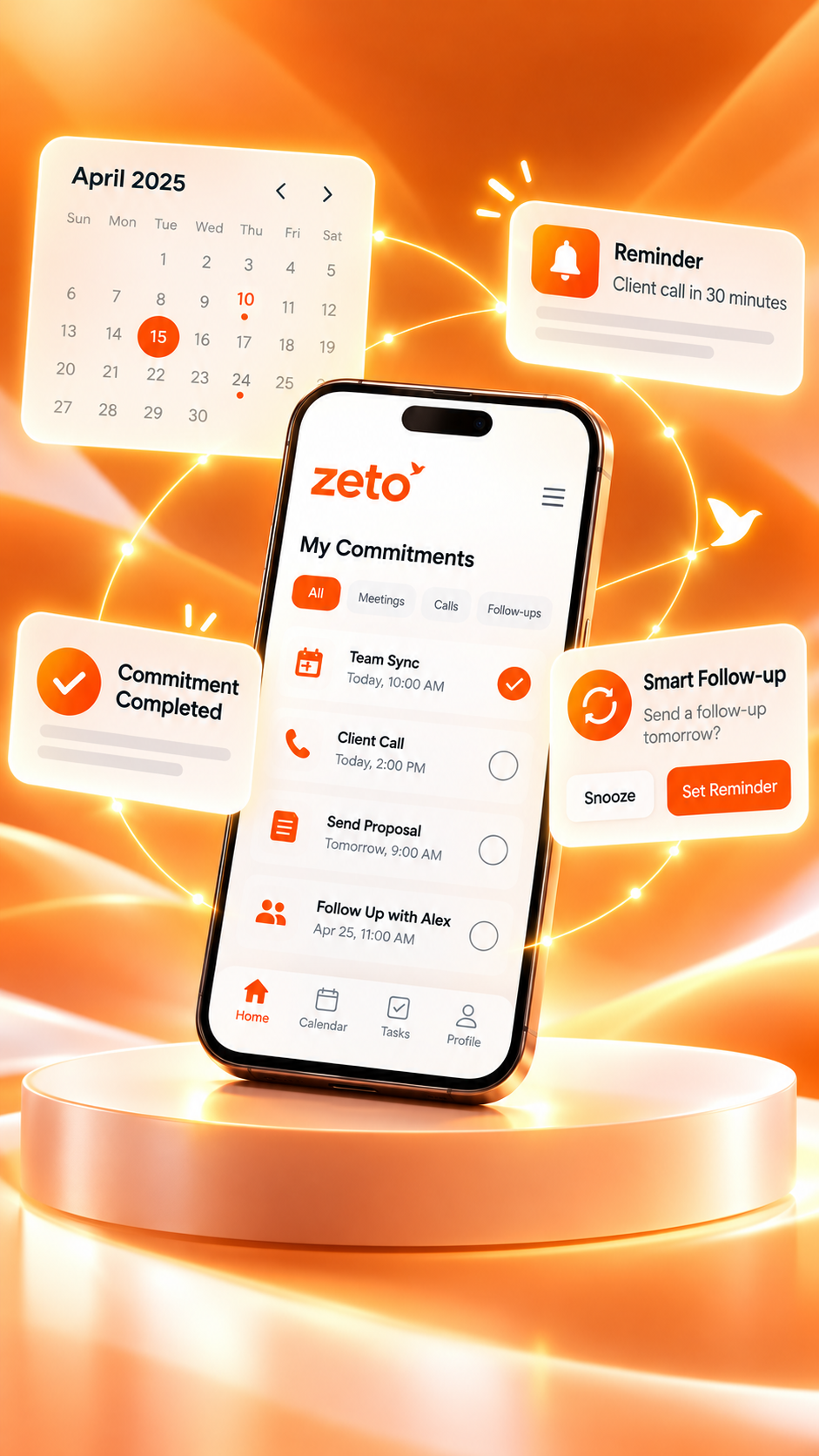
Best AI Meeting Notes App in 2026: Why ZETO AI Is Worth Exploring
The right AI meeting-notes app does more than generate a recap. It helps you remember decisions, track commitments, and find the details you need before your next conversation.
A meeting ends. Everyone returns to their work. By tomorrow, one person remembers the deadline, another recalls a different version of the decision, and the promised follow-up is still waiting. An AI meeting-notes app can help close that gap—but only when it turns the discussion into information people can actually use.
If you’re searching for the best AI meeting notes app in 2026, the important question isn’t simply, “Which app writes the longest transcript?” It is: Which tool fits the conversations I have and makes the next step easier? Some products specialize in automated online-meeting transcription. Others focus on searchable knowledge, workflows, or note-taking without a meeting bot.
ZETO AI is worth considering for a specific reason: it connects captured conversations with summaries, decisions, promises, reminders and a question-answering feature called Ask Zeto. For professionals whose work moves between in-person meetings, voice notes and customer calls, that focus can be useful.
For live meeting transcripts and automated attendance in common video-meeting platforms, look at established products such as Otter.ai or Fireflies.ai. For meetings plus ongoing memory of people, commitments and follow-ups—especially on a phone—ZETO AI is a compelling option to explore. There is no independently verified “best for everyone” winner.
What makes an AI meeting-notes app genuinely useful in 2026?
Meeting recording and transcription are only the beginning. A good AI meeting assistant should reduce the effort required to understand what happened and decide what happens next. Look beyond attractive summary screens and assess these practical qualities.
Capture the main subject and outcome without forcing you to reread every sentence.
Separate what was agreed from suggestions and unresolved discussion.
Make ownership, deadlines and commitments easier to identify.
Find a past statement or agreement when you need it—not only on meeting day.
Support the ways you actually meet, whether in person, online or through saved audio.
Explain permissions, participant consent, retention and how you can manage your records.
An important distinction: a transcript is evidence of what was said; a summary is an interpretation of it. Even useful summaries can miss context, confuse speakers or treat a tentative plan as an agreement. Review significant figures and commitments against the original recording or transcript.
Popular AI meeting-notes tools: where does ZETO AI fit?
Different tools optimize for different workflows. The comparison below is a qualitative overview of publicly described product capabilities as of October 2026—not a hands-on speed or transcription-accuracy ranking. Feature availability and paid-plan limits can change.
| Tool | Good fit for | Particular strength | Check before choosing |
|---|---|---|---|
| ZETO AI | Professionals managing in-person meetings, notes, customer conversations and follow-ups | Summaries, promises, reminders, People history and Ask Zeto answers from captured conversations | Supported recording and importing methods vary by device; do not assume automatic video-meeting bot attendance |
| Otter.ai | People who rely on live transcripts and online meetings | Meeting transcription, summaries, action items and AI chat | Confirm your preferred capture method, language and plan limits |
| Fireflies.ai | Teams with many calls and connected software tools | Meeting capture, flexible summaries, search and broad integrations | Review sharing rules, admin settings and the integrations your team actually needs |
| Fathom | People wanting online-meeting recaps and sales-oriented workflows | Meeting recordings, AI summaries and follow-up-oriented features | Check supported platforms, paid capabilities and recording options |
| Granola | People who prefer a device-based meeting notepad | Bot-free capture and polished meeting notes | Review device support, sharing controls and retention limits |
For someone who spends most of the day in Zoom, Google Meet or Microsoft Teams, automatic joining and collaboration may matter most. For someone who meets suppliers in person, makes customer calls, and needs to remember a promised rate or delivery date, conversation history and follow-through may be the deciding factors.
Rather than choosing from a “No. 1” label, test the same representative meeting across two or three tools. Compare missed decisions, incorrect deadlines, clarity of action items, and how easily you can recover an answer a week later.
Why ZETO AI is worth exploring for meeting notes
ZETO AI approaches notes as part of a longer working relationship with conversations. According to its current official app descriptions, it can transform supported captured meetings, voice notes, typed notes and imported recordings into useful summaries and follow-ups.
Summaries that distinguish outcomes
Organize a conversation into what happened, what was promised, what was decided and what remains open, rather than presenting only an unstructured transcript.
Commitments and reminders
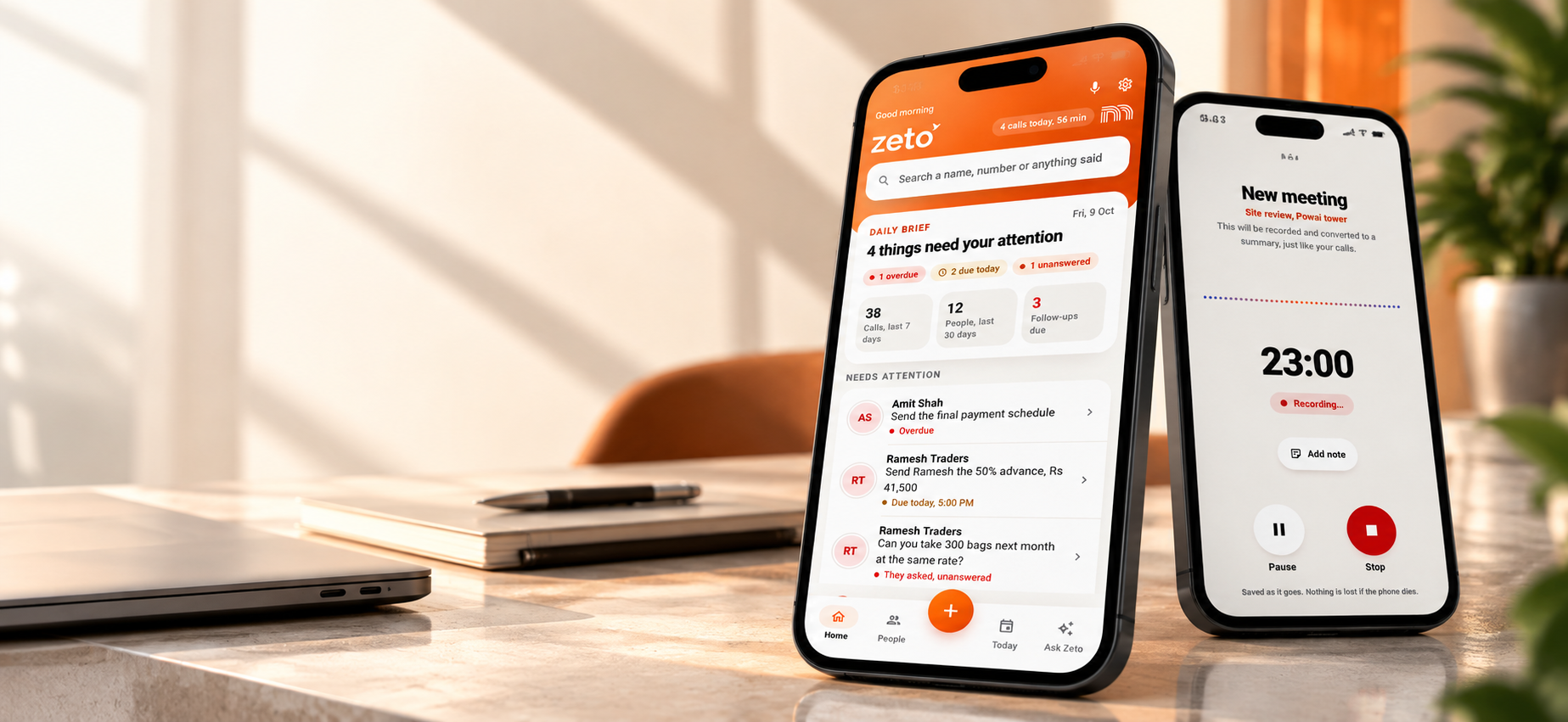
Bring attention to promises with dates and deadlines. The Today view helps users see overdue items and what needs attention.
Ask Zeto for past context
Ask questions about previously captured conversations, such as an agreed rate or outstanding promise. The app description says answers indicate their source.
People-focused history
Review earlier discussions with a contact, including terms, changes and unanswered questions, so the next conversation starts with context.
Meeting and voice-note capture
Record supported in-person meetings and voice notes in the app, and work with notes and audio imports through the methods available on your device.
Works across everyday tasks
Useful when a professional needs to move between a client meeting, a supplier conversation, and a follow-up to a team member.
On supported Android phones, ZETO AI uses recordings saved by the phone’s own call-recording function; ZETO AI does not itself record those telephone calls. The iPhone listing focuses on meeting recording, voice notes, typed notes and compatible audio imports. Don’t assume that the same capture workflow is available on every device.
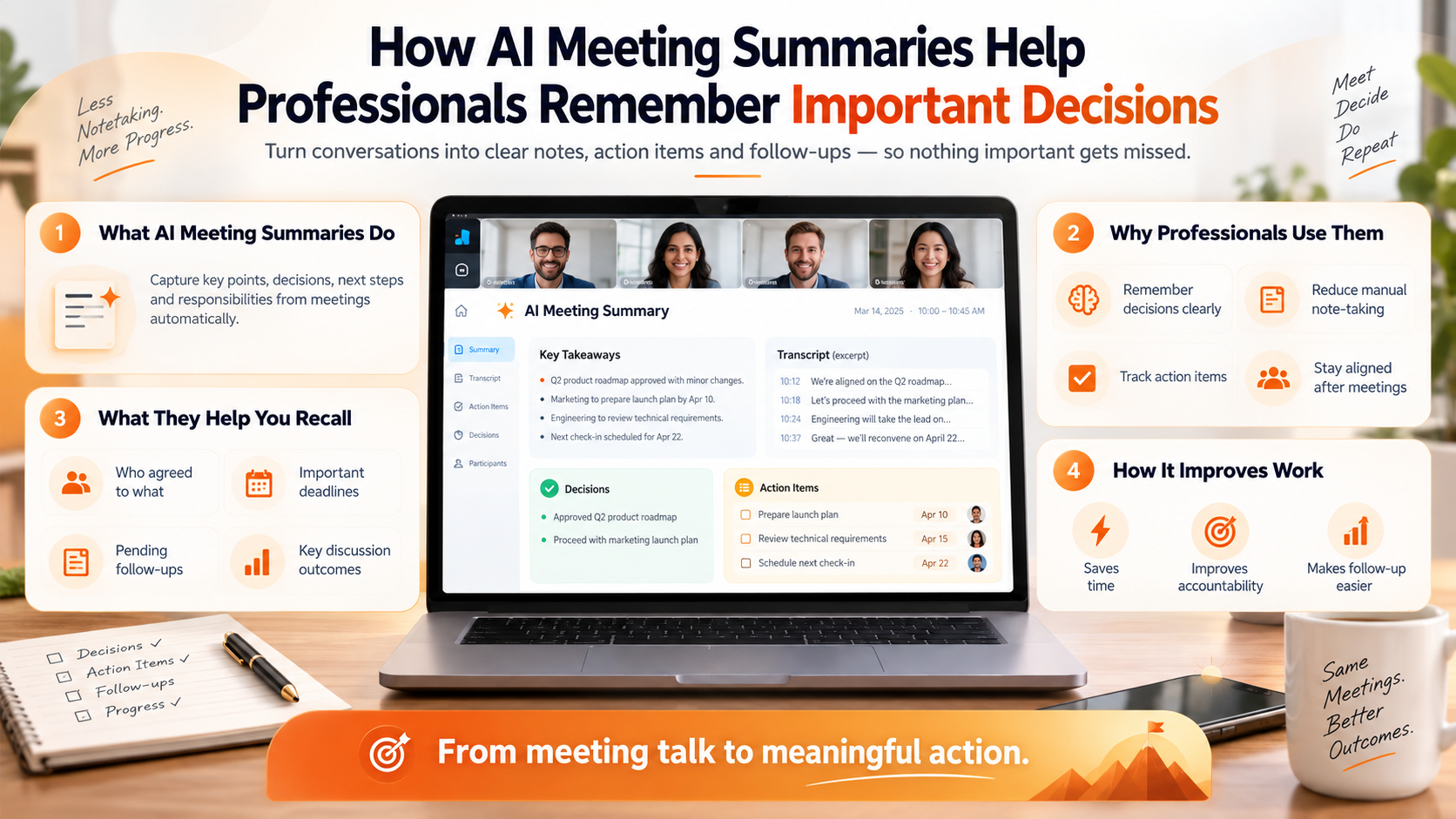
That shift—from collecting words to maintaining useful context—is what makes ZETO AI relevant to people searching for an AI meeting notes app, a meeting summary app or an AI follow-up assistant.
A practical example: one customer meeting, four things to remember
Imagine a sales professional meeting a customer about a proposed office installation. During the discussion, the customer asks for a revised quotation, requests a finish sample, identifies a possible delivery window and wants a final confirmation by Friday. None of those details alone is complicated. Remembering them correctly across a busy week is the challenge.
After a permitted recording is processed, a useful meeting summary might organize the conversation into clear categories:
The practical benefit is continuity. Before the next call, the professional can review the earlier discussion, confirm the unresolved point, and avoid asking the customer to repeat the same requirement. An AI summary still needs a quick check; it cannot decide on behalf of the customer or guarantee that the follow-up has actually been completed.
How to use an AI meeting-notes app effectively
The quality of an AI tool matters, but so does the routine around it. A straightforward process helps turn summaries into useful outcomes.
For sensitive meetings, clarify whether recording is permitted and who will have access. Inform participants and obtain consent where required. For consequential details—prices, legal terms, deadlines or personnel matters—verify the source rather than treating an AI-generated summary as unquestionable truth.
Who should consider ZETO AI for meeting notes?
ZETO AI’s combination of summaries, commitments and conversation history may be particularly relevant when work continues well beyond a formal calendar meeting.
- Business owners: remember supplier discussions, team commitments and customer updates without depending only on informal notes.
- Sales professionals: revisit customer requirements and promises before the next call.
- Consultants and freelancers: keep decisions and outstanding questions tied to specific clients.
- Managers: review follow-ups and prepare questions without making assumptions from a brief status report.
- Professionals on the move: organize in-person conversations and voice notes from a phone-centric workflow.
Teams looking specifically for automated video-conference bots, advanced CRM integrations or large-scale transcription workflows should compare those requirements with specialist tools and validate feature availability before selecting ZETO AI.
How to choose the best AI meeting notes app for your needs
Before subscribing to any tool, try a real meeting with participants’ permission and ask these questions:
- Does it handle the type of meeting I have most often—in person, online, or by uploaded recording?
- Can I distinguish firm decisions from tentative suggestions?
- Are follow-up owners, deadlines and open points visible and easy to check?
- Can I search older conversations and find the source of a claim?
- Which devices, languages and recording methods are actually supported?
- Can I control who sees a recording, withdraw consent or delete data?
- Does the pricing match my monthly meeting volume and team size?
- Does it work alongside my existing tools without requiring an unsupported integration?
For multilingual work, check transcription in your own accents and meeting conditions. ZETO AI’s app listings describe Hindi and English questions, but that should not be taken to mean identical transcription performance in every language or recording environment.
The best tool is the one that reliably captures your permitted conversations, makes important decisions easy to verify, and helps you act on the results. A short, accurate summary you can find later is often more valuable than pages of notes nobody revisits.
Frequently asked questions about AI meeting notes
What is the best AI meeting notes app in 2026?
There is no single verified winner for every workflow. Otter.ai and Fireflies.ai serve people who prioritize online-meeting transcription and integrations. ZETO AI is worth evaluating if your priority is remembering in-person meetings, commitments, follow-ups and information from previously captured conversations.
Is ZETO AI an AI meeting summary app?
Yes. Its official listings describe summaries of supported captured meetings and voice notes, including what happened, decisions, promises and unresolved points.
Can ZETO AI remind me about meeting follow-ups?
Its published app descriptions include reminders and a Today view that surfaces overdue and upcoming commitments. Always review extracted dates and responsibilities for accuracy.
Can I ask ZETO AI about a previous meeting?
Ask Zeto is described as answering questions about captured conversations and showing the source for each answer. Results are limited to content the app can access and process.
Does ZETO AI automatically record every phone call?
No. On compatible Android devices, it can pick up recordings saved by the phone’s native Phone app, where supported and legally permitted. ZETO AI does not itself record telephone calls. Its iPhone workflow describes meetings, voice notes, notes and imported audio.
Does ZETO AI automatically join Zoom, Google Meet or Microsoft Teams?
Automatic bot-based attendance is not established by the official app descriptions reviewed for this article. If auto-joining video meetings is essential, verify current support directly or consider tools that explicitly offer it.
How accurate are AI meeting notes?
Accuracy varies by recording quality, speaker overlap, language, accents and the complexity of the discussion. Check prices, dates, names, decisions and important commitments against the underlying conversation.
Is it safe to record and summarize workplace conversations?
Use recording only with proper permission and respect your organization’s confidentiality policies and applicable law. Review each app’s privacy policy, access controls, processing disclosures and deletion options before sharing sensitive material.
Great meeting notes should help work move forward
In 2026, the value of AI meeting notes is no longer just how quickly an app produces text. It is whether a person can return to the conversation, understand what was decided, find what remains open and take the next appropriate step.
ZETO AI is worth exploring because it connects meeting summaries with reminders, people-based conversation history and answers grounded in captured discussions. If your day includes customer calls, in-person meetings and commitments that must not get lost, its approach to conversation memory may fit naturally into your workflow.
Try it with a representative meeting, review the results carefully and decide whether it helps you remember what matters.
How this article was prepared
Feature descriptions were checked against publicly available ZETO AI app listings and official product documentation for the mentioned alternatives on 28 October 2026. This is an editorial, feature-led guide—not an independent performance benchmark or a claim that ZETO AI outranks all competitors.
Make your next conversation count.
Explore ZETO AI for meeting summaries, reminders, commitments and searchable conversation memory.