Best AI Note Taker App for Consultants: Capture Client Conversations Without Manual Notes
From first discovery calls to project handovers, learn how to turn permitted client conversations into dependable summaries, verified decisions and clear next steps—without losing professional judgment.

Can consultants take AI notes during client meetings?
Yes—when recording or note capture is permitted and the chosen device supports it. An AI note-taking app can help organize meeting content, identify follow-up items and retrieve prior context. A consultant must still verify summaries, protect confidential information and confirm all formal decisions through approved channels.
Meeting memory is not client approval.
A statement made during a meeting is not automatically a signed scope change, verified fact or authorized decision.
From a conversation to a documented next step
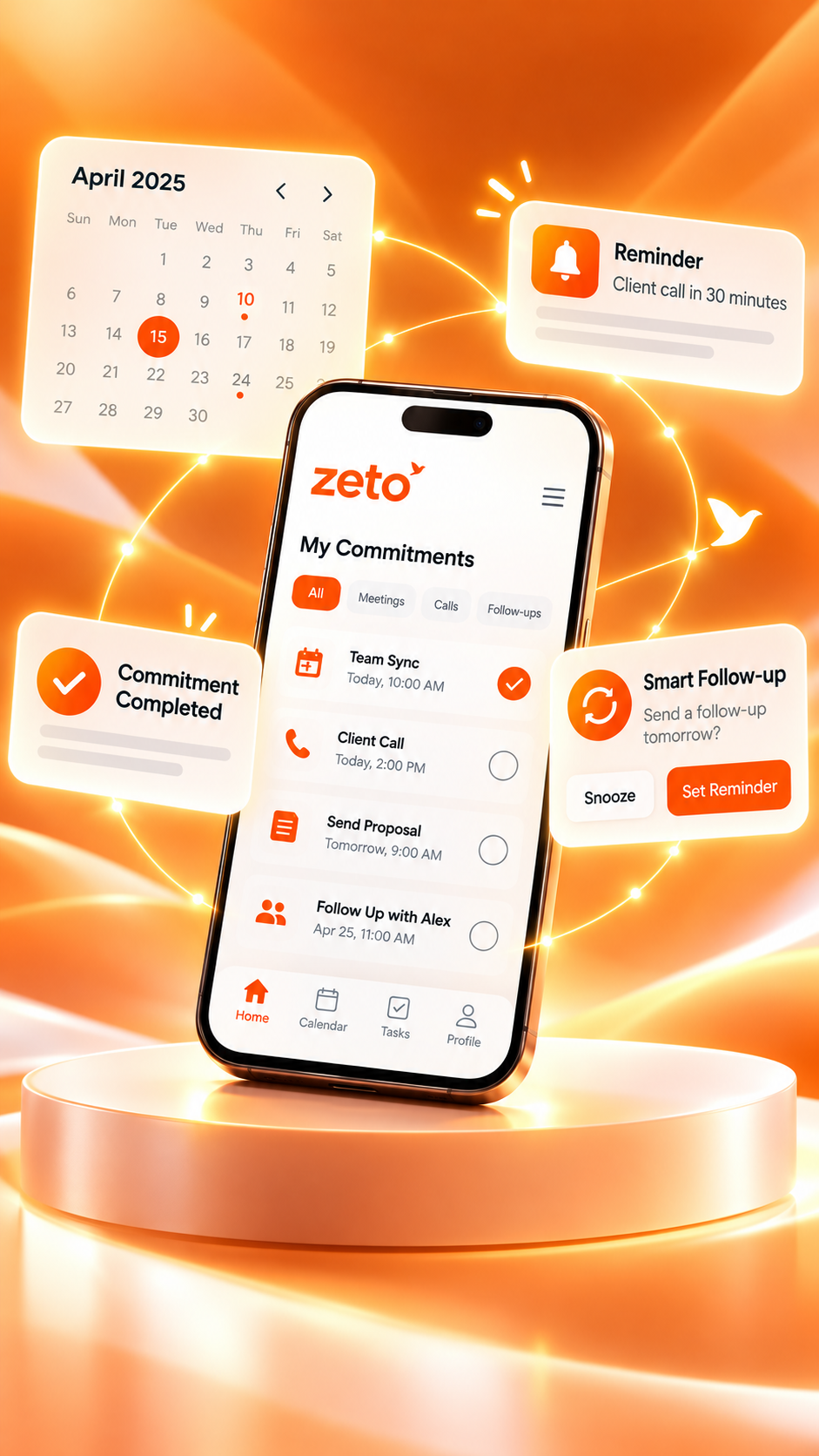
Editorial workflow illustration, not an actual app screen or automated output.
What is an AI note-taking app for consultants?
An AI note-taking app for consultants helps turn permitted client meetings, spoken updates, and voice notes into organized records that are easier to review later. Instead of depending only on a notebook or memory, a consultant can revisit a summary, check which questions remain open, and identify the next follow-up. The point is not to eliminate professional judgment. It is to preserve the context that supports that judgment.
Consulting work is built around conversations. A client describes a problem, a department head explains a constraint, a stakeholder challenges an assumption, and the consultant leaves with a list of information to verify. Some details become decisions. Others remain hypotheses, requests, or opinions. If those categories are mixed together, even beautifully formatted notes can be misleading.
A useful AI notes workflow separates what was said, what was actually agreed, what needs verification, and who should do what next. For ZETO AI, the relevant capabilities described in its official mobile listings include in-person meeting and voice-note capture, summaries, reminders, people-based conversation history, and Ask Zeto for questions about earlier discussions. As with any automated record, generated output requires human review.
Short answer: Consultants who spend substantial time in client conversations can use a phone-first AI note-taking app to reduce the effort of reconstructing meetings. They should still obtain appropriate recording permission, validate important statements, and maintain final scope, commercial, and contractual records in their approved business systems.
Why consulting conversations are harder to document than they look
A consultant rarely hears only one clean problem statement. A discovery call may begin with a broad complaint about slow execution, then shift to procurement approvals, delayed handovers, reporting gaps, and a personal interpretation of why a process failed. The client might describe a desired outcome without agreeing to a specific scope. A later stakeholder may disagree with the first person’s account.
Traditional notes can capture the headline while losing the qualifier that matters. Consider the difference between “The department approves the new timeline” and “The department believes the new timeline could work if finance confirms the budget.” One sounds final; the other is conditional. A good consulting record must preserve that distinction because it affects proposals, resource planning, and client expectations.
The challenge becomes larger when engagements overlap. On Monday you discuss a manufacturing operations review; Tuesday brings a management workshop; Wednesday is an on-site assessment with a third client. Similar terms—approval, owner, milestone, delivery, escalation—appear in each engagement, but the people and commitments are different. Notes need clear client, project, and date context.
An AI note-taking app may make those conversations easier to find and summarize. It cannot determine the legal meaning of an agreement or verify that a reported fact is correct. The consultant remains responsible for checking the evidence, obtaining written confirmation, and preserving the official project record.
Five moments where consultants lose critical context
1. Discovery meetings with competing priorities
A decision-maker wants lower costs while the implementation team wants less rework. Both goals may be legitimate, but they imply different interventions. If the meeting recap simply says “Improve efficiency,” it hides the conflict. Capture each stakeholder’s stated priority and mark unresolved trade-offs explicitly. Before drafting a recommendation, confirm what success will be measured against.
2. Site visits and informal conversations
Some of the most valuable observations happen away from a conference table. A shift supervisor points out a bottleneck during a floor walk; a client explains a recurring exception beside a warehouse; a consultant records a short verbal observation after leaving a site. A phone-based voice-note workflow can preserve these impressions while they are fresh. Keep observations separate from verified measurements, photographs, inspection reports, and safety records.
3. Scope discussions that sound like approval
A client might say “We should also look at training” without requesting a new paid deliverable. If a summary turns that suggestion into an approved workstream, expectations may drift. Use status labels such as proposed, under review, approved, and out of scope. Confirm scope changes in the agreed proposal or change-control process, not in an AI-generated recap alone.
4. Workshops with many speakers
An interactive workshop can produce a strong list of ideas, but the loudest participant’s comments should not automatically become the official outcome. Capture the options discussed, decisions confirmed by the appropriate owner, disagreements that remain, and any evidence still needed. Poor audio and overlapping speakers increase the chance of attribution errors, so review important conclusions with participants.
5. Follow-ups between meetings
After a meeting, someone promises a sample dataset, another person agrees to schedule an interview, and the consultant offers to share a revised analysis. Without an explicit owner and due date, “we will follow up” is almost meaningless. A reminder system helps create visibility, but only after a person checks that the commitment was actually made and the deadline is correct.
The consultant’s seven-step conversation-to-deliverable workflow
This process works for strategy consulting, operations improvement, marketing advice, technology projects, HR advisory and independent professional services. The exact app controls may change by version, but the principles remain useful even if you use a different tool.
Step 1 — Define the purpose before recording
Write a single question the meeting must answer: “Which activities cause avoidable rework?” or “Which assumptions must be confirmed before the proposal?” Add the client name, engagement, date and attendees. Decide what information should never be collected during the discussion, such as unnecessary identity documents or confidential third-party data.
A clear purpose makes the eventual summary more useful. It also prevents the common practice of recording large amounts of conversation with no plan to review it. Good documentation begins with knowing what decision the notes need to support.
Step 2 — Explain the recording and obtain permission
Tell participants whether you intend to record, why, and how the recording will be used. Follow applicable law, your engagement’s confidentiality terms and the client’s site or meeting rules. If permission is declined, use approved manual notes instead. Do not assume a private client meeting may be recorded simply because a phone has a recording feature.
For sensitive sessions, agree in advance which parts are off the record and whether a recording should be paused. A consultant’s responsibility to the client is more important than a complete audio archive.
Step 3 — Capture the relevant discussion
For an agreed in-person meeting, use a supported meeting-recording workflow. For a brief post-visit observation, use a voice note if appropriate. Speak clearly, keep the phone where it can capture the relevant voices, and avoid narrating private material that is unrelated to the consulting assignment.
ZETO AI’s published app listings describe meeting and voice-note recording, typing notes, and importing supported audio. Recording quality, permissions, device compatibility and processing results vary. Online meetings may require an approved recording-and-import process; do not assume a direct Zoom, Teams or Google Meet integration.
Step 4 — Review the summary for accuracy
Read the output while the meeting is still fresh. Check names, project labels, quantities, amounts, times, who said what, and whether a recommendation was confused with a decision. Compare the AI summary with the original source when a statement affects scope, money, deadlines, safety, or client commitments. Correct any ambiguity in your official notes.
An accurate meeting record is more valuable than a fast but unchecked one. If the audio was noisy, or the discussion involved technical acronyms, expect to spend more time verifying. The final responsibility for a client-facing recap should sit with a person.
Step 5 — Separate decisions, tasks and open questions
A practical consulting recap can be divided into four boxes: confirmed decisions, action items, open questions, and risks or assumptions. For each action, record an owner, a deliverable, a target date, and the source of the commitment. If a deadline was discussed but not agreed, label it “to confirm.”
This is the crucial shift from passive meeting storage to delivery management. A client does not benefit from a 30-minute transcript unless it helps someone act with clarity.
Step 6 — Send a verified recap through an approved channel
Use the reviewed notes to prepare a concise client email or project update. Make it easy for the client to correct misunderstandings. Include only necessary information and follow your engagement’s document-sharing and access rules. Use your existing project system or client-approved storage as the official home for final deliverables.
Do not assume the AI app automatically sends emails, updates a CRM, creates a project task, or changes a statement of work. Those activities require their own confirmed tools and permissions.
Step 7 — Revisit context before the next conversation
Before the next meeting, read the previous commitments and unresolved questions. Search the relevant person or discussion rather than reconstructing the conversation from memory. Ask Zeto, where supported, can help retrieve information from recorded history and display the underlying source. Check that source before quoting a fee, date or agreed requirement back to the client.
Then close the loop. Mark verified completed work in the system that owns the task, update open issues and prepare the next agenda. The goal is a reliable chain from conversation to action—not an ever-growing library of recordings.
A realistic example: an operations consultant’s first client workshop
Imagine an independent operations consultant visiting a midsize manufacturer in Bengaluru. The client says order dispatches are often late, but different teams give different explanations. Sales blames production schedules, production mentions unpredictable material arrivals, and stores says goods are sometimes ready but not released from the warehouse.
The consultant holds a permitted discovery workshop with the sales lead, plant coordinator and warehouse supervisor. During the session, participants discuss a recent dispatch delay, a proposed daily status report, and the possibility of testing a new handover checklist. Nobody approves a permanent new process. A manager says the team could run a limited trial after the consultant reviews the available shipment records.
A weak recap might read: “Team agreed to launch daily reporting and a new warehouse process.” That statement exaggerates what happened. A stronger recap separates the observed pain point, the proposed experiment, and the approval still required. The difference matters because the client may rely on the recap to allocate staff and budget.
Illustrative meeting recap — not a live app screenshot
| Category | Reviewed note | Status |
|---|---|---|
| Problem discussed | Delayed dispatches and unclear ownership of handover exceptions | Reported, not independently verified |
| Proposed idea | Trial a daily dispatch handover checklist | Proposed only |
| Required evidence | Shipment records and exception logs for a representative period | Pending client input |
| Consultant action | Draft interview questions and review available data | Follow-up to confirm |
| Client action | Identify record owner and approve access if appropriate | Owner and date to confirm |
| Decision | No permanent process change was approved in this meeting | Confirmed distinction |
This fictional scenario shows why consultants should avoid treating every confident sentence as an agreement. AI can organize the raw discussion, but the value comes from checking what was actually decided and what remains an assumption.
In the follow-up, the consultant can ask the client to validate the recap, share only approved data, and schedule the next review. The official diagnostic findings should still be based on evidence, not solely on the conversation’s summary.
What a genuinely useful consulting meeting summary contains
A summary should be written for the next reader—not simply the person who attended. That reader may be the client’s project sponsor, a colleague joining midway through the engagement, or the consultant returning after several weeks. Provide enough context for them to understand what the discussion changed.
Meeting purpose: State the question or decision the session was meant to address. Avoid vague labels such as “general client discussion.” A purpose such as “Review onboarding delays and agree on data required for diagnosis” is much more helpful.
Context and evidence: Distinguish recorded statements from verified documents or observations. “The warehouse lead reported weekly shortages” is different from “The data proves a weekly shortage.” A conversation is evidence of what a person said, not automatically evidence that the underlying statement is accurate.
Agreements and decisions: Quote the essence of the decision without adding certainty that was not present. Record conditions, approval dependencies, scope boundaries and the decision owner when known. If a sponsor has not approved a change, keep it marked as pending.
Actions and dependencies: Each task should identify who will do what, the intended output, the agreed date if any, and what must happen first. “Share the data” is not enough; “Client operations coordinator to share the approved dispatch extract once access is authorized” is clearer.
Questions and risks: Note outstanding assumptions, disagreements between stakeholders, privacy concerns, missing figures and milestones at risk. These details prevent later recaps from making a messy project appear artificially settled.
Next meeting preparation: End with the documents to review, the questions to resolve and the people who need to participate. This turns the recap into a practical bridge rather than an archive entry.
Follow-up tracking: how to avoid the “I thought you were doing it” problem
Consulting projects move through handovers, and handovers fail when ownership is implied rather than explicit. Every commitment should be phrased as an observable action, not a broad aspiration. “Improve reporting” describes a goal; “Prepare two dashboard options for sponsor review” describes work someone can own.
A useful follow-up tracker has fields for engagement, meeting date, action, accountable owner, due date, dependency, current status and evidence of completion. The owner should be a named individual or role, but do not invent a person when the meeting left responsibility unresolved. Instead write “owner to confirm.”
| Follow-up | Owner | Due date | Status |
|---|---|---|---|
| Confirm access to approved sample records | Client sponsor | To confirm | Waiting for approval |
| Share process-mapping questions | Consultant | Agreed date, if any | Planned |
| Review exceptions with operations team | Both parties | After data review | Dependent |
| Approve any change to consulting scope | Authorized client approver | Not yet set | Not approved |
An AI reminder can highlight the pending item, but it should not be treated as proof that the task is complete. The consultant should check actual deliverables, communications and approval records. In engagements with formal project governance, use the agreed task-management platform as the system of record.
The most useful metric is not the number of reminders generated. It is the percentage of verified commitments that are completed or explicitly renegotiated. A small set of accurate tasks is better than dozens of inaccurate automated reminders.
Stop scope creep before it starts: classify every request
Scope creep often begins with an apparently harmless sentence: “While you’re here, could you also review the sales incentives?” The request might fit the original engagement, it might require a change order, or it might be a question rather than an instruction. A consultant needs to preserve the conversation without silently promising new work.
Use four labels in your notes. In scope means work already covered by the approved engagement. Possible extension means the client is interested but no approval exists. Clarification needed means the request is too vague to estimate. Out of scope means the request falls outside the agreed work unless the contract changes.
When reviewing an AI summary, look especially carefully at sentences beginning with “We will,” “The consultant agreed,” or “The client approved.” These phrases can be high-risk if they overstate tentative discussion. Read the original source when needed and send a written confirmation before scheduling new work.
This process helps both sides. The client has clearer expectations, and the consultant can maintain a defensible record of how a deliverable evolved. It also reduces the temptation to treat a conversational recap as a substitute for professional change control.
AI note-taking versus manual notes versus a consulting project system
These tools are complementary, not direct substitutes. A notebook is fast and private when recording is unsuitable; a dedicated project system manages deliverables and status; an AI note-taking app can help preserve what was discussed and surface follow-ups. The right combination depends on the sensitivity and rhythm of the engagement.
| Requirement | Manual notes | AI conversation notes | Project/CRM system |
|---|---|---|---|
| Capture a permitted long discussion | Requires continuous writing | Can produce reviewable summary from supported capture | Usually stores a manually entered recap |
| Work without recording consent | Yes | Use typed notes where appropriate, not covert recording | Yes, with approved notes |
| Find an earlier spoken preference | Search handwritten or typed records | Search processed conversation history | Depends on what was entered |
| Track agreed tasks | Manual checklist | Reminders and commitments for review | Usually stronger status and workflow controls |
| Manage scope and approvals | Written records help | Discussion context helps | Formal approvals should live here |
| Verify professional facts | Human checks needed | Human checks needed | Original evidence still needed |
| Handle confidential client material | Follow approved access policy | Review vendor processing and permissions | Follow contract and security policy |
For many consultants, the most reliable approach is hybrid: capture and summarize a permitted meeting, manually validate the record, and place approved deliverables and assignments in the client’s agreed systems. A tool should reduce cognitive load without weakening governance.
Where ZETO AI fits in a consultant’s workflow
According to the current official app listings, ZETO AI is positioned around remembering work conversations. Its relevant documented functions include recording permitted in-person meetings and voice notes; converting captured material into summaries; organizing promises and reminders; displaying prior conversations associated with people; and answering questions about processed conversations through Ask Zeto with source context.
This makes ZETO AI relevant to consultants who meet clients away from a desk and need to remember what people requested, decided, or promised. For an independent consultant, that could mean reviewing a week of discovery meetings before submitting a proposal. For a team member, it may mean preparing a structured handover to the next colleague. For an on-site adviser, it may mean keeping track of follow-up questions that emerged during a visit.
The Android listing says ZETO AI can pick up compatible call recordings saved by the phone’s own Phone app; ZETO AI does not itself record cellular calls. This capability depends on the device, settings and applicable law. The iPhone listing focuses on meeting and voice-note recording, typed notes and compatible audio imports. Do not assume identical mobile call behavior across platforms.
ZETO AI is not described as a full consulting practice-management suite. Do not assume it offers automated CRM synchronization, proposal generation, billing, engagement profitability, document approval, time tracking or a direct integration with every conferencing platform. Check actual capabilities and plan restrictions in the current app before promising a workflow to clients.
Android and iPhone: practical differences that matter
Consultants often move between office calls, site visits and client rooms. The distinction between what a phone can record and what an app can process is therefore important. A mobile app may support a clear in-person capture flow yet still have restrictions around cellular calls, background recording and sharing audio from other apps.
On Android, ZETO AI’s official Google Play description includes in-person meeting and voice-note recording, typed notes, supported audio imports and compatible phone-app call recordings. The Phone app must save a recording and the device must support that process. Recording rules and restrictions vary. Consultants should not assume every call is captured, especially on devices without compatible recording features.
On iPhone, the official Apple listing describes recording in-person meetings and voice notes, typing a note and sharing a compatible audio file from Files for processing. It does not establish universal automatic cellular call recording. iPhone users should review device and app documentation before deciding on any recording workflow.
For online meetings on Google Meet, Zoom or Microsoft Teams, follow the platform’s and client’s approved recording approach, then use compatible import options if supported. A logo displayed on a website is not evidence of native automatic integration. Obtain permission and check processing rights before moving a client’s audio between systems.
In either case, there is a better fallback than trying to capture everything: use an approved written meeting template. A reliable manually reviewed note is more valuable than a recording that violates a client’s expectations or produces an inaccurate transcript.
Which types of consultants may benefit most?
Management and strategy consultants: Discovery meetings involve multiple viewpoints, assumptions and choices. Conversation summaries can help identify unanswered questions and track what leadership has genuinely agreed. Treat strategic judgments as analysis, not outputs that automatically become true because an AI tool summarized them.
Operations and process advisers: Site discussions often generate many small follow-ups—sample documents, bottleneck interviews, exception data and process owners. A phone-first workflow helps preserve those tasks. Measurement claims still need operational records and repeatable observations.
Marketing and growth consultants: Client meetings can cover positioning, target audiences, creative feedback, budgets, review cycles and campaign approvals. Clear summaries reduce the chance that an unapproved suggestion becomes a production instruction. Keep final campaign budgets, approvals and reporting figures in the designated project system.
Technology implementation consultants: Workshops often contain requirements, constraints, security decisions and integration questions. A recording can help revisit the exact phrasing of a requirement, but the final specification needs validation and formal sign-off. Never upload sensitive credentials, customer secrets or restricted system details simply to create notes.
HR and organizational advisers: Discussions may include employee information and sensitive workplace matters. Default to restrictive data collection, explicit permission and employer-approved systems. AI summaries can assist documentation of suitable meetings, but they should not be used to make unreviewed judgments about individual people.
Independent consultants and small agencies: They may lack dedicated administrative support, making it easy for follow-ups to live in scattered notebooks. A consistent meeting recap and reminder habit can save reconstruction time. Even solo practitioners need clear confidentiality, retention and client-approval practices.
The client discovery call template consultants can reuse
A well-designed template does not need to be complex. Its purpose is to help a consultant verify the important aspects of a conversation after an AI summary is produced. Start with factual metadata, add discussion themes, and finish with decisions and next steps.
Engagement: Client, project name, meeting date, location or channel, and participants. Objective: What the meeting was supposed to clarify. Current situation: What the client said is happening today, with attributed statements rather than assumptions of truth. Desired future state: What outcome the client wants and how they may measure it.
Constraints: Budget boundaries, approvals, dependencies, systems, timing, resource limits and relevant confidentiality requirements. Hypotheses: Ideas proposed but not yet validated. Agreements: Decisions that were actually confirmed, with conditions. Open points: Questions that require documents or another participant. Actions: Named owner, expected output, target date and status.
Before sharing the recap, ask three simple questions: Does it overstate any agreement? Does it contain information that should not be circulated? Can a colleague who did not attend tell what needs to happen next? If the answer to any is uncomfortable, revise the note before sending it.
A reusable structure reduces inconsistency across projects. It also gives the consultant a repeatable quality standard, whether the first draft comes from AI, a notebook, or someone assigned to write minutes.
Protecting client confidentiality and recording consent
A consulting conversation may contain business plans, personal data, pricing proposals, employee concerns, intellectual property and commercially sensitive information. A client may be comfortable sharing these details verbally but may not have agreed to third-party processing or long-term audio storage. Permission to attend a meeting is not automatically permission to record or upload it.
Before using a voice-based tool, review applicable recording rules, the client’s agreement, internal policy and the app’s current privacy terms. Explain the purpose, gain appropriate permission, limit access and retain information only for as long as authorized. When a meeting includes especially sensitive information, consider not recording it at all and use approved written notes.
ZETO AI’s app descriptions provide information about consent controls, data processing and deletion choices. Those are product claims from the developer’s published listings, not an independent audit of security practices. Enterprise purchasers should verify contractual terms, access controls, retention, processor arrangements and any required assessment before adopting it for confidential work.
When using AI-generated notes, keep original sources protected. Send summaries only to authorized recipients, verify identities and remove unnecessary personal data. Client trust depends less on how advanced a feature appears than on whether the consultant handles conversations transparently and consistently.
How to evaluate accuracy without pretending AI is perfect
Speech recognition can mishear names, numbers, technical terms and dates. Summaries may compress a nuanced argument into an overly certain conclusion. Even a well-structured action item can assign the wrong owner if multiple people spoke at once. These are not reasons to abandon AI tools; they are reasons to build review into the workflow.
Use a short verification checklist after any important meeting. Check that the attendee list is right. Review all prices, dates, quantities, contract references and approval conditions. Confirm whether a speaker made a promise or simply described a possibility. Open the original conversation when the app provides a source reference, and document corrections in the official record.
For higher-stakes engagements, compare the AI recap with contemporaneous manual notes or a second person’s review. If an assumption affects a financial proposal, legal obligation, compliance judgment, safety action or personnel decision, independent evidence is necessary. No summary should be treated as a substitute for contract review or specialist expertise.
A useful quality measure is the share of material statements that survive checking without correction—not the length or polish of the generated recap. Track common errors over several meetings, adapt your workflow and stop using audio capture in settings where it consistently performs poorly.
Should consultants record every client conversation?
No. Comprehensive recording is not always proportionate or permitted. A brief coordination call may need only two typed bullet points; a confidential discussion may be unsuitable for recording; and a workshop with detailed scope decisions may justify an agreed recording and formal recap. The correct method should follow the value and sensitivity of the information.
Consider a three-level policy. Lightweight: short manual note for routine updates. Standard: permitted recording or voice note plus reviewed summary for normal project meetings. Formal: signed minutes, approved documents, decisions register and project-system updates for changes that affect fees, milestones, obligations or safety.
This avoids a common mistake: treating the technology as the process. The purpose is not to capture the maximum possible audio. It is to preserve the right evidence and make the next action clearer. You can have excellent professional records without storing every sentence.
The same judgment applies to AI-generated reminders. Use reminders for commitments that were truly made and whose dates are known. When information is uncertain, make a task to confirm the details rather than presenting a guess as a promise.
How to prepare for a follow-up meeting with Ask Zeto
The first few minutes of a follow-up meeting often determine whether the session feels productive. A prepared consultant can say which documents arrived, which decisions remain pending and what the next decision requires. An unprepared consultant may spend that time searching for old messages or asking the client to repeat information.
If relevant conversations have been captured and processed, Ask Zeto can help answer questions about what was said, according to the app listings. Useful prompts include “Which questions remained open after the last workshop?”, “What did the client ask me to confirm?” and “When was the proposed review meeting discussed?” These are prompts for recall, not a license to assume the answer is infallible.
For each retrieved answer, inspect its source context before quoting it as a fact. Then check the latest project status; a promise made two weeks ago may already have been fulfilled or revised outside the captured conversation. Conversation memory tells you what was discussed, not necessarily the current state of every task.
Create a concise agenda with three parts: completed items, decisions required now, and outstanding evidence. Share only information that the meeting participants are authorized to receive. This is how an AI note-taking app can support continuity without replacing the consultant’s responsibility to maintain an accurate project history.
A seven-day adoption plan for solo consultants and teams
Day 1: Define the rules. Choose one type of appropriate, permitted meeting. Document consent requirements, acceptable information, retention expectations and where the final recap should live. A clear boundary prevents a convenient experiment from becoming an uncontrolled data practice.
Day 2: Create a recap template. Use the six headings that matter most to your engagement: purpose, reported facts, confirmed decisions, open questions, actions and next meeting. The template will help you evaluate output quality rather than judging whether the summary simply sounds professional.
Day 3: Test one low-risk meeting. Obtain permission, capture the discussion through a supported method and review the result promptly. Count errors in names, action owners, deadlines and decision status. Note whether manual editing saved or consumed time.
Day 4: Test retrieval. Ask a specific question about the processed conversation. Check whether the retrieved answer points to the correct source. Do not merely check whether the answer reads plausibly.
Day 5: Test follow-up clarity. Convert only verified commitments into tasks. Confirm missing dates and owners through an approved channel. Check that the reminders help you act rather than generate distracting or duplicate alerts.
Day 6: Compare against your baseline. Review the same type of meeting using your normal note method. Compare accuracy, time spent reviewing, ease of retrieval and client confidence. The result may favor AI, manual notes or a hybrid approach depending on the engagement.
Day 7: Decide whether to expand. If the process is useful and permitted, extend it to another suitable meeting type. Create a written team standard for naming, review, corrections, sharing and deletion. If it is not useful, revise the process before adding more recordings.
How to choose an AI note-taking app for consulting work
Do not begin with a list of flashy features. Begin with your firm’s requirements. A consultant working from a phone during client visits needs a different workflow from a large advisory team dealing with restrictive compliance rules. Look for a practical match between capture methods, information sensitivity, review effort and delivery systems.
First, verify supported recording methods on the devices you actually use. Then assess summary quality using a permitted sample that contains decisions, conditional statements and multiple speakers. Check search and retrieval, including whether you can return to source context. Examine reminders to see how they handle uncertainty about ownership or dates.
Next, evaluate data controls: consent, processors, retention, access, export and deletion. Finally, consider workflow fit. If you need invoicing, timesheets, client portals, proposal approvals or sophisticated project dashboards, those needs may still require dedicated software. A conversation assistant should be judged on conversation-related tasks, not presumed to perform every function of a professional services platform.
For a fair comparison, try the same type of meeting with your current method. Note the amount of review needed and how often you can answer a client question correctly several days later. A good tool should improve real work, not only make a compelling first impression.
Common mistakes consultants should avoid
Mistake: sending raw AI minutes immediately. A polished summary may still contain incorrect numbers or overstate an agreement. Read it first, especially before sharing externally.
Mistake: turning ideas into decisions. Workshop participants often brainstorm. Label alternatives as options unless the authorized decision-maker confirms an outcome.
Mistake: using reminders as a contract register. Reminders help with follow-ups but do not replace approved statements of work, commercial change logs or signed documents.
Mistake: assuming software integrations. A feature that allows recording import does not necessarily include automatic synchronization with a meeting platform, CRM or task system.
Mistake: storing more information than necessary. A long recording can contain sensitive details unrelated to the purpose. Use permission, minimization, restricted sharing and a defined retention policy.
Mistake: relying on a single historical conversation. Requirements change. Cross-check earlier statements against updated instructions and current documents before giving advice.
Mistake: evaluating only the speed of transcription. The meaningful result is whether the consultant can produce a correct recap, secure necessary approvals and carry out the next action. Speed that sacrifices accuracy is not a productivity gain.
The business value is continuity, not automation for its own sake
Consultants are paid to understand problems, ask better questions, synthesize evidence and help clients make progress. Taking notes supports those outcomes, but note-taking itself is not the deliverable. The value of a conversation-memory workflow comes from carrying useful context across discovery, analysis, recommendation and implementation.
Think about a client who raises the same unresolved concern in three meetings. The first time, it sounds like a minor comment. By the third time, it may point to an important constraint that the project has not addressed. A searchable meeting history can make that pattern easier to notice. The consultant must still investigate whether the concern is supported and what response is appropriate.
Similarly, clear commitments improve trust. When a consultant arrives prepared, acknowledges what was promised and explains the status of open work, clients spend less time repeating themselves. That is a concrete improvement in the meeting experience, even if no sophisticated automation occurs.
ZETO AI is one option for supporting this type of conversation continuity on a smartphone. Its legitimate role is to help capture suitable discussions, generate reviewable summaries, surface follow-up items and retrieve earlier context. The final analysis, advice, approvals and client relationship remain human responsibilities.
Final takeaway: make every client conversation easier to act on
The best AI note taker app for consultants is not necessarily the one that generates the longest transcript. It is the one that helps the consultant preserve relevant meaning, check what was agreed and prepare the next responsible action while respecting client confidentiality.
A strong workflow begins before a meeting, with a clear purpose and appropriate permission. It continues with accurate capture, human verification and explicit separation of decisions from ideas. It ends with a clear recap, validated follow-up ownership and the ability to retrieve context later.
If your consulting days involve client discovery, workshops and on-site visits, explore whether ZETO AI fits the recording methods, devices and privacy requirements of your engagements. The app is available through its official Google Play listing and Apple App Store listing. Review current features, permissions and terms before relying on it for client work.
For more on phone-first meetings, see the ZETO AI guide to client visits and site meetings. For teams that need a broader view of shared conversations, explore ZETO Enterprise and verify current access controls and capabilities with the provider.
Product feature information is based on the published ZETO AI Android and iPhone app descriptions, reviewed November 2026. Practical examples and templates above are illustrative, not evidence of actual customer outcomes.
Frequently asked questions
Straight answers about recording permissions, client meeting notes, ZETO AI features, and responsible follow-up workflows.
What is an AI note taking app for consultants?
It is a tool that helps turn permitted client meetings, spoken observations and notes into summaries and searchable history. A consultant can use those records to prepare follow-ups and recover prior context. Any generated summary should be reviewed by a person, and formal client decisions still require approved documentation.
Can consultants use ZETO AI during in-person client meetings?
ZETO AI’s official mobile listings describe in-person meeting recording and voice-note capture. A consultant should explain recording, obtain appropriate permission and confirm that the device and setting support reliable audio. Sensitive or prohibited meetings should be documented through the client’s approved manual process instead.
Will an AI note taker automatically know what a client approved?
No. A summary may confuse a suggestion, conditional statement or proposal with an approval. The consultant should check the source, record the authorized decision-maker and confirm significant decisions in the agreed written channel. No AI note should override a signed contract or approved change request.
Can ZETO AI track promises and follow-up dates?
The official app listings describe commitments, reminders and a Today view. These features can help surface tasks extracted from processed conversations. Review the responsible person and date carefully, since a suggested meeting date or tentative promise is not necessarily confirmed.
Does ZETO AI replace project management software or a CRM?
No. ZETO AI is positioned as a conversation-memory and follow-up assistant. Project software and CRMs can remain the system of record for task status, proposals, client accounts, budgets and approvals. Consultancies may use conversation notes alongside these tools without assuming automatic synchronization.
Does ZETO AI automatically record all Android phone calls?
No. The official Android listing says the app can process compatible call recordings saved by the phone’s own Phone app. Compatibility depends on the device, settings and local law. ZETO AI does not itself record cellular calls, and it should not be described as universally automatic.
Can consultants use the iPhone version for meeting notes?
The iPhone App Store listing describes permitted in-person meeting and voice-note recording, typed notes, compatible audio import, summaries and reminders. It does not establish the same Android phone-app call-recording process. Check the latest device and app requirements for the intended workflow.
Can I use ZETO AI with Zoom, Google Meet or Microsoft Teams?
A recording created through a permitted meeting-platform workflow may be suitable for import if the file type and app functions are supported. The existence of an import feature does not demonstrate a direct bot or automatic native integration. Verify platform, client and app permissions before processing a recording.
What should be included in consultant meeting notes?
Use a compact structure: meeting purpose, participants, client statements and verified evidence, confirmed decisions, proposed ideas, open questions, action items, owners and agreed dates. Include approval dependencies and identify what must be checked before the recap becomes a client-facing record.
How do I stop AI summaries from creating scope creep?
Label requests as approved scope, proposed extension, clarification needed or out of scope. Check statements that sound like commitments against the conversation and current contract. Use the approved change-control process before accepting extra deliverables, deadlines or commercial responsibilities.
Are AI meeting notes reliable enough for commercial agreements?
They can support recall, but they should not be the sole evidence of contract terms, pricing approvals or binding commitments. Verify relevant quantities, dates, people and conditions against the original conversation and authoritative written documents. Use the agreed approval system for final commercial records.
Should consultants record every discovery call?
No. Whether to record should depend on permission, sensitivity, purpose and expected value. Routine updates may need only brief typed notes; confidential interviews may prohibit recording; formal decision meetings may need signed minutes. Collect only information necessary for the engagement.
Can an AI note-taking app help after a site visit?
A consultant can use a permitted voice note to capture observations and unresolved questions after a visit, then review the generated summary. Such notes should distinguish observations from verified measurements, inspection findings, photographs and approved technical evidence.
How should a consulting team evaluate an AI note-taking app?
Start with the team’s recording rules, security requirements, device mix and official project systems. Test a low-risk permitted meeting; review transcription errors, attribution, decision accuracy and action ownership. Compare the full review time and usefulness against the team’s existing note-taking process.
Can ZETO AI answer questions about earlier client discussions?
The official app listings describe Ask Zeto, a feature for querying processed conversation history with source references. It can help a consultant find what was discussed earlier. Check the cited context and the latest client documents before treating an answer as the current state of an engagement.
Where can consultants download ZETO AI?
The official listings are available on Google Play for Android and the Apple App Store for compatible iPhones. Review current compatibility, feature restrictions, privacy terms and permission requirements before using the app with client information.
Spend less time reconstructing meetings. More time delivering useful work.
Explore ZETO AI for permitted meeting notes, voice-note summaries, searchable context and follow-up reminders. Verify platform support, client permissions and the latest features before using it in an engagement.
App features, availability and privacy terms can change. Professional review and recording consent remain essential.