Best AI Voice Note Summarizer: Turn Recordings Into Useful Information
Voice memos are easy to record and easy to forget. Learn what a useful AI voice note summarizer should capture—and how ZETO AI can help turn spoken thoughts into clearer next steps.
“Please revise the site plan, confirm the new cost, and call the supplier tomorrow.”
A useful idea rarely waits until you are sitting at a desk. It arrives while you are travelling between client meetings, checking a site, speaking to a supplier or preparing for tomorrow. A quick voice recording can preserve the thought—but a folder full of recordings can become another place where work gets lost.
That is why the search for the best AI voice note summarizer is really a search for something more practical: a way to turn spoken information into a summary you can read, understand, retrieve and act on. A good result should tell you what was said, what matters, and what still needs your attention.
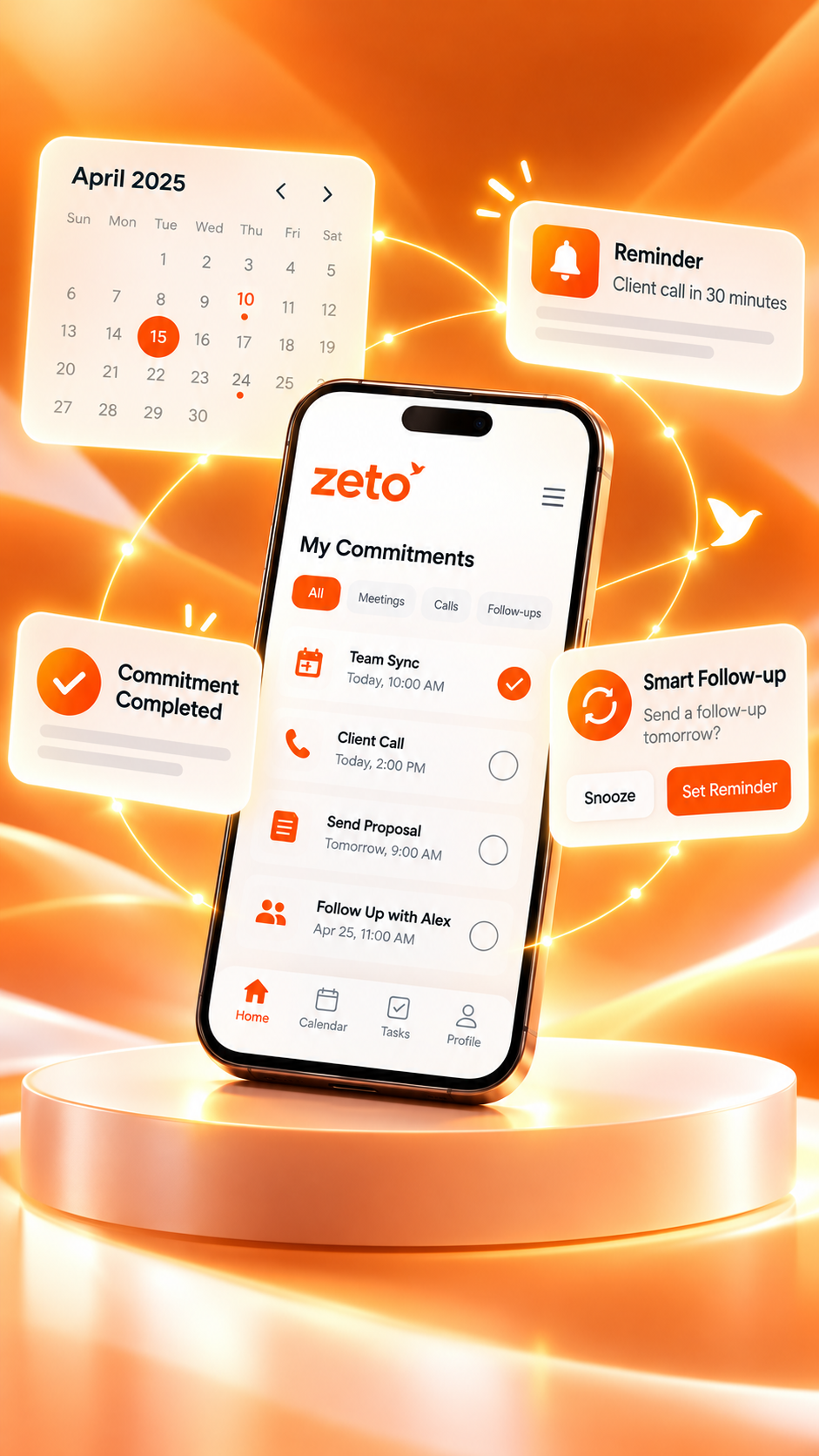
ZETO AI is worth exploring for this work-oriented use case. Its published app listings describe voice-note recording, structured summaries, commitments, reminders, people-based conversation history and Ask Zeto questions about your captured information.
Why ordinary voice recordings become hard to use
Voice notes are convenient because they allow you to speak naturally. But spoken thoughts rarely arrive in neat bullet points. One recording may mix a customer concern, a useful idea, two dates and a request to call somebody. If you do not listen again, the recording may never change what happens next.
The problem becomes larger when the same person records ten short notes over a week. Filenames such as “Recording 14” do not explain what they contain. Searching for a price, a deadline or the name of a customer can mean playing several clips from beginning to end.
The important detail is still buried inside the recording.
Later, you may remember the topic but forget the commitment.
A recorded instruction is not the same as a scheduled next step.
The right information is difficult to retrieve when work gets busy.
A summarizer should reduce that friction rather than simply produce another long document.
What is an AI voice note summarizer?
An AI voice note summarizer is software that works with recorded speech to produce a shorter, more usable representation of its meaning. Depending on the tool, it may first convert the audio into text, identify the main topics, highlight decisions, and organize follow-up items.
The difference between a transcription and a summary matters. A transcript tries to capture what was spoken. A summary tries to communicate what a listener needs to know. An actionable summary goes further by separating an agreed decision from an unresolved question and an assigned task.
| Output | What it gives you | What to check |
|---|---|---|
| Audio recording | The original spoken message | Is the recording complete and permitted? |
| Transcript | Written words from the audio | Are names, figures and phrases correct? |
| AI summary | Condensed topics and key points | Did it preserve the actual meaning? |
| Action list | Tasks, owners and suggested dates | Was each commitment truly agreed? |
Different products offer different combinations. Choose based on the outputs you genuinely need, not only the length of the generated summary.
Seven features worth checking in an AI voice note app
- One-tap capture: Recording should be easy when you are away from your computer.
- Structured summaries: Look for separate sections for what happened, decisions, promises and open questions.
- Searchable history: It should not take several minutes to find an old instruction.
- Reminders: Important follow-ups should be visible instead of remaining hidden inside text.
- People context: You should be able to reconnect a note to the person or project involved.
- Source review: A critical detail should be traceable to what was captured.
- Privacy controls: Understand permissions, uploading, retention and deletion before recording sensitive material.
The best fit for an individual will depend on their recording habits, languages, devices, pricing and need for integrations. No single app is automatically the right choice for everyone.
Practical example: a project manager leaving a site visit
Imagine a project manager leaving a renovation site. They record a 75-second voice note: the customer wants the reception-floor design revised, the installation team needs a final measurement, and a supplier should confirm material availability by Thursday. These are three different kinds of information, even though they came from one note.
Save the requested change with the right project.
Identify who should verify the dimensions.
Review the agreed Thursday deadline before scheduling it.
An AI summary can make the note easier to scan. A human still needs to validate the supplier deadline and assign responsibility. The point is not to let AI decide what happened; it is to make the recorded context usable sooner.
How ZETO AI helps organize voice notes
The current ZETO AI Android and iPhone listings describe recording meetings and voice notes within the app. Once processed, a note can become a structured account of what happened, what was decided, promises and questions that remain open. Follow-up reminders and a “Today” view are designed to bring upcoming and overdue items into focus.
A person who regularly talks to the same customer can also use the people-based history and Ask Zeto to look for details from previously captured conversations. The app listings state that Ask Zeto shows the source for its answers, which is helpful when checking a commitment or price.
ZETO AI should be presented as a tool for working with your captured information. It is not a guarantee that every recording will produce a perfect transcript, infer a correct deadline, or complete an external task automatically.
A simple voice-note workflow to try today
- Speak with structure: Start with the project or person, explain the issue, and say what needs to happen next.
- Capture only what you may record: Get the necessary consent when other people can be heard.
- Review the resulting summary: Check unfamiliar names, amounts, dates and implied promises.
- Confirm next steps: Separate action items you own from items another person has actually agreed to.
- Return to the source: When a question comes up later, check the original note or relevant source information.
Who benefits most from AI voice note summaries?
Capture client requests while moving between projects.
Preserve objections, requirements and promised next steps.
Remember supplier updates and operating decisions.
Record site observations and review what still needs confirmation.
Not every note needs AI. A two-word reminder may be easier to type directly. AI is most useful when the recording contains multiple facts or enough context that manual rewriting would take extra time.
Accuracy and privacy are part of choosing the best tool
Recorded speech can include personal information, commercially sensitive terms and the voices of other people. Follow applicable recording laws and workplace policies, notify participants where required, and avoid uploading confidential information unless your organization permits it.
AI may mishear figures or misunderstand ambiguous language. If someone says “we might deliver Thursday,” an assistant should not be treated as proof of a confirmed Thursday delivery. Verify business-critical numbers and commitments against the original recording.
The ZETO AI store listings explain the app’s data and consent controls. Read the current privacy policy and device-specific app description before adoption, especially when several people share access to the resulting records.
Final thoughts: recording is only the beginning
A good voice note preserves a thought; a good voice note workflow makes that thought useful. The right AI summarizer can reduce repeat listening, organize key information and make follow-through easier to manage.
If your everyday work depends on remembering what customers, colleagues and suppliers said, ZETO AI is worth trying on permitted sample voice notes. Judge it by the clarity of its summaries, reliability of its reminders and usefulness of its conversation search—not by superlative claims alone.
Frequently asked questions
What does an AI voice note summarizer do?
It works with recorded speech to help produce a shorter summary of main points. Some products also organize decisions, tasks, reminders and searchable history.
Can ZETO AI summarize voice notes?
Yes. Its published Android and iPhone listings describe recording voice notes and turning them into structured summaries and follow-up information.
Is a voice note summary the same as a transcript?
No. A transcript attempts to represent the spoken words, while a summary condenses important ideas. Both can contain mistakes and should be reviewed.
Can ZETO AI remind me about promises?
The published app descriptions include follow-up reminders and views of overdue and due items. Confirm the extracted details before relying on them.
Can I search my past voice notes with ZETO AI?
Ask Zeto is described as answering questions based on previously captured conversations and showing where its answers came from.
Does this replace my to-do list?
Not necessarily. ZETO AI can help surface commitments from captured conversations, but the right choice depends on your existing planning workflow.
Can AI get a name or date wrong?
Yes. Recording quality, accent, background noise and ambiguous wording can all affect results. Verify consequential details against the source.
What should I check before recording other people?
Check applicable recording-consent rules, company policy and the app privacy controls. Inform and obtain consent from participants when required.
ZETO AI feature descriptions are based on its published Google Play listing and Apple App Store listing. Features can differ by device, operating-system version, region and plan. See the official ZETO AI website for current information.
From conversations to progress.
Explore ZETO AI for structured summaries, commitments, follow-ups and searchable context from captured conversations.