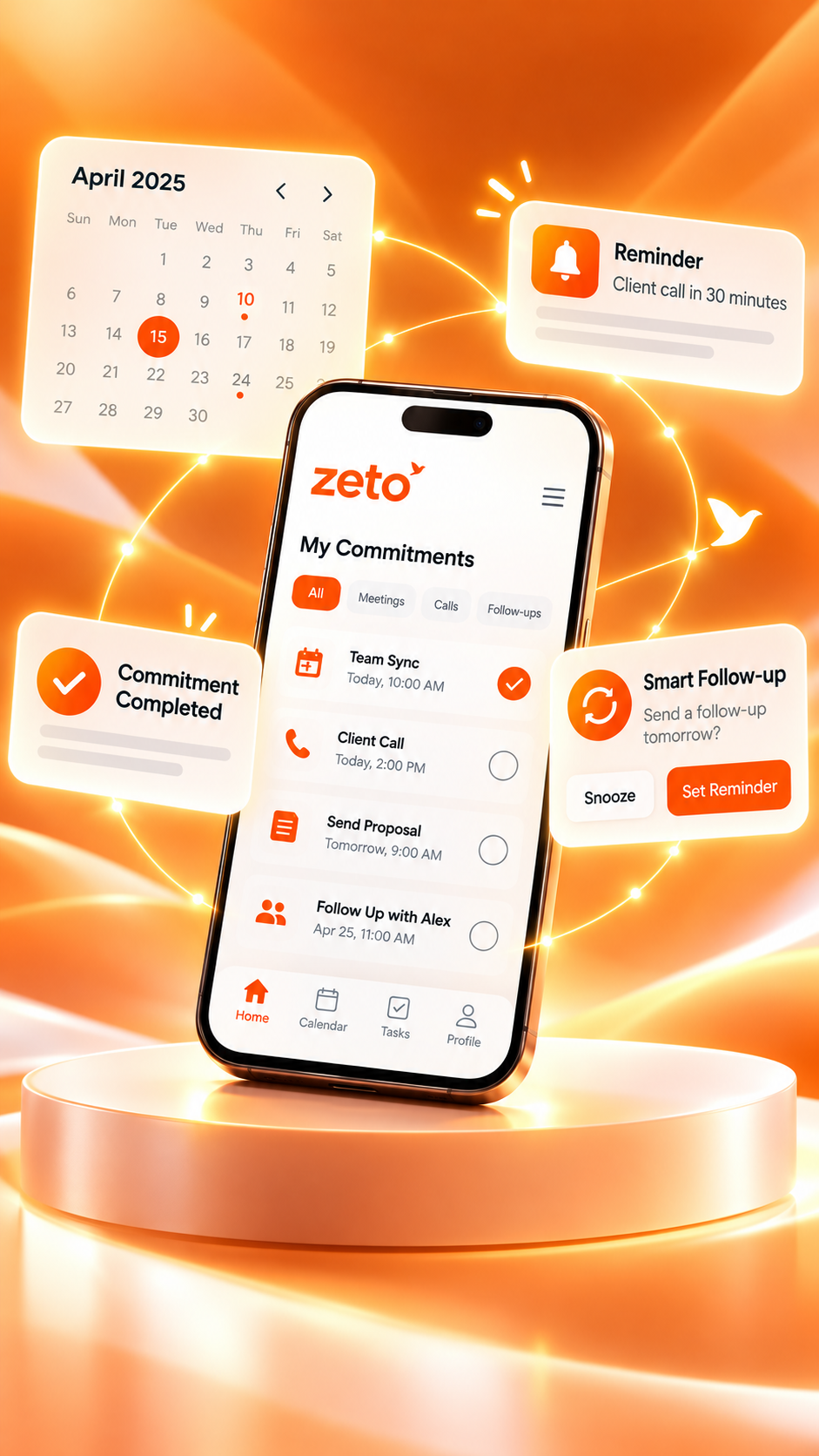
How to Turn AI Meeting Notes Into Professional Client Follow-Up Emails
The meeting is over. The promises are not. Learn a practical method to transform captured meeting notes into accurate, confident client emails—without forgetting the details that matter.
Written for real business workflows. Email examples use fictional customer details.
Supplier pricing discussion
- Revised quotation requested
- Updated specification to be shared
- Next review proposed for Friday
How do you turn AI meeting notes into a client follow-up email?
Start with a captured meeting summary, identify the decisions and promises, verify names, prices, owners and dates, then write a short email with a subject, recap and clear next steps. ZETO AI helps users review summaries and commitments from supported recordings. The email should be reviewed and sent by a person through their usual email service.
Never email an AI guess as a confirmed promise.
Check the source before sharing deadlines, quantities, financial terms or commitments with a customer.
Why client follow-up emails are harder than they look
A good client meeting can still lead to a poor result if the follow-up changes what was agreed, leaves out a question or arrives too late.
During a single discussion, a buyer might request a revised quote, ask for a product sample, confirm a site-visit date and mention an internal approval still pending. Minutes later, the person writing the email may remember the main subject but forget who accepted which action or whether the due date was definite.
Manual notes help, but they may be scattered across notebooks, messaging apps or customer records. A searchable meeting summary adds another reference point. Instead of writing from memory alone, you can return to the conversation, check the decisions and draft a message based on what was actually discussed.
Missed commitments
The customer asked for something specific, but the reply mentions only the main sales pitch.
Unclear responsibility
An email says “we will update you,” without naming the owner or confirming when.
Incorrect details
Amounts, quantities, technical specifications or dates are added without verification.
Follow-ups that stop
The email goes out, but nobody tracks the next commitment or customer reply.
This is why a useful AI meeting-notes workflow goes beyond producing a transcript. It should help a person capture context, check what matters and prepare the next responsible action.
A six-step workflow: from meeting notes to a professional email
Use an approved ZETO AI meeting or voice-note workflow, or a supported imported recording. Explain recording and obtain the necessary permission before capturing a discussion. Not every call or conferencing platform uses the same recording method.
Look for the purpose of the meeting, the customer’s stated priorities, concerns, decisions, open questions and agreed next steps. If a point is missing, return to the available original source.
A customer saying “Friday may work” is not the same as booking Friday. Use “proposed,” “pending confirmation” or “subject to approval” whenever the conversation leaves uncertainty.
Use a concise subject, a thank-you, three to five relevant recap points, named actions, realistic dates and one clear request. Avoid pasting the entire transcript into the email.
Check prices, discounts, delivery terms, quantities, tax treatment, spelling, deadlines and attachments against the approved document or the original meeting source. Remove personal or confidential details that are not needed.
Proofread the final message and send it from your normal email application. Review outstanding commitments in ZETO AI or the systems your team already uses. No automatic email delivery is assumed.
For teams with customer-facing work, this process helps create a consistent standard without turning the email into an impersonal AI-generated report. The summary provides material; the sender remains responsible for the message.
Example: after an industrial customer’s quotation meeting
Imagine a sales representative meeting a factory procurement manager about a flooring repair project. The manager requests a revised quotation, confirms that work must avoid the production line’s busiest hours, and agrees to share a revised floor-area measurement. A site inspection for Friday is mentioned but not confirmed.
What should—and should not—go in the email?
- Confirmed: The team will prepare a revised quotation once the measurement is received.
- Confirmed: Production access restrictions must be considered.
- Still open: Revised measurements are awaited from the customer.
- Not yet agreed: The proposed Friday site visit needs confirmation.
This is illustrative sample data, not a real customer conversation or measured ZETO outcome.
Hello,
Thank you for discussing the flooring requirements with our team today. To make sure we are aligned, here is a short summary of the next steps.
What we discussed: The affected floor area needs further review, and any proposed work should be planned around your production schedule.
Next steps: You will share the revised area measurements. After receiving them, our team will prepare an updated quotation for your review.
We also discussed a possible site visit on Friday. Please confirm whether that timing works for your team.
If I have missed or misunderstood anything, please let me know and I will correct it.
Regards,
Sales Team
The message is short enough to read quickly, but careful about uncertainty. It does not invent a price, finalize an unconfirmed site visit or imply that the customer’s measurement has already arrived.
Three follow-up email formats for different situations
Not every meeting requires the same tone or amount of detail. These examples show how to adjust the email while keeping accurate conversation context.
After a discovery or introductory call
Hello,
Thank you for explaining your team’s current requirements. From our discussion, the main priorities are [priority one] and [priority two]. You also asked us to clarify [open question].
Our next step is to share [agreed material] by [confirmed date]. Please let me know if anything should be corrected or added.
Best regards,
[Your name]
After a pricing or proposal discussion
Hello,
Thank you for reviewing the proposal. As discussed, we will confirm [specified item] and send the revised document after reviewing the final scope.
The payment terms and delivery schedule remain subject to written confirmation. We will include them in the updated quotation rather than treating them as finalized in this email.
Regards,
[Your name]
After a project progress meeting
Hello team,
Following today’s review, here are the confirmed actions: [Owner A] will share [deliverable] by [date], and [Owner B] will verify [issue] before the next meeting.
Still open: [question or approval]. Please reply with any corrections to the ownership or dates above.
Regards,
[Your name]
These templates are starting points, not scripts to send blindly. The strongest follow-up is one that reflects the specific customer’s language, priorities and actual commitments.
The pre-send accuracy checklist
| Check | What to verify | Why it matters |
|---|---|---|
| Customer name and context | Correct names, company, site and project | Avoids sending confusing or incorrectly addressed messages |
| Numbers and terms | Price, quantity, taxes, payment and delivery conditions | Prevents an invented or outdated commercial commitment |
| Dates and ownership | Who agreed to act, by when, and whether it was confirmed | Makes the next step unambiguous |
| Unanswered questions | Issues requiring a customer response or internal approval | Prevents open items from appearing settled |
| Recording and privacy | Appropriate consent, access and minimum necessary details | Respects customer confidentiality and company rules |
| Attachments | Correct version of quotation, proposal or notes | Reduces rework and misunderstanding |
If a detail is disputed, check the supporting conversation and approved documents. ZETO AI’s Ask Zeto feature can help locate earlier statements in processed conversation history and show a source, but an AI answer is still something to verify—not a substitute for an approved quote or contract.
Use ZETO AI for the conversation memory—not as an automatic email sender
ZETO AI is designed to help users work with captured conversations. Its published Android listing describes meeting and voice-note recording, summaries, extracted promises, reminders, people-based history, notes and audio imports, and Ask Zeto answers that identify a source. On compatible Android phones, it processes supported recordings saved by the phone’s Phone app; it does not independently record ordinary calls. See the official ZETO AI listing.
That makes the app useful for the preparation stage of client communication: recovering the agreement, checking what is pending and remembering what to do next. It does not establish a direct integration with Gmail, Outlook or other email systems, and the app should not be described as automatically sending client messages.
Conversation summaries
Review key subjects, decisions and unresolved issues from a captured meeting or note.
Commitments and reminders
Identify what was promised and revisit items needing attention before the email goes out.
People-based history
Look back at previous conversations associated with customers or projects where available.
Ask Zeto
Ask about earlier agreements and review the cited conversation source for accuracy.
Remember the meeting. Write the right follow-up.
Explore how ZETO AI helps you find the information behind your next client message. Review the draft yourself and send it using your normal email application.
Explore ZETO AI →What about teams and customer relationships?
For organizations reviewing commitments across many conversations, ZETO Enterprise focuses on business context, customer signals and human-reviewed follow-through. It should not be treated as a substitute for an organization’s approved CRM records or email-delivery systems unless a particular integration has been separately verified.
Frequently asked questions
Can AI meeting notes write a client follow-up email?
AI meeting notes can provide a structured starting point for an email: key decisions, customer requests, action items and dates. A person should confirm those details and draft or edit the email before sending it. ZETO AI is described as a conversation assistant, not an automatic email-sending service.
Does ZETO AI automatically email customers after meetings?
No automatic email-sending or Gmail/Outlook integration is claimed here. Use ZETO AI to review supported captured conversations and commitments, then prepare and send the approved email through your own email app.
What should a professional post-meeting follow-up email include?
A helpful email includes a clear subject, a brief thank-you, an accurate recap of decisions, owner-specific next steps, any confirmed deadlines, and one clear question or requested action. Keep it concise and avoid introducing terms that were never agreed.
How soon should I send a client follow-up email?
For many business meetings, a same-day or next-business-day recap is useful while details are fresh. The appropriate timing depends on the customer, urgency, time zones and your company process; verify critical dates before promising a deadline.
Can ZETO AI summarize a customer phone call?
On compatible Android phones, ZETO AI can process call recordings saved by the phone’s own Phone app where recording is supported and permitted. It does not independently record ordinary cellular phone calls. In-app meeting and voice-note workflows are different.
How do I avoid incorrect amounts or dates in an AI-drafted follow-up?
Cross-check names, quantities, price, tax treatment, payment conditions, dates and responsibilities against the original recording, approved quotation or meeting notes. If a detail is uncertain, say it is pending confirmation instead of presenting a guess as an agreement.
Can I use these steps for site visits and online meetings?
Yes, provided the discussion was captured or imported through a supported and permitted method. For online platforms, availability of meeting recordings and import workflows varies; visible platform names do not establish a direct ZETO integration.
Is an AI note-taking app the same as a CRM or email automation tool?
No. Note-taking assists with capturing and retrieving conversation context. A CRM typically manages account, deal and pipeline data; email automation tools send or schedule messages. Use each tool for its confirmed purpose unless a specific integration is verified.
Related ZETO AI guides
These published ZETO AI articles explain the earlier steps in the workflow, including capturing field meetings and searching previous conversations.
Product feature reference: ZETO AI on Google Play. Recording, sharing and email handling should follow your organization’s policies and applicable privacy requirements. Examples and email templates above are fictional demonstrations.
Your conversations hold the details. Make your follow-ups reflect them.
Capture permitted meetings and voice notes, review summaries and commitments, and build more accurate client communication with the phone you already use.
ZETO AI organizes captured conversations; it does not claim to send email automatically. Always verify AI-generated details before acting on them.