ZETO AI vs Traditional Voice Recorders: What’s the Difference?
Audio files preserve what was said. A conversation assistant helps you work with the meaning. Explore the differences in recording, summarizing, searching and follow-ups.
“Call the architect Tuesday, confirm the final measurement, and ask whether the drawing is approved.”
Audio files preserve what was said. A conversation assistant helps you work with the meaning. Explore the differences in recording, summarizing, searching and follow-ups.
The goal is to help readers decide what information needs to be captured, how it should be reviewed and where ZETO AI fits into that workflow. A useful assistant supports human judgment rather than replacing it.
A recording is a record, not an action plan
Traditional voice recorders have a clear purpose: capture sound so it can be replayed later. They are useful for interviews, meetings, spoken ideas and personal reference. When users need a faithful record of a discussion, keeping the original audio remains important.
The limitation appears after recording. Ten audio files do not automatically become ten understandable tasks. You may know a customer mentioned a deadline but have no easy way to find it without playing multiple recordings. ZETO AI addresses a different stage of the workflow: organizing and retrieving captured information.
Preserves audio for listening and verification.
Condenses the important points.
Identifies what people agreed to do.
Makes past details easier to retrieve.
Voice recorder vs AI conversation assistant
| Capability | Traditional voice recorder | ZETO AI workflow |
|---|---|---|
| Capture sound | Yes, core purpose | Meeting/voice-note recording; supported imports |
| Replay the original | Usually yes | Consult available source recordings as supported |
| Structured summaries | Usually not | Summaries of processed content |
| Find a past agreement | Manually replay/search files | Ask Zeto and people-based history |
| Identify follow-ups | Manually write them down | Extracted commitments and reminders |
| Accuracy check | Listen to recording | Review original source when needed |
These differences are general and describe common traditional recorder behaviour, not every modern recorder on the market. Some recording apps already include transcription or AI functions. Compare the actual product version you use.
Example: a meeting ends with three responsibilities
After a project meeting, a manager records a voice note: the designer will update the layout, the vendor must confirm a delivery schedule and the customer needs a revised estimate. The audio is safely stored, but the manager has not yet created tasks.
With a conventional recorder, the user will need to listen again, write the tasks and decide where to store them. With a conversation assistant, the processed note can present a structured version of the discussion that the manager reviews and turns into actual work.
Ask the responsible designer to confirm the changes.
Do not treat an estimate as a commitment.
Confirm pricing assumptions before sending.
What ZETO AI adds beyond an audio file
The ZETO AI listings describe in-app recordings for meetings and voice notes, an import workflow for recorded audio, summaries that separate decisions and promises, reminders, a Today view, and a people-based history. Ask Zeto is designed to answer questions from the conversations a user has captured and show source information.
That creates a connection between a recorded conversation and later action. Someone can ask what was promised to a customer rather than remembering which audio filename contains the statement. The benefit depends on recording completeness and summary quality, so important details should still be verified.
On Android, ZETO AI does not independently record phone calls. It relies on recordings saved by the phone’s own Phone app on supported models and where recording is allowed. Do not describe it as an automatic universal call recorder.
See the idea in action
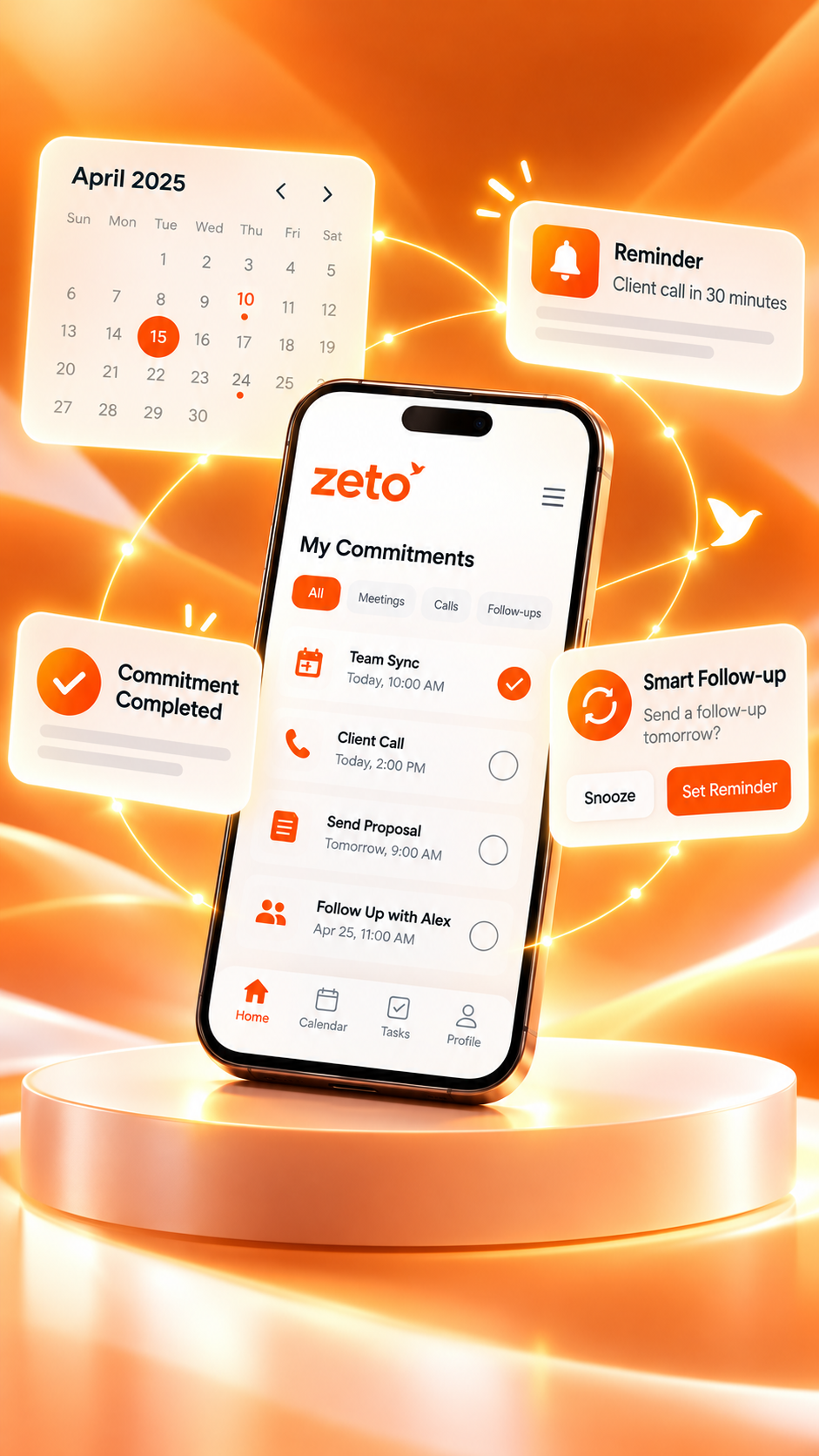
The important step is to connect the recorded discussion with the right person, decision and follow-up, while checking any critical details against the original source.
When a traditional recorder is still the right choice
Sometimes the simplest tool is the right one. A person who only needs to capture a speech for later listening may not need AI summaries. A journalist, researcher or legal professional may be especially concerned about preserving an accurate source record and respecting strict handling requirements.
Conversation assistance becomes valuable when users repeatedly need to retrieve decisions, find terms from old discussions or organize follow-ups across many people. These use cases require more than raw audio storage.
- Choose simple recording when reliable audio capture and playback are enough.
- Consider AI summaries when people spend too long reviewing recordings.
- Consider conversation search when previous agreements need to be recovered regularly.
- Consider reminders when spoken commitments must turn into follow-up actions.
How to move from audio files to useful information
- Capture or import lawfully. Use a supported and permitted audio source.
- Process the recording. Allow the assistant to produce a transcript and structured summary.
- Check critical phrases. Confirm names, measurements, dates and conditional promises.
- Organize the context. Associate the information with the correct person or project where supported.
- Act and verify completion. Make the promised call or update; an extracted task is not completed work.
This workflow combines the recorder’s strength—an original record—with AI’s strength—helping users locate and interpret useful details.
Privacy and AI limits matter
A voice recorder and an AI assistant may handle data differently. Read the current privacy policies, confirm whether audio is uploaded for processing and understand available deletion controls. Get the recording consent required by law and workplace rules.
Speech recognition can mishear product names, technical measurements or regional accents. Where a summary affects money, trust or employee performance, always check the source rather than relying on a generated interpretation alone.
Frequently asked questions
Is ZETO AI itself a voice recorder?
It includes meeting and voice-note recording features, but its published purpose extends to summaries, commitments, reminders and conversation search.
Does ZETO AI replace my phone’s call recorder?
No. On Android, phone-call recordings must be created by the phone’s own supported recording feature.
Can I import an existing recording?
Its app listings describe supported audio import workflows.
Do traditional voice recorders summarize audio?
Many basic recorders do not, but some modern recording apps include transcription or AI. Check the exact product.
Will ZETO AI delete my original audio automatically?
Do not assume a specific retention behaviour. Check current app settings and privacy documentation.
Are summaries more accurate than original recordings?
They are interpretations of the content and can contain errors. The original source remains important for verification.
Is ZETO AI suitable for daily voice notes?
The app listings describe one-tap voice-note capture and structured summaries.
Can ZETO AI help me remember a promise?
It can organize a captured commitment and reminder; verify timing and responsibility before acting.
ZETO AI Android listing · ZETO AI iPhone listing · ZETO AI official website
Turn conversations into progress.
Explore how ZETO AI helps you find previous agreements, review commitments and prepare your next conversation.
AI-generated summaries and answers should be checked against source conversations, particularly for dates, prices, names and promises. Recording requires appropriate permissions and consent. Product availability may vary by platform.