AI Meeting Notes App vs Manual Note Taking: Which Is Better for Busy Professionals?
A fair, practical comparison of speed, accuracy, engagement, privacy and action-item follow-ups—with realistic examples and a mobile-first ZETO AI workflow.
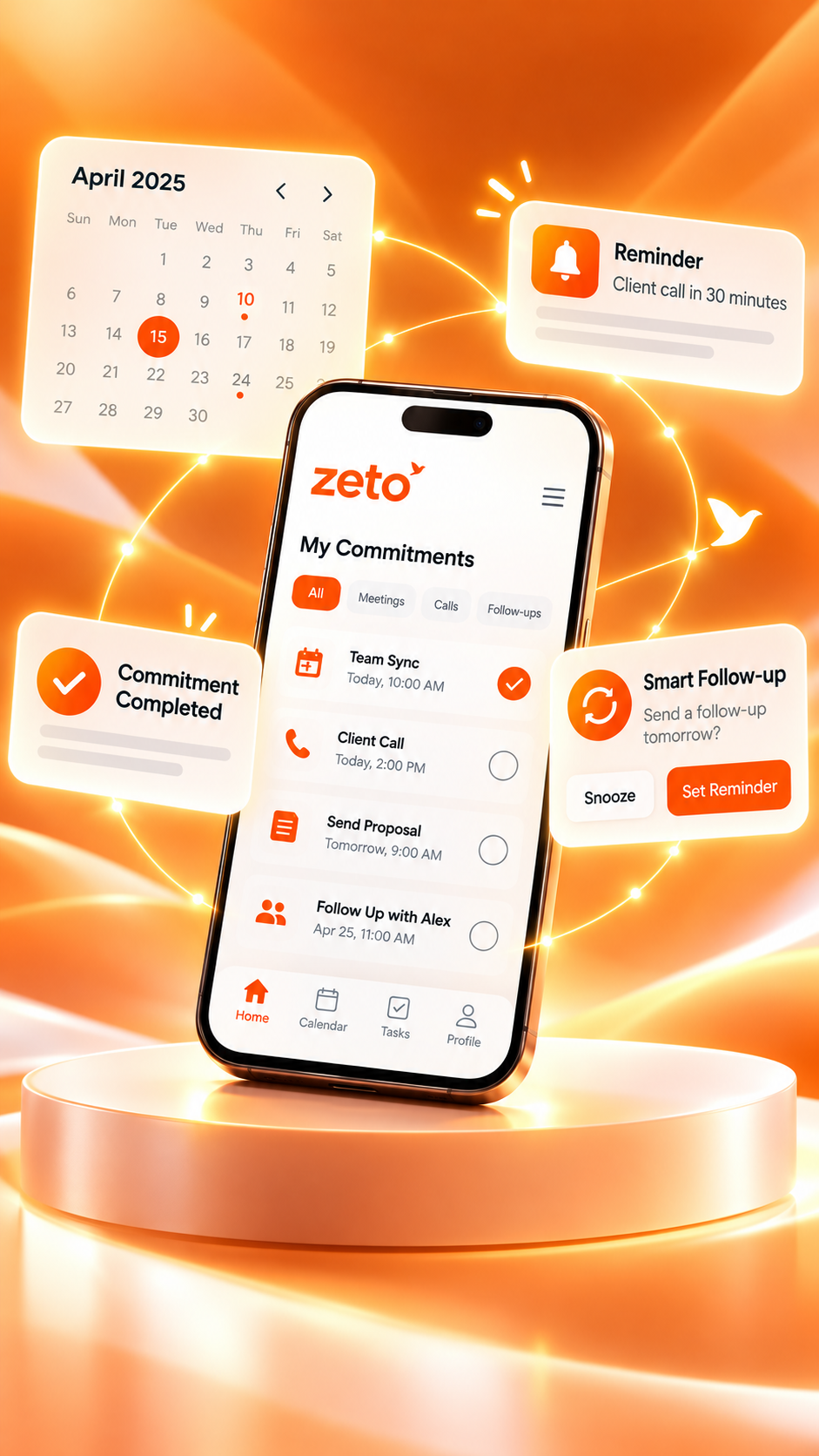
Balanced editorial comparison. The visual demonstrates hypothetical information, not a screenshot of the ZETO AI app or proof of a particular outcome.
“Client call · revised plan · check Friday · send file.”
✓ Client asked for a revised plan, not final approval.
✓ Team to verify Friday feasibility before confirming.
Who approves the change? When is the revised file due?
AI meeting notes or manual note taking: which should you choose?
Choose an AI meeting notes app when recording is permitted and you need searchable summaries, detailed conversation recall and follow-up organisation. Choose manual notes for short, private, creative or recording-restricted discussions. For complex professional meetings, a hybrid workflow often provides the best balance: write brief observations, review an AI summary and confirm all decisions before acting.
Better notes are verified notes.
Neither handwritten notes nor AI summaries should turn tentative remarks into confirmed promises, decisions or deadlines.
Is an AI meeting notes app better than manual note taking?
For many busy professionals, an AI meeting notes app is more convenient when the main challenge is remembering detailed spoken conversations. It can organise supported recordings into summaries, possible commitments and follow-ups, making information easier to revisit. Manual note taking remains valuable when the conversation cannot be recorded, when discretion matters, or when the writer wants to think through ideas in a selective, personal way. Neither approach automatically guarantees accuracy.
Consider a typical workday: a morning team meeting, a customer discussion, a supplier call, a quick site update and an evening planning conversation. The professional may be able to jot down the headline of each one. But an important qualification can slip away: the customer agreed to review a proposal, not approve it; the supplier offered an estimated dispatch, not a guaranteed delivery; and the manager suggested Friday as a target, not a confirmed deadline. AI-generated meeting notes can help recover detail, provided participants permitted the recording and the output is checked.
It is tempting to frame the choice as old versus new. That misses the point. A notebook encourages attention, flexibility and deliberate selection. A recording-based note-taking app offers a fuller capture workflow, searchable history and the possibility of connecting discussions to later actions. A strong workflow can use both. The professional listens actively, captures only permitted conversations, writes brief personal observations and checks the generated recap against what actually happened.
This article compares the approaches on six practical questions: what they capture, how dependable they are, how they handle action items, how they affect attention, what privacy controls they require and how easily the notes become useful before the next conversation. It then explains how ZETO AI fits into a realistic mobile-first routine without assuming that the app can perform every workflow automatically.
What counts as manual note taking in a meeting?
Manual note taking includes handwritten notebooks, typed bullet points, simple document templates, a whiteboard photographed after the meeting and short notes entered into a phone. The defining feature is that a person decides what to capture while listening or immediately afterward. The format can be extremely flexible: one person writes a narrative, another uses a two-column layout, and a project manager records only decisions, owners and blockers.
Manual notes are often excellent for small discussions with predictable outcomes. If a colleague says, “Please send the revised agenda by Wednesday,” a short entry can be enough. Handwriting can also serve as a thinking tool. Drawing a process, sketching how ideas relate and marking questions in the margin may help a professional make sense of a complex topic. A typed note is faster to search than paper, but it still depends on the person choosing the right details to record.
The method becomes harder when the conversation moves faster than the writer can capture. Someone may answer a question while another participant introduces a new condition. A note-taker then chooses between writing the previous point and listening to the next one. Even careful notes can leave out tone, qualifiers and the wording behind a promise. These omissions may not matter for a brainstorming chat, but they can matter in a customer proposal or project handover.
Manual notes also need maintenance. If each page has a different structure, finding a specific commitment later becomes difficult. A notebook may show what was discussed in one meeting without connecting it to three earlier conversations with the same person. The method still works; it simply places more responsibility on the note-taker to organise, review and maintain continuity.
What does an AI meeting notes app actually do?
An AI meeting notes app helps turn supported recorded speech, typed notes or imported audio into organised text. Depending on the product and device, the workflow may produce a summary, identify possible action items, surface unresolved questions and provide a way to search the conversation history. This is different from merely storing an audio file. Its purpose is to help the person who attended the meeting find the useful parts again.
The app does not have independent knowledge of every circumstance around a meeting. Audio can reveal that a participant suggested a different price, but it cannot verify the official quotation unless the appropriate records are available and checked. A summary may infer an owner incorrectly when several people speak together. A date can be unclear if someone says “next Thursday” without a shared calendar context. These are reasons to review an AI recap rather than reasons to abandon the category entirely.
A practical workflow has four parts: capture, process, verify and act. Capture should happen only with the appropriate permissions. Processing creates the draft meeting record. Verification checks names, numbers, decisions, conditions and ownership. Acting means using the confirmed information to prepare a reply, update a task register or conduct the next meeting. If the workflow stops at a polished summary, it has not solved the follow-up problem.
ZETO AI’s published mobile app descriptions discuss in-person meeting and voice-note recording, typed notes, summaries, people history, commitments, reminders and questions about earlier conversations. Its Android description also covers importing compatible call recordings saved by a supported phone’s own calling app; ZETO AI does not itself record every cellular call. The specific capture options must be checked against the device and current version.
AI meeting notes vs manual notes: side-by-side comparison
There is no universal winner in every category. The right comparison is between the job the professional needs to perform and the limitations of each method. A fast-paced client discussion presents different requirements from a private planning session. The table below compares typical workflows rather than promising that every AI product supports the same features.
| Decision factor | Manual note taking | AI meeting notes app | Practical recommendation |
|---|---|---|---|
| Capturing a rapid discussion | Depends on writing or typing speed | Can process eligible recorded speech | Use AI when allowed; review afterward |
| Documenting a decision | Human records the important wording | May extract a decision from the conversation | Verify authority and final status either way |
| Handling complex context | Writer selects important material | Can make more of the captured discussion searchable | Use both for nuanced meetings |
| Finding older notes | Easy if well-organised; difficult if scattered | Searchable conversation history where supported | Choose a consistent naming and review system |
| Tracking promises | Follow-ups copied into a calendar or task list | Commitment views and reminders in suitable apps | Confirm owner and due date first |
| Recording restrictions | Often usable without audio | Audio workflow may not be permitted | Follow applicable policy and consent rules |
| Brainstorming and sketches | Flexible for diagrams and shorthand | Spoken recap helps, but diagrams need another method | Manual notes often remain stronger |
| Accuracy | Depends on what the writer heard and selected | Depends on audio, processing and human review | Do not treat either as automatically authoritative |
| Costs and setup | Usually low software cost; requires personal time | May need a plan, storage and a suitable device | Compare full workflow cost, not only subscription price |
The comparison explains why an AI meeting notes app often helps busy, customer-facing professionals but does not eliminate the value of a notebook. The real opportunity is reducing the need to reconstruct previous discussions from memory. The real responsibility is refusing to turn draft AI text into an unverified promise or binding record.
Which method saves more time before, during and after meetings?
Time savings depend on more than how quickly notes appear. Manual note-taking time is often spent during the meeting, followed by cleaning up abbreviations, copying action items and searching for old pages. AI note-taking shifts much of that effort to processing, review and follow-up organisation. For meetings with many points to remember, the second approach may reduce repeated writing. For a five-minute update with one obvious task, opening an app and reviewing a summary may be unnecessary.
Separate the three moments in which time is spent. Before a meeting, ask how quickly the professional can recover the previous context. During the meeting, consider whether note-taking distracts from asking questions and listening. After the meeting, measure how long it takes to produce an accurate recap and move confirmed items into the right system. A tool that creates a summary quickly but requires extensive corrections may not save much overall time.
Search can be particularly helpful in repeat conversations. Suppose a sales professional speaks with the same buyer over several weeks. Rather than reading a folder of handwritten pages to remember an earlier condition, a source-backed conversation search may help locate where that point was discussed. But the user still has to check the source and any more recent changes. Faster retrieval is not the same as certainty.
Organisations should test both approaches on their own meetings instead of relying on broad productivity claims. Compare the total time from the end of a meeting to a verified recap. Record corrections required, missed actions and effort spent locating prior information. A useful pilot should reveal whether AI changes the workflow meaningfully, rather than producing impressive-looking text that nobody uses.
Are AI meeting notes more accurate than handwritten notes?
Neither method is inherently accurate in every situation. Handwritten notes reflect the human listener’s attention, assumptions and shorthand. AI-generated notes depend on microphone quality, overlapping speakers, accent or language handling, transcription quality and the model’s interpretation. An app may preserve more of a long conversation while still misclassifying a critical statement. A human might capture the final decision correctly but omit the discussion that led there.
The most consequential mistakes are not always obvious spelling errors. A missed negation can reverse the meaning of a sentence. A proposed payment term can be reported as agreed. A tentative delivery date can be displayed as a deadline. Two participants with similar-sounding names can be mixed up. In customer and project meetings, those errors create confusion because the recap looks formal even when it is only a draft.
“We can explore delivery by Friday if quality approval arrives on time.”
“Delivery confirmed for Friday.”
Friday is a proposed target, conditional on quality approval.
Owner to confirm approval status and issue a verified schedule.
For consequential details, review the original source or ask the people involved to confirm. Check names, figures, product specifications, dates, commercial terms and the difference between intentions and commitments. It is helpful to keep a separate field for “still open,” because many productive meetings end with questions rather than decisions. The best note-taking system makes that uncertainty visible.
If the audio is unusable or the meeting cannot be recorded, a carefully written manual recap validated by participants can be more dependable. A responsible comparison therefore asks not “Which creates more words?” but “Which process produces a record that people can verify and act upon?”
How to separate decisions, action items, and open questions
Many meeting recaps fail because they merge several types of information into one list. A discussion point is something raised. A decision is a choice that an authorised person has actually confirmed. An action item is a next step someone has agreed to take. An open question still needs an answer. An assumption is a condition the team is relying on but has not yet verified. Keeping these categories separate is more important than whether the initial note was handwritten or generated with AI.
Imagine a customer asking for an alternative service package. The salesperson says it may be possible, the operations manager agrees to examine capacity, and the buyer asks for a proposal next week. The meeting has one enquiry, one action to review capacity and one possible proposal. It does not yet contain an approved scope change. A summary that says “new package agreed” would distort the outcome.
| Type | Question to ask | Example |
|---|---|---|
| Discussion | What topic came up? | Customer asked about a Saturday service window. |
| Decision | Who actually approved what? | No formal Saturday approval was given. |
| Action item | What happens next? | Operations will check staffing and access. |
| Owner | Who accepted responsibility? | Operations representative, pending confirmation. |
| Due date | Was the date confirmed or proposed? | Proposed response by Thursday. |
| Open question | What is not yet settled? | Final customer approval of the new window. |
A person taking notes manually can use these headings on a page. Someone using an AI meeting notes app can apply the same review structure to the generated output. Either way, the categories prevent teams from confusing conversational momentum with a completed commitment. They are especially useful when the next person handling the task did not attend the meeting.
Does note taking help or hurt attention during a meeting?
Manual notes can improve engagement when the act of writing helps the attendee select and organise important ideas. A short phrase in a notebook may prompt a thoughtful question. Sketching a diagram can expose an assumption. But rapid transcription can also draw attention away from the speaker. In a negotiation or customer interview, the writer may focus so heavily on the previous sentence that they miss a change in tone or a new question.
AI-assisted capture can reduce the pressure to record every detail while the conversation happens. The professional may have more room to listen, clarify a point and notice what the other person values. This advantage is only useful if recording is allowed and participants are comfortable with it. An unexpected recording may damage trust and interfere with an otherwise constructive conversation.
There is also an opposite risk: people may become less attentive because they assume the app will remember everything. An AI summary cannot replace professional interpretation. It may capture the spoken words without understanding why a participant hesitated or how an unspoken concern affects the next step. The meeting leader still needs to ask questions, confirm outcomes and notice when clarification is necessary.
For an important discussion, consider a hybrid approach: obtain appropriate consent for audio capture, then write only a few personal annotations during the meeting. Record what deserves a follow-up question, which concern appears unresolved and what judgement is required. Afterward, compare those observations with the generated recap. This division of work preserves active listening while giving the professional a way to verify detailed conversation history.
A practical before-meeting checklist for both methods
Better notes begin before anyone speaks. Identify the purpose of the meeting and the two or three questions that must be answered. If the meeting concerns a customer account, review the previous requirements and current proposal. If it concerns a project, inspect the latest schedule and unresolved blockers. Without this preparation, even an accurate transcript may be difficult to turn into useful action.
For manual notes, prepare a template with the meeting name, date, attendees, agenda, decisions, actions, owners and unanswered questions. Leave space for exact figures and conditions. Avoid filling the template with assumptions in advance; it should help record what was said, not predetermine the outcome.
For AI-assisted notes, confirm that the meeting is an appropriate situation to record, explain the intended purpose to participants and obtain the necessary permission. Check the app version, microphone and device battery. Confirm that the environment is suitable: noisy spaces and several distant speakers can limit transcription quality. Have a manual fallback ready if recording is prohibited or the technology fails.
- Identify the meeting outcome that matters most.
- Review the last verified decisions and open items.
- Decide whether recording is permitted and appropriate.
- Check the device and choose a practical capture method.
- Prepare a place for unconfirmed questions and follow-up owners.
A small amount of preparation saves confusion later. It also gives the note-taker a standard against which to review the meeting summary. If the original agenda asked for customer approval but the meeting ended with another review step, the final note should show that the approval is still pending rather than silently closing the topic.
How to take effective meeting notes while people are talking
During a meeting, the objective is understanding first and documentation second. A manual note-taker should write the essential points, not attempt to reproduce every sentence. Use short headings and capture exact wording only where commercial terms, responsibilities or conditions could be disputed. When a figure or name is unclear, ask immediately rather than reconstructing it later. Good minutes often emerge from a few well-timed clarifying questions.
For a permitted AI recording, place the phone where audio is reasonably clear without disrupting the meeting. Avoid situations where multiple speakers are far from the microphone. Do not assume the app can hear a conversation through doors, across a noisy production area or in every conference-room configuration. The physical environment still determines the quality of the source.
At significant turning points, ask participants to state the conclusion plainly: “Is that a decision or a proposal for review?” “Who will confirm the exact delivery window?” “Have we agreed to the revised scope, or should it remain open?” These questions improve both handwritten and AI-generated notes because they reduce ambiguity in the underlying conversation.
If a topic involves sensitive employee data, financial details, client confidentiality or confidential strategy, do not assume an audio recording is permitted. Apply the organisation’s policy and choose an authorised method. It may be appropriate to document only the agreed outcome, store it in the approved system and avoid keeping unnecessary audio. The best capture choice is one that respects both usefulness and the people whose information is involved.
The post-meeting review that turns a recap into action
Whether notes were handwritten or generated by AI, the first useful review happens while the meeting is still fresh. Read the recap and separate confirmed facts from assumptions. Check the exact wording of sensitive points, names, numbers and dates. If someone was assigned work, confirm that the person accepted the responsibility. If a deadline was merely suggested, do not publish it as agreed.
Use one consistent format: meeting purpose, concise summary, decisions confirmed, proposed changes, action owners, due dates, items still open and the source of verification. A long narrative can be useful for background, but the next person needs to find the immediate priorities quickly. Keep the information as concise as the project permits without deleting meaningful conditions.
Send an appropriate recap to relevant participants when confirmation is required. A simple message—“These are the actions I understood; please correct anything inaccurate”—can prevent a major misunderstanding. For high-stakes commercial discussions, use the organisation’s approved record and formal confirmation process. The generated summary or handwritten notebook should never silently replace an authoritative contract, purchase order or accepted quotation.
If the meeting created tasks, transfer verified items into the actual calendar, task register or CRM workflow. The note-taking method is the capture layer; the execution system is where ownership and progress need to be visible. ZETO AI describes commitment and reminder views, which can support follow-up awareness, but the published listing does not establish universal automatic synchronisation with every third-party platform.
The same customer meeting, captured manually and with AI
Imagine a fictional business-development manager visiting a warehouse operator in Bengaluru. The customer wants to discuss a possible flooring improvement project while keeping daily operations running. Several people join the discussion: the customer’s facility manager, an operations representative and the supplier’s technical coordinator. The group discusses damaged areas, access windows, the need for an inspection and a possible phased schedule.
With manual notes, the business-development manager might write: “Floor issues. Need inspection. Possible weekend. Send estimate.” That summary is useful as a quick reminder, but it hides important questions: Which area needs attention first? Is the weekend access approved? Who will confirm the inspection date? What can be quoted before technical assessment? A better manual template can capture those distinctions, but it requires attention during the discussion.
With an AI meeting notes workflow, a permitted recording can provide material for a more structured recap. The manager reviews the output and separates the customer’s concerns, proposed sequence, open approvals and promised follow-ups. The app may help locate the earlier explanation if a later conversation raises a question. The recap still needs review: no app can inspect the floor, certify a repair approach or confirm site access without the relevant professional evidence.
Operations must continue; two affected areas need further technical review.
A weekend work window was discussed but not approved.
Technical coordinator to arrange an inspection, subject to site permission.
Measurements, approved access, scope, cost and suitable work sequence.
The best outcome is not the longest transcript. It is a reliable conversation record that supports a better next meeting. The manager can return with the right questions instead of asking the customer to explain the entire situation again. The example also shows why the accuracy of the summary matters more than whether the first draft was created by a person or a model.
Five common workplace situations and the better note-taking approach
The method should change with the nature of the conversation. Some discussions contain a long chain of facts, commitments and follow-up questions; others depend on visual thinking, confidentiality or an immediate one-line decision. The following recommendations are practical starting points, not rigid rules for every organisation.
Customer discovery meeting
AI-assisted capture may help preserve detailed requirements, objections and follow-up requests when recording is permitted. Review all commercial claims.
Personal strategy session
Manual notes may suit free-form sketching, private reflection and connecting ideas visually. An audio summary is optional, not essential.
Project status review
A hybrid approach works well: capture the discussion where allowed, review a summary and maintain an official action tracker.
Short operational handoff
A concise written checklist may be the simplest choice when the update has only a few confirmed items.
Sensitive personnel conversation
Follow the organisation’s privacy and recording policies. A restricted written record may be more appropriate than an audio upload.
Supplier negotiation
Accurate recaps matter, but prices, quantities, delivery conditions and signed terms should be verified against official documents.
The strongest dividing line is not job title. It is whether the problem calls for detailed conversation recall, real-time interpretation or controlled documentation. A sales professional may use AI notes for a customer meeting and a notebook for private planning on the same day. A project manager may want an audio-backed history for a complex review and a quick written entry for a one-sentence update.
Choose the simplest method that preserves the correct level of information and fits the permissions of the meeting. If the method feels burdensome, people may stop using it consistently. Consistency, verification and follow-through are more important than collecting large amounts of text.
Why a hybrid AI and manual note-taking workflow often works best
A hybrid workflow does not mean creating two complete sets of notes. It means allowing each method to do what it handles well. The AI-assisted layer helps recover the spoken detail from supported, authorised recordings. The manual layer holds personal observations, visual sketches, questions to ask and concise confirmations. The final output is one reviewed record rather than two conflicting versions.
Before the meeting, prepare a short agenda and check consent requirements. During the meeting, listen actively and jot down only the observations that a transcript cannot easily represent: a key risk, the reason a proposed option seems difficult, a diagram or a question to verify. Afterward, review the AI-generated summary against the source and those notes. Confirm decisions and turn the agreed next steps into actions.
Manual layer
Capture diagrams, personal questions, strategic interpretations and facts that should be verified with the group. Keep it short and selective.
AI-assisted layer
Review the supported conversation summary, locate prior statements, examine possible commitments and preserve searchable context where the app allows.
The benefit is especially clear for professionals who move from one conversation to another without a long administrative break. A few personal annotations may help them make better decisions, while a searchable history helps prevent the details of earlier discussions from disappearing. Both layers still require responsible handling of confidential information.
It is also wise to design a fallback. If the meeting cannot be recorded, use an agreed written recap. If an audio file is corrupted or speakers were not audible, rely on authorised notes and participant confirmation. A hybrid workflow should improve resilience, not make the person helpless without an application.
How ZETO AI helps turn meetings into summaries and follow-ups
According to its official app listings, ZETO AI is built around remembering work conversations. Its described capabilities include recording supported in-person meetings and voice notes, adding typed notes, turning captured material into summaries, identifying promises or open items, providing reminder views and allowing questions about past conversations through Ask Zeto. The descriptions also mention People history, so users can revisit earlier details associated with a person.
Those features make the app relevant to the AI-versus-manual comparison. A notebook can preserve meeting highlights, but recovering a precise earlier statement may require manually searching many pages. ZETO AI’s source-backed question workflow is intended to make previous conversation context easier to locate. A user should still inspect the source behind an answer before repeating a price, commitment or contractual detail.
A realistic sequence might look like this: a professional obtains the required consent, records a permitted meeting, reviews the processed summary, checks whether any commitments were accurately identified and uses the relevant reminder view to keep the next step visible. Before the next conversation, the person revisits the relevant history rather than rebuilding context from memory. This is a user-guided workflow, not a promise that ZETO AI sends every follow-up message or updates all external applications automatically.
Supported meetings and voice notes · Typed or imported notes · Summaries · Commitments and reminders · Today view · People history · Ask Zeto with source context. Some capture options and organisational features differ by device and app version. Confirm the current listing before relying on a specific workflow.
It is important to keep the product positioning honest. ZETO AI is not presented here as a universal conference bot, a replacement for a complete CRM or a system that approves negotiations. This article discusses it as a conversation-memory and follow-up assistant. If an organisation needs advanced task dependencies, automatic CRM synchronisation or specialised compliance controls, those requirements should be evaluated separately.
Android vs iPhone: what ZETO AI users should verify
The Android and iPhone app listings overlap on the core goal: meeting notes, voice notes, summaries, follow-ups and revisiting previous conversations. However, they do not describe every capture workflow in identical terms. Device capabilities and permissions can change, so it is important not to assume the experience is universal.
The Google Play listing explains that on compatible Android phones ZETO AI can pick up recordings saved by the phone’s own Phone app, where recording is supported and lawful. It expressly states that ZETO AI does not record cellular calls itself. That distinction matters: an AI note-taking app cannot bypass a device’s call-recording restrictions, and the availability of saved-call processing varies with the phone, settings and location.
The Apple App Store listing describes recording supported in-person meetings and voice notes, typed notes and importing recordings through Files, along with summaries, reminders, people history and Ask Zeto. It does not establish that iPhone calls are universally captured automatically. Users should select the workflow documented for their device instead of assuming features from Android screenshots apply to iOS.
| Workflow | Android listing | iPhone listing |
|---|---|---|
| In-person meeting recording | Described | Described |
| Voice notes and summaries | Described | Described |
| People history and follow-ups | Described | Described |
| Ask Zeto questions about conversations | Described | Described |
| Compatible saved cellular call recordings | Conditional, from the phone’s Phone app | Not established as a universal workflow |
| Automatic sync to every CRM | Not established by listing | Not established by listing |
Before introducing the app into a regular work routine, check the currently available features, supported devices, pricing or plan terms, eligibility, recording permissions and privacy information in the official store listing. Do not assume that every feature is included on every plan or in every territory.
Privacy, recording consent and confidential meetings
Audio recordings can include more personal and business information than handwritten notes. A single meeting may mention customer names, internal budgets, supplier terms, employee information or confidential plans. Because a recording contains the original voice content, teams should treat it as potentially sensitive even when its purpose is ordinary note taking. Data handling, permissions and retention should be evaluated before adopting any cloud-based meeting assistant.
Follow applicable recording rules and your organisation’s policies. Tell participants when a meeting is being recorded and obtain the required permission. A visitor’s willingness to attend a meeting does not necessarily mean they agreed to audio processing. Some client sites, regulated work environments and confidential discussions may prohibit recording altogether. In those cases, an authorised written record may be the correct option.
Review what the vendor says about processing and control. The ZETO AI listings describe consent and user controls, including data access or deletion options, and identify external AI processing services. These statements are useful starting points, but organisations with contractual confidentiality requirements should still review the current privacy policy and internal approval process. Do not rely on a marketing summary as a substitute for vendor due diligence.
- Confirm lawful recording and the consent required for every participant.
- Avoid collecting unnecessary identity, banking or sensitive personal details.
- Limit access to recordings and summaries to people who need the information.
- Review the vendor’s current retention, deletion and processing disclosures.
- Choose written notes when recording is not permitted or appropriate.
- Verify important conclusions before sharing them outside the meeting.
Privacy is not simply a checkbox attached to an AI product. It is part of the professional relationship. A trustworthy workflow makes participants aware of what is happening and never assumes that convenience outweighs confidentiality.
Is an AI note-taking app worth the cost compared with a notebook?
A notebook can be inexpensive, but the total cost of manual note taking includes staff time, repeated data entry, searching for earlier details and correcting misunderstandings. An AI meeting notes app may involve subscription charges, processing limits, internet or storage requirements, and the time needed to review output. Comparing only the purchase price of paper with a software plan ignores the work performed around both methods.
Start with the meetings that generate the most administration. If a person attends several complex discussions each week and must reconstruct follow-ups afterward, better capture and search may be worth evaluating. If their meetings are short and contain only one or two actions, a simple written template may already be efficient. The app is valuable only when it reduces a real source of friction without creating new inaccuracies or privacy risks.
A useful evaluation uses the same meeting categories for both methods. Track time spent writing or reviewing notes, time to produce an accurate recap, corrections required and the effort spent finding a past commitment. Also consider whether colleagues trust the output enough to use it. Avoid assigning a made-up hourly value or claiming a percentage productivity increase without real local measurements.
Remember the cost of a mistake. A recap that turns a tentative quote into a final price can cause more work than it saves. This is why review time must be included in the process. The purpose of an AI note taker is not to remove human responsibility; it is to help people spend their effort on verification, decisions and relationships rather than reconstructing every detail from scratch.
Seven ways AI notes and manual notes can both fail
Many note-taking failures arise from workflow design rather than the technology alone. The same person who never reviews handwritten notes may also ignore an AI-generated action list. Switching tools does not automatically create a follow-up habit. A good routine addresses predictable failure points and gives the team a way to correct them.
Capturing too much without prioritising
A transcript is not a decision brief. Separate the essential actions and unresolved questions from the background discussion.
Confusing proposals with agreements
Mark tentative language and conditions clearly. Ask participants to confirm final decisions.
Guessing owners or dates
An inferred name or deadline should remain unconfirmed until the team verifies it.
Forgetting the original source
Check a recording or meeting record when a detail affects money, schedule, scope or obligations.
Recording without appropriate permission
Consent and organisational rules come before convenience, regardless of the app.
Keeping notes in disconnected places
Use clear names, dates and one approved location for the official action record.
Never returning to the notes
Begin the next meeting with a review of pending actions so captured information influences actual work.
These pitfalls also help explain why a hybrid method is not automatically better unless it is organised. Two sets of unreviewed notes simply create two sources of confusion. Choose one verified recap that is easy to find and clear about what has changed since the previous meeting.
A simple seven-day test: manual notes vs AI-assisted notes
A short pilot is a useful way to discover whether an AI meeting notes app fits your real routine. Choose suitable low-risk meetings where participants agree to the proposed capture method. Do not begin with highly confidential or legally consequential discussions. Set a clear success criterion, such as reducing the effort needed to prepare a verified follow-up while maintaining or improving accuracy.
Select two or three recurring meetings with clear permission requirements and meaningful follow-ups.
Use the existing note format and record the time required for review and action entry.
Capture a permitted discussion, check all owners, terms and dates, then record needed corrections.
Find an earlier question, condition or promise using both approaches and compare effort.
Add brief personal annotations and compare them with the source-checked summary.
Check consent, access, recurring inaccuracies and team comfort with the process.
Keep the simplest process that produces reliable notes and visible follow-ups.
Record the total time to a verified action list, the number of corrections required and whether the next meeting benefits from the previous notes. You can also ask participants whether the recap represents what they intended. Feedback is more useful than an impressive summary length. The purpose of the pilot is to make a grounded choice for your team, not to prove that one tool must always win.
When documenting the outcome, identify the exceptions. Perhaps AI is helpful for client meetings but manual notes remain preferable for confidential planning. Perhaps the organisation prefers a written recap for external negotiations but uses AI-assisted summaries for internal coordination. A mixed result is a useful finding because it clarifies when each method earns its place.
Metrics that matter more than the length of meeting notes
More words do not necessarily mean better notes. The central question is whether people can use the record to make informed decisions and complete agreed work. That means measuring quality and follow-through rather than counting recordings or pages. A long transcript may be impressive but unhelpful if the next action remains unclear.
Consider four simple indicators. Recap readiness: how quickly can the owner produce a reviewed meeting summary? Action clarity: what share of important follow-ups has a confirmed owner and next review date? Retrieval success: can the person find an earlier relevant statement without asking everyone to repeat it? Correction burden: how often does the record need material fixes before it is trustworthy?
These indicators should be interpreted carefully. A lower number of recorded actions might mean fewer commitments were made rather than worse performance. A longer review process may be appropriate for a complicated negotiation. It is better to compare similar kinds of meetings and describe the limitations of the measurement than to report a single performance claim that obscures important differences.
A further indicator is participant confidence. Ask whether the people who attended the meeting agree with the stated decisions and proposed actions. If they routinely challenge the recap, investigate the process. The method’s value is partly social: it should help the group maintain a shared understanding of what happened, not create disputes over a polished but inaccurate summary.
Decision guide: when to choose manual notes, AI notes or both
Choose manual notes when the meeting is short, creative, visual or restricted from recording. A clear notebook template can be enough for a quick check-in, private planning or a simple update. Use written notes when confidential content should not be uploaded or stored as audio. Confirm any important decision with the people involved.
Choose an AI meeting notes app when a permitted meeting has several speakers, a lot of factual detail or recurring follow-ups that are difficult to remember across days or weeks. The benefit is strongest when users actually review the output, search old conversations and connect verified commitments to the next action. Don’t assume the output is a final record simply because it is formatted.
Choose a hybrid workflow when both careful thinking and detailed recall are important. A consultant might write observations during a client interview, use AI-assisted notes to check the factual discussion and then issue a verified summary. A project manager might sketch a task dependency while also using an authorised recording to revisit what participants said. Neither method needs to eliminate the other.
Best starting point for restricted, brief, visual and reflective discussions.
Useful for supported, information-heavy meetings with searchable context and follow-ups.
Often practical for complex professional conversations that require both judgement and detailed recall.
The most important decision is to adopt a process people can maintain. Name your meetings consistently, set time aside to review outputs, verify consequential statements and make the approved action record easy to access. When the process works, fewer discussions need to be reconstructed from memory, and the next meeting can begin with better context.
AI meeting notes and manual notes are tools, not substitutes for judgement
For busy professionals, the choice is not between remembering nothing and letting AI handle everything. Manual note taking provides flexibility and a deliberate way to think. AI meeting notes can support broader recall of permitted conversations, structured summaries and easier follow-up review. The strongest approach preserves the human responsibility to check whether a statement is accurate, approved and ready to act on.
ZETO AI fits the conversation-memory side of that workflow through its published meeting, voice-note, summary, commitment, reminder and conversation-search features. Users can explore it as a mobile assistant for the meetings they are allowed to capture. They should also review device-specific limitations, obtain appropriate consent and keep formal customer or project records in their designated systems.
Start with one recurring meeting. Define what a successful note needs to contain. Compare the time and effort required to reach a trustworthy recap. If AI-assisted notes help preserve important discussion points and follow-ups, expand the routine carefully. If a notebook remains more appropriate for a particular situation, keep using it. The best outcome is not adopting a technology category; it is having more reliable conversations and clearer next steps.
FAQs: AI meeting notes vs manual note taking
These short answers explain the key differences in plain language. Product features and policies can change, so check the current official listing before adopting a specific workflow.
What is the main difference between AI meeting notes and manual note taking?
Manual note taking relies on a person selecting and writing details. An AI meeting notes app can process supported recordings or notes into a draft summary and possible follow-ups. Both require review when information affects important decisions.
Is an AI meeting notes app better than handwritten notes?
It may be more useful for permitted, detail-heavy or recurring conversations, while handwriting may be better for short meetings, sketches, reflection and restricted discussions. A hybrid approach works well for many professionals.
Can AI meeting notes identify action items automatically?
Some apps, including ZETO AI as described in its official listings, can surface commitments and reminders. Check the suggested owner, output, due date and source before relying on an action item.
Are AI-generated meeting summaries always accurate?
No. Audio quality, speaker overlap, language, context and processing limitations can cause errors. Review consequential facts, decisions and dates against the source and official records.
Can I use an AI note taker without recording people?
It depends on the app and the workflow. ZETO AI listings describe typed notes and audio imports as well as supported meeting recordings. For discussions that cannot be recorded, use an authorised written-note workflow.
Can ZETO AI record all mobile phone calls?
No. ZETO AI does not itself record cellular calls. On compatible Android phones it can process recordings saved by the phone’s own Phone app where supported and lawful. Do not assume universal automatic recording on Android or iPhone.
Does ZETO AI work on iPhone and Android?
ZETO AI has official Google Play and Apple App Store listings. Meeting capture, voice notes, summaries and follow-ups are described for both, but device-specific functions, compatibility and plan details should be checked in the current store listing.
Can AI meeting notes replace meeting minutes?
They can help draft a recap, but formal minutes may require an approved format, participant review or an authorised sign-off. Use AI output as supporting material, not automatic governance approval.
Should I keep handwritten notes if I use an AI meeting notes app?
Often yes. Brief handwritten observations or diagrams can capture your analysis while the app supports detailed recall of permitted conversations. Consolidate both into one verified summary.
Is manual note taking safer for confidential meetings?
Sometimes. If recording or cloud processing is not allowed, a controlled written record may be appropriate. Written notes also require secure storage, access controls and responsible handling of confidential information.
How do I compare the cost of manual and AI notes?
Compare total effort: preparation, capture, review, corrections, retrieval and action tracking, along with any app charges. Test comparable meetings instead of relying on unverified productivity percentages.
Will an AI notes app automatically update a CRM or task manager?
Do not assume automatic integrations unless current official documentation confirms them. ZETO AI is described as a conversation and follow-up assistant; teams should maintain the formal task or CRM records they need.
Can AI notes work for customer meetings and supplier discussions?
They may help preserve requirements, proposed terms and follow-ups when recording is permitted. Verify quotations, prices, specifications and accepted conditions with appropriate written documents.
What is the best way to review an AI-generated meeting summary?
Separate decisions, proposals, assumptions and open questions. Check names, figures, dates and owners. Inspect the original source when a point is consequential, then confirm the reviewed follow-ups.
Where can I learn more about ZETO AI?
Explore ZETO AI, check its Android listing or iPhone listing, and review current device, plan and eligibility requirements.
Sources and how to interpret this comparison
ZETO AI product details are based on the publicly available Google Play and Apple App Store descriptions reviewed in November 2026. General recommendations in this article are practical editorial guidance, not controlled productivity research or a claim of proven performance. Worked examples are fictional and do not use real customer data. Recording consent, transcription accuracy and external software compatibility must be checked for each workflow.
- Official ZETO AI Android listing — features and call-recording limits
- Official ZETO AI iPhone listing — meeting notes and follow-ups
- Google Search Central — people-first content guidance
- Google Search Central — Article structured data
No universal cellular-call recording, fully automatic CRM integrations, guaranteed AI accuracy, guaranteed time savings or guaranteed search rankings are claimed.
Remember the discussion. Check the details. Follow through.
Explore ZETO AI for supported meeting and voice-note capture, structured summaries, reminders and searchable conversation history. Use the right method for the situation, and verify important notes before relying on them.